
Steam Stuck on "Loading User Data": Outage, Account or Your PC?
Steam hangs on Loading user data? Tell an outage from an account or PC problem by testing another account, device and network before reinstalling.
Article languages
On this page
You start Steam, sign in, and the window sits on "Loading user data..." with a spinner that never finishes. The usual advice online is to reinstall or delete folders. The trouble is that this one screen has been reported in very different situations: on a day when Steam's own service was struggling, on a single account while every other account worked, and on a PC with a particular external drive attached. If the cause is on Steam's side, nothing you delete on your PC will help, and you will have more to set up again afterwards.
So this guide starts with telling those cases apart, and only then gets to fixes: which message you are stuck on, whether it is only you, and whether it follows your account, your PC or your network. It draws on Valve's Steam Support pages, a public repository of strings extracted from the Steam client, Steam Discussions threads, and two news reports on the October 26, 2026 incident, all read on October 31, 2026 (UTC). I have not reproduced the hang myself, and the fixes from discussion threads appear only as what those users reported. The images are SteamVaults mockups, not pictures of the Steam client; account names and dates on them are invented.
First, write down the exact message
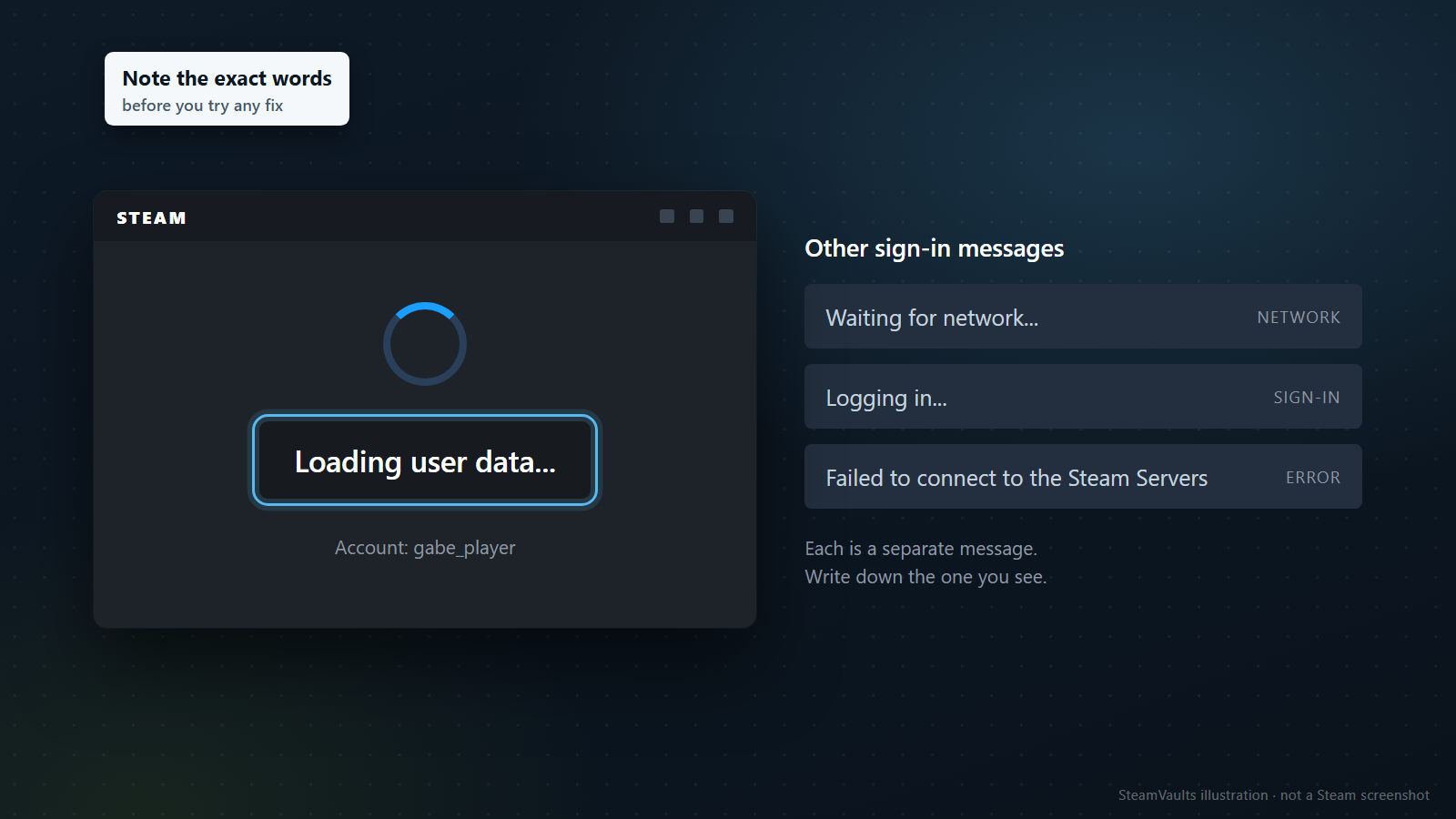
The Steam client has several separate messages for the sign-in process. SteamDatabase publishes the strings it extracts from the client, and in that list of English client strings "Waiting for network...", "Logging in..." and "Loading user data..." are three different entries.
Some of the other strings in the same list explain themselves. "Failed to connect to the Steam Servers" is one. "Too many recent sign in attempts. Try again later." tells you to wait. "Your cached credentials are invalid. Enter your password to sign in." asks for your password, and "Failed to load library cache, please sign in again." asks you to sign in again. If you see one of those, the screen has already told you what to do.
Read only as words, "Waiting for network..." sounds like this PC's connection is not ready yet, and "Loading user data..." sounds like a step after the sign-in itself. That is my reading of the wording, not Valve's explanation. The list is just strings: it does not say in which order the messages appear, when, or what the client is doing while each one is on screen. I use the reading only as a starting point for the tests below, never as a conclusion.
Still, the exact words are the most precise clue you will have, both for narrowing things down and for a support request later. Note them before you try any fix. This guide deals with the case where the window stays on "Loading user data..." for a long time.
Is it only you?
Valve's network troubleshooting FAQ starts by telling you to check the Steam Server Status page for system-wide downtime. It adds that if you get timeout errors on Steam's sites, a system-wide issue is very likely, and you will not be able to connect until it is resolved.
That "Steam Server Status page" link, however, goes to the Steam charts and stats page. When it was opened for this article on November 1, 2026 (Korean time), it showed concurrent user counts and top game charts, with no per-service status for sign-in or user data. A normal-looking user graph does not prove your problem has nothing to do with an outage.
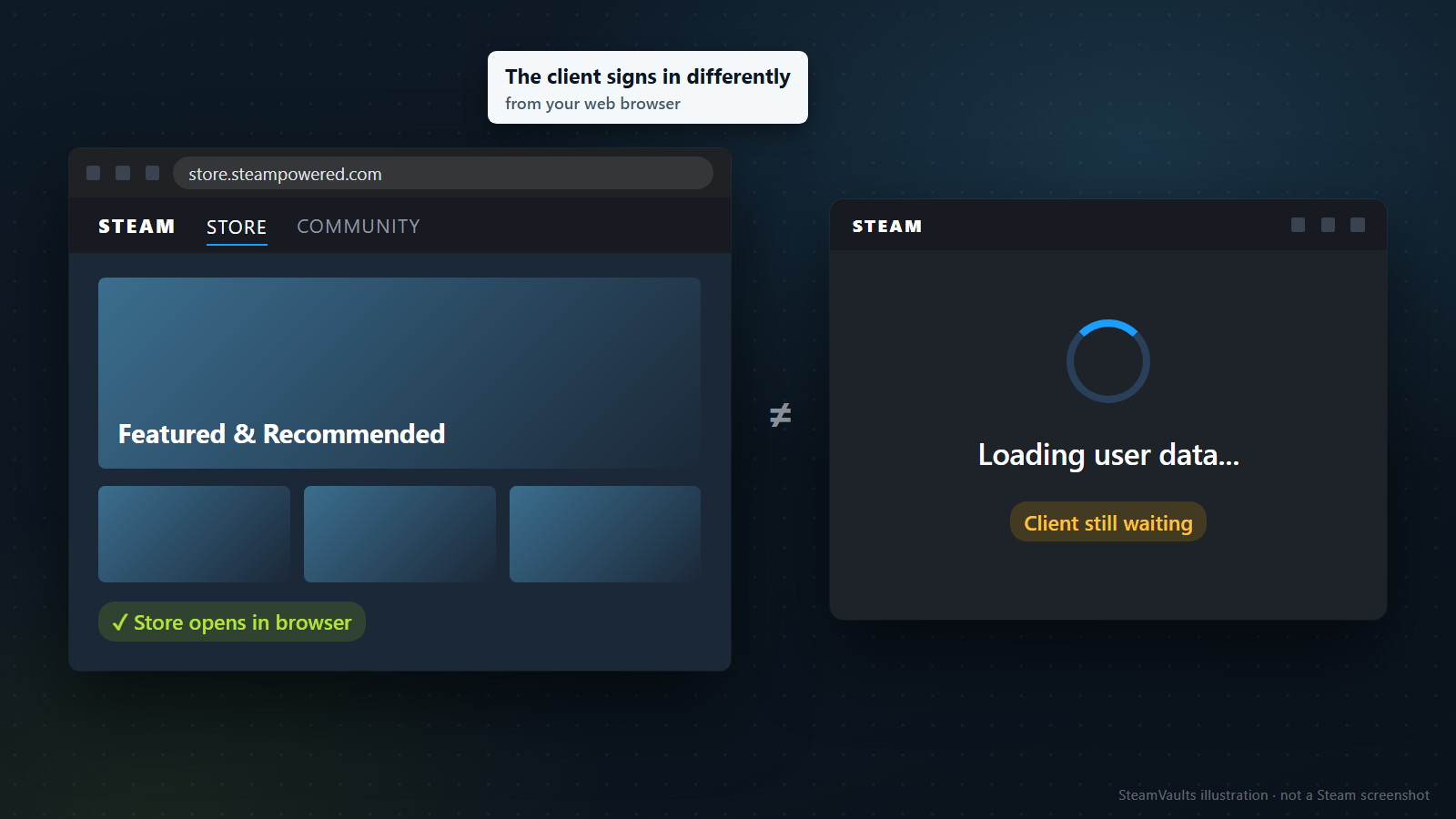
A Store page that loads in your browser proves less than it seems to. Valve's help page I can't sign in to the Steam Client says the Steam Client accesses your account differently than a web browser. If the trouble continues, it says, Steam may be under maintenance or there may be a problem with your local network or ISP, and you may need to wait a few hours and try again.
October 26, 2026 showed that gap in practice. PCGuide reported hundreds of reports that day of the desktop client stuck on "Loading user data", while the Store and Community pages were reportedly unaffected. The unofficial tracker steamstat.us showed high load in some regions, and the article's advice was to wait. It also noted the problem was already resolved in many regions.
The Russian site Shazoo wrote that Down Detector complaints rose sharply around 8 a.m. US Eastern time that day, while SteamDB's monitoring showed all systems green. Not everyone was affected, and Valve had not commented when the piece was written. It also mentioned a brief store outage on October 21, with no confirmed link between the two. Neither report gives a cause or a time when service came back.
So there were days when status pages looked fine and the Store opened in a browser, yet client sign-in failed for many people. And the same symptom can appear when there is no outage at all. Other people's reports from the same hours tell you more than any single status display. If posts with the same message pile up within the same window, in the Help and Tips board of Steam Discussions or in the news, waiting a few hours costs less than taking your PC apart. If you see nothing like that, move on to the next section.
Search with the words on your screen rather than something broad like "Steam down". On October 26, Down Detector and SteamDB painted different pictures, and neither is a Valve status page: one collects user complaints, the other runs its own monitoring. Several posts describing the same message at the same time are a more direct signal than a graph.
Narrow it down: another account, another device, another network
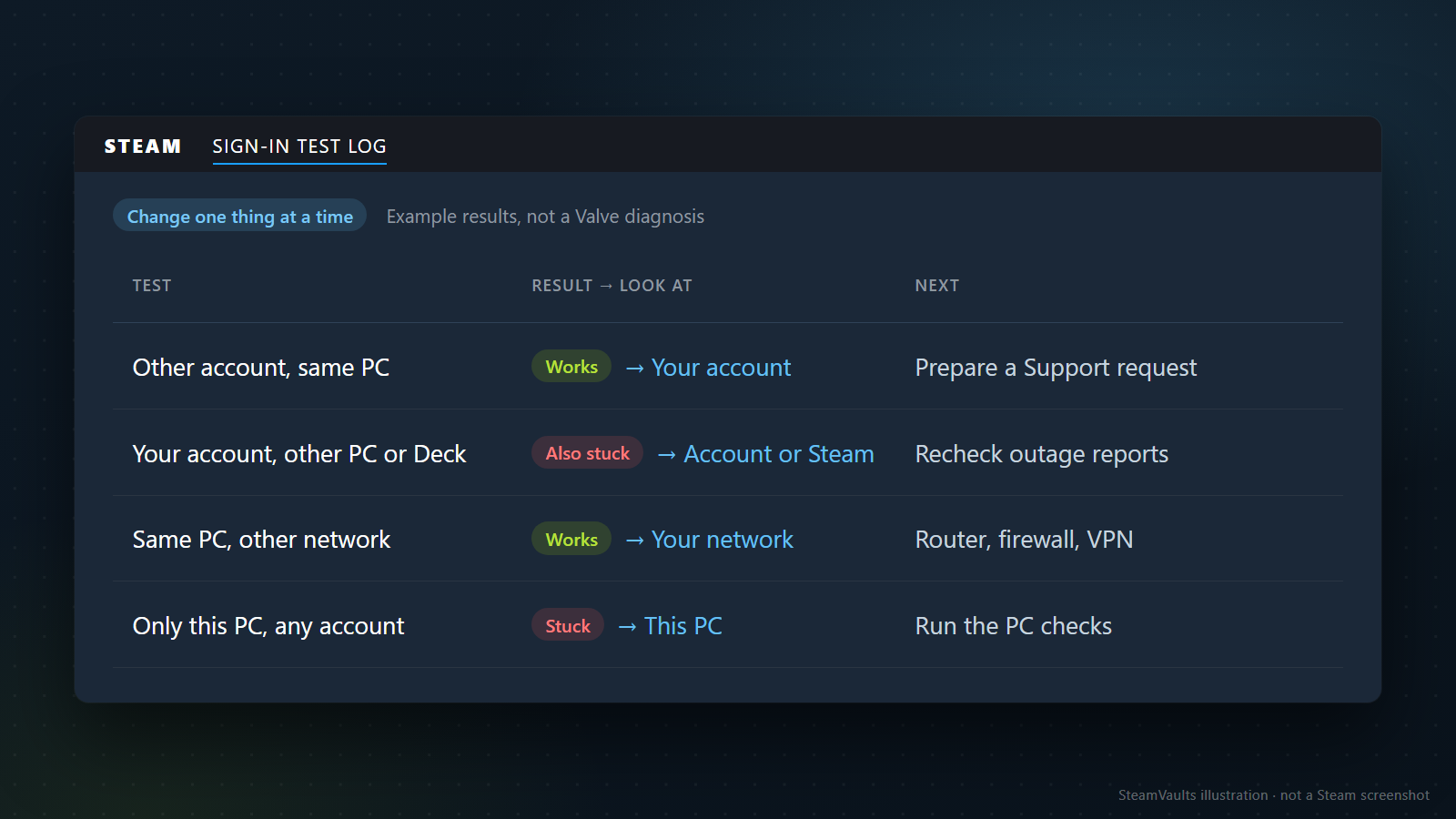
With no sign of an outage and the hang still there, change one thing at a time and see whether the problem follows. There are three swaps worth making: another account on the same PC, your account on another device, and the same PC on another network.
Steam Discussions has several reports from people who did exactly this.
In a thread from November 2023, the poster created a new account to test. It signed in normally, while their own account stopped at "Loading user data..." after they approved the sign-in on their phone. Reinstalling Steam changed nothing. Later they wrote that Steam Support had done an "account refresh" and that it worked.
A December 2023 thread went wider. The poster got the same screen on a phone hotspot, on other PCs, and when a friend in another state tried the account. Another user in the thread said other accounts worked. The thread filled with people reporting the same thing in the same days, one of them on a Steam Deck. It looked like a single account's problem, yet it was hitting many people at once.
The December 2024 thread points the other way. Reinstalling, temporarily removing the user data folder, and switching a VPN on and off did nothing; the poster got into the client after disconnecting an external HDD. There, the device attached to that PC was the better suspect.
These are individual experiences, not a diagnostic standard from Valve. Grouped like this, though, they make the next move easier to choose. The table is my summary of those reports:
| Test result | Look at first | Next |
|---|---|---|
| Another account works on the same PC | Your account | Prepare a Support request instead of deleting files |
| Your account is also stuck on another PC or a Deck | Your account, or Steam | Recheck outage reports, then contact Support |
| The same PC works on another network | Your usual network | Router, firewall, VPN |
| Only this PC is stuck, with any account | This PC | The PC checks in the next sections |
An invented example of reading it: one evening your account hangs. On the same PC a family member's account opens all the way to the library, and on your laptop your account stops at the same message. The first two rows both apply, so suspicion moves toward your account and away from this PC; clearing folders on the PC would not explain the laptop. Now flip it: the family account also hangs on this PC, and both accounts open fine on the laptop. Then it is time to look at this PC and its connection. Either way, the table only tells you where to look next.
A browser sign-in makes a quick extra test. The poster of a February 2025 thread could sign in through a browser and concluded the account was not banned. That confirms the password and the account itself are alive. Since Valve says the client accesses the account differently, a browser success does not clear the client side.
Write down what you did right before the hang started. That February 2025 poster had bought a game that did not show up in the library, exited Steam, and was stuck from then on. (The missing game itself is covered in a purchased game missing from your library.) Shazoo also carried user speculation that activating a key, buying a game or starting a new download set it off, and the article itself called that link unconfirmed. None of this is evidence of a cause, but it is useful when you explain the situation to Support.
The other device does not have to be a PC. In the December 2023 thread, one user saw the same account hang on both a desktop and a Steam Deck, and read that as a sign of a network or server problem. A Deck or laptop that already has Steam installed is the cheapest test there is.
Change one condition per test. If another PC on another network signs in, you cannot tell whether the PC or the network made the difference. With no second account, start with your account on another device. If you sign in on someone else's computer, sign out afterwards and do not leave your credentials on it.
For the network test, Valve's client troubleshooting FAQ recommends testing on an entirely different network, preferably through a different ISP, but also notes that some providers, especially cellphone networks, cache or compress data in ways that can cause problems. A hang on a phone hotspot therefore does not clear your home network. A clean sign-in on the hotspot is the much clearer signal.
Stuck before that: sign-in and Steam Guard
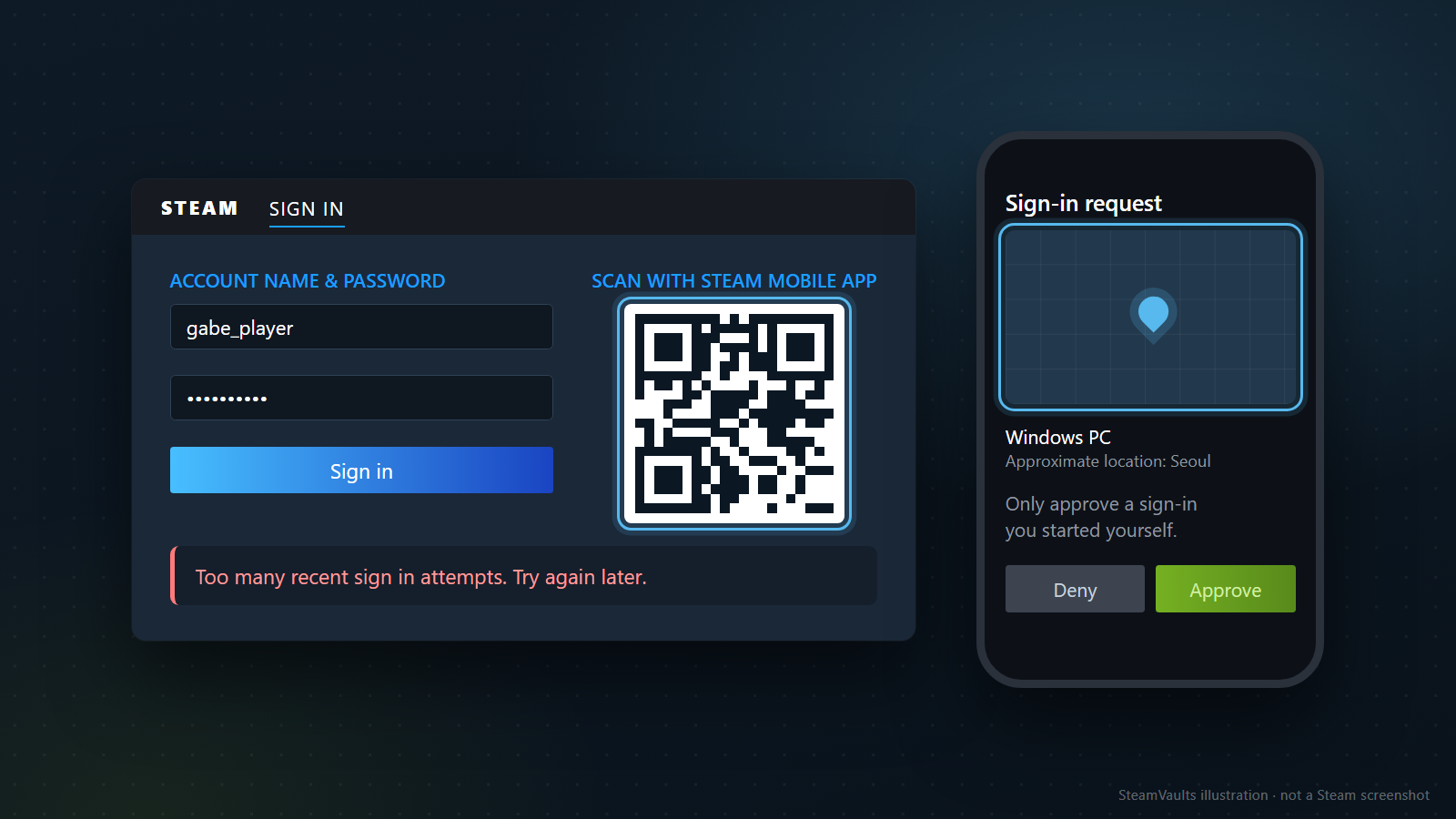
If scanning the QR code never completes, or the code is rejected, you have not reached "Loading user data..." yet. Valve's Steam Guard Mobile Authenticator FAQ lists three ways to confirm a sign-in: scan the QR code on the sign-in form with the mobile app, approve a notification on your phone, or type the code shown under "Show Steam Guard code" in the app. With the QR code, the app shows the approximate location of the device trying to sign in on a map, and you approve only if that matches. The mockup's location and device are invented. If you did not start the sign-in, or the location is far off, do not approve it just to get past a frozen screen. If codes keep failing, check that your phone's clock is correct, because the codes depend on it.
Forgotten passwords, missing Steam Guard codes and a lost authenticator have their own path in Valve's Help, I can't sign in. If "Too many recent sign in attempts. Try again later." appears, stop retrying and leave it for a while. The same Steam Guard FAQ explains that with "Remember me" checked, Steam asks for your password only periodically, and that if you set "Don't save account credentials on this computer", it can ask for your password and a confirmation every time. Being asked each time is not necessarily a fault.
When the hang starts after the approval, a password change may not be the answer; the February 2025 poster changed theirs with no effect. And if someone offers to help, do not send them codes or your password. Valve states that Steam Support will never ask for your codes.
If this PC is the suspect: Valve's checks, lightest first
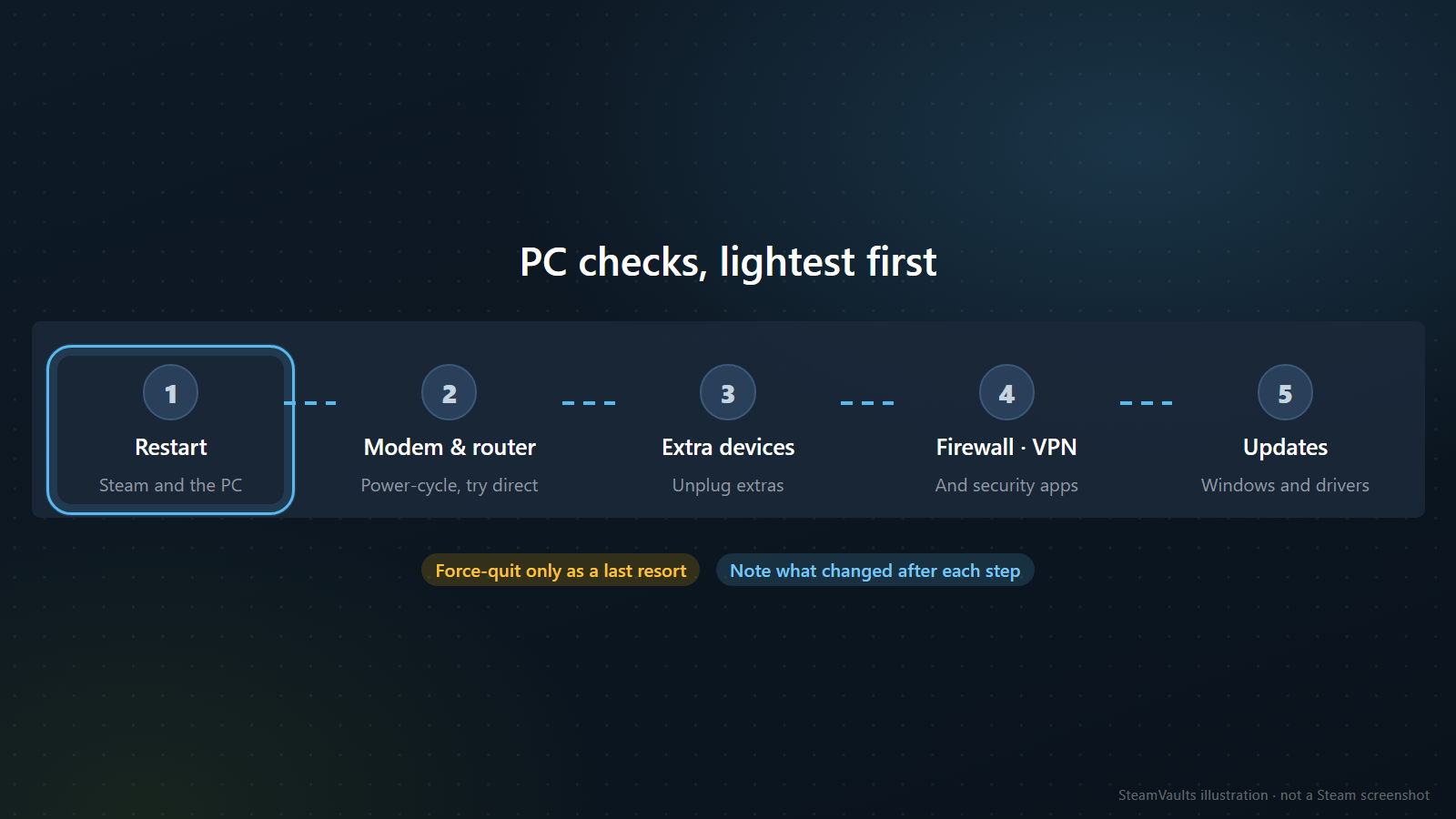
When the tests point at this PC or this network, go through the items in Valve's client troubleshooting FAQ and network FAQ, starting with the least disruptive. The client FAQ was written for Steam crashing or not opening properly, so it does not mention "Loading user data..." directly. It does contain a line about the login process, which makes it usable for ordering the checks.
1. Restart Steam and the PC. Valve says restarting the computer flushes system states and caches, resets other programs and releases locks on files. If Steam is not responding and you are tempted to end it in Task Manager, know this first: the Offline Mode FAQ warns that force-quitting Steam can lose the stored information offline mode needs. Keep force-quitting as a last resort for when a normal exit fails. 2. Power-cycle the modem and router. Valve writes that network hardware in a bad state can make the update or login process of launching Steam fail silently or crash. Of everything in Valve's pages, that is the closest description of a screen that hangs with no error. The router FAQ also suggests testing with a direct connection to the modem, bypassing the router. 3. Unplug devices you do not need. Valve's advanced steps include disconnecting external input devices you do not need. The December 2024 case involved an external HDD, not an input device, so it goes beyond Valve's wording, but it is the same kind of test. 4. Check the firewall, VPN and security software. Valve explains that after a first install or a recent Steam update, a firewall that never caused trouble can block Steam's connection and may ask you to authorize it again (Using a Firewall with Steam). It also lists VPNs, anti-virus, anti-spyware and download accelerators among the programs that may interfere with Steam. If you switch the firewall off as a test, switch it back on; Valve does not recommend leaving it disabled. 5. Update the operating system and drivers. For Windows, the FAQ says to open Start, search for "update" and run "Check for Updates".
Two more network clues depend on time and place. The network FAQ says that if problems happen only at certain hours, for example between 5 and 11 pm, your ISP may be blocking or shaping traffic, so test at other times and ask the provider. It also says university networks and proxies often block the ports Steam needs, so ask the administrator. The FAQ names only university networks and proxies, but by the same logic, if the hang happens only on a dorm or office network, ask about that before you change anything on the PC.
The client FAQ also has advanced items such as turning off overclocking and checking drives and RAM. Valve suggests doing those with an IT specialist. A sign-in screen alone rarely justifies going that far, but if other programs are unstable too, that is a separate reason to look.
Note what changed after each step. Change several things at once and succeed, and next time you will not know which one to try first.
Valve also says in that FAQ that some crashes have nothing to do with your configuration and need client updates from Steam's developers. If all five items leave things unchanged, that is the reason to stop taking the PC apart and turn to the options and the support request below.
Before you delete files or reinstall
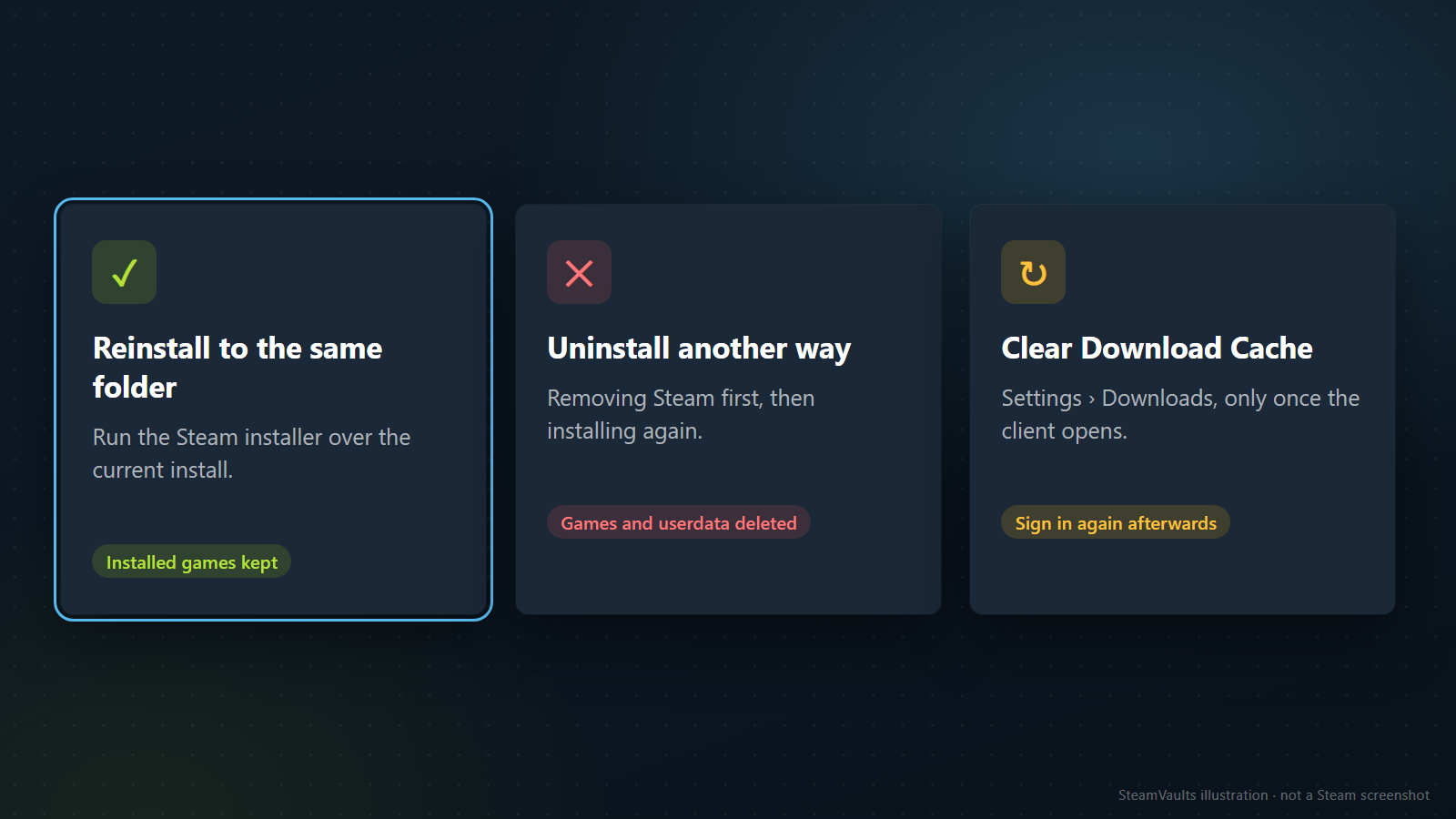
Search results mostly suggest a reinstall, clearing a cache, or deleting config files. They leave you in very different places.
Reinstalling. Valve says that downloading the Steam installer and installing to the same location as your current install keeps your installed games. It also warns that uninstalling Steam any other way deletes all game and userdata content. If you reinstall, do not remove Steam first: run the Steam installer over the current install. Valve has a separate article for Mac, so do not carry this over to a Mac unchanged. In the discussion threads, reinstalling did not help in the November 2023 and December 2024 reports, so if the problem looks account-side, it may only cost time.
Clearing the download cache. According to Valve's download cache page, it does not affect installed games, but you have to sign in again afterwards. The button sits in Settings > Downloads, which you only reach once the client opens. With sign-in blocked, you either cannot use it or it sends you through sign-in one more time. Stalled downloads are a separate problem, covered in Steam download at 0 while the disk is busy.
Deleting config files. The February 2025 poster wrote that removing config.vdf, loginusers.vdf and DialogConfig.vdf from the Steam/config folder fixed it, without knowing which file mattered. Another user in the December 2023 thread removed local user data with no effect. The Valve pages I read do not explain what these files hold or whether deleting them is safe. If you try it anyway, close Steam completely and move the files to another folder rather than deleting them, so you can put them back if it fails.
Starting offline. A reply in the November 2023 thread suggested booting the PC offline, opening Steam and then connecting; that user got into the account but could not play games. Valve's Offline Mode FAQ says that if the client requires a login, there is no way around it without going online, so offline mode only helps if you set it up beforehand. Preparing Steam offline mode before travel covers that.
Sorted by how easy they are to undo: moving files back is trivial; the cache clear leaves games alone but asks for one more sign-in; a same-folder reinstall keeps games but takes time, and it did nothing in two of the reports above (November 2023, account-side; December 2024, where an external drive was the cause); any other uninstall deletes games and userdata and cannot be undone. If the evidence points at your account, skipping all four and going straight to Support is a reasonable choice.
What to send Steam Support
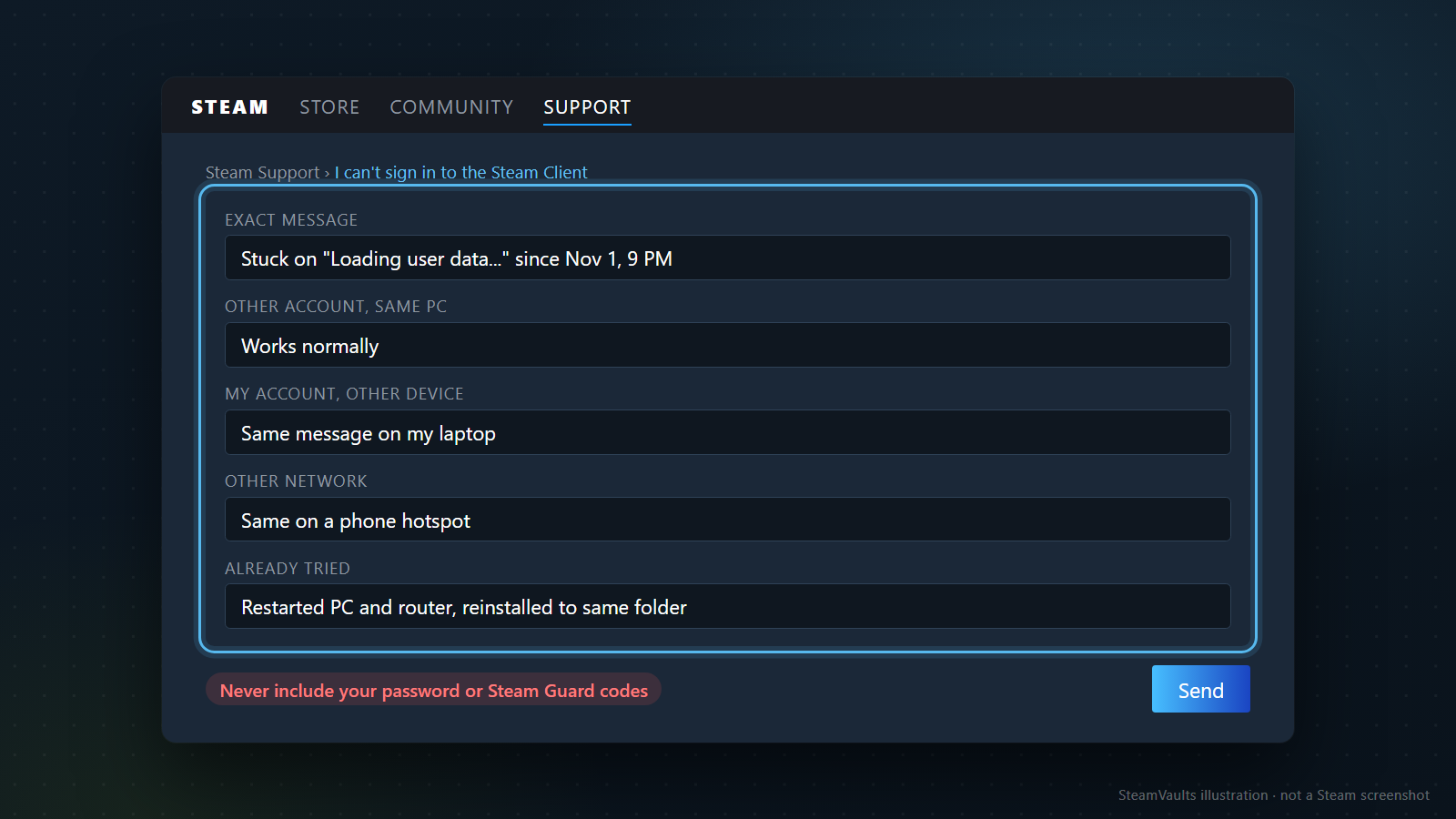
If it looks like an account problem, you will need Steam Support. Discussion threads keep repeating that Support did an "account refresh" and the hang went away, but that is the users' term; I did not find it on the Valve help pages I read. In the same thread, another user said they only got a canned reply telling them to check their network.
So put the evidence that it is not your network into the first message:
- the exact message on screen, and the date and time it started;
- the result with another account on the same PC;
- the result with your account on another PC or device;
- the result on another network;
- what you already tried, and what each attempt changed.
It does not need to be long. An invented example, matching the mockup: "Since Nov 1, 9 PM my client stays on 'Loading user data...'. Another account works normally on the same PC. My account shows the same message on my laptop. Same on a phone hotspot. I restarted the PC and router and reinstalled Steam to the same folder, with no change. Signing in through the browser works." Before anyone suggests checking your network, it is clear you already did.
Support may ask for more. Valve's client troubleshooting FAQ says that when you work with Support, they may request more information or tests to narrow down the cause, and the December 2024 poster said they sent Support a dump file. Send what you are asked for, the way they ask for it.
Your password and Steam Guard codes go nowhere in the message. How to write a Steam bug report or support request has more on structuring it. Valve's pages make no promise about how long such a request takes or how it ends.
The order, in short
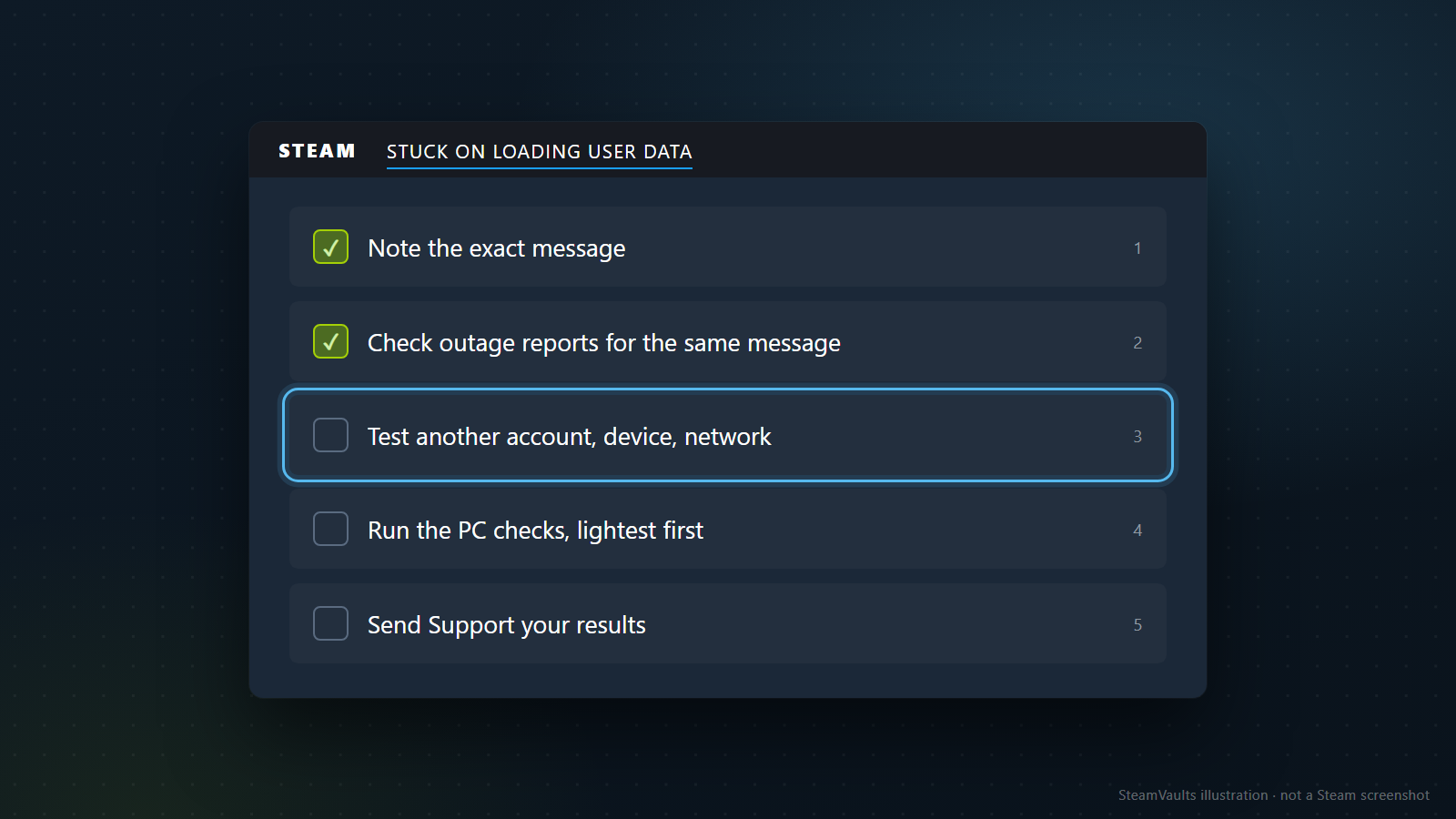
Note the exact message. Check whether outage reports with the same message are coming in. Swap account, device and network one at a time. If it is only this PC, run the PC checks from the lightest one up; if it is only your account, send Support your results. Reinstall only over the existing folder.
Give the waiting an end point. Valve says to try again after a few hours in case of maintenance or network trouble, without naming a time. If hours later the hang is still there and new reports of the same message have stopped, treat it as your account's or your PC's problem and start narrowing it down. What this guide covers ends at Valve's documentation and the reports users left; it cannot diagnose your case for you.