


When an item is listed on the Steam Community Market, the screen shows two numbers: what the buyer will pay and what the seller will receive in Steam Wallet funds. It is tempting to say the difference is simply “15%” and leave it there. That shortcut stops working as soon as someone tries the arithmetic with a $100 listing.
The calculation is usually not wrong; the reference amount has changed halfway through it. In the explanatory model used in this guide, a seller who receives $100 has $15 added in fees, so the buyer pays $115. Fifteen dollars is 15% of the seller’s $100 proceeds, but it is about 13.04% of the buyer’s $115 total. Both descriptions can refer to the same listing.
This is not another guide to using the Market. For the basics of listings, orders, and prices, start with our Steam Community Market guide. Here, the focus stays narrow: the two price fields on a listing form, the direction of the calculation, and why small USD amounts make the result look less tidy. It does not cover cash-out pricing or which item to choose.
Why “15%” is too broad a starting point
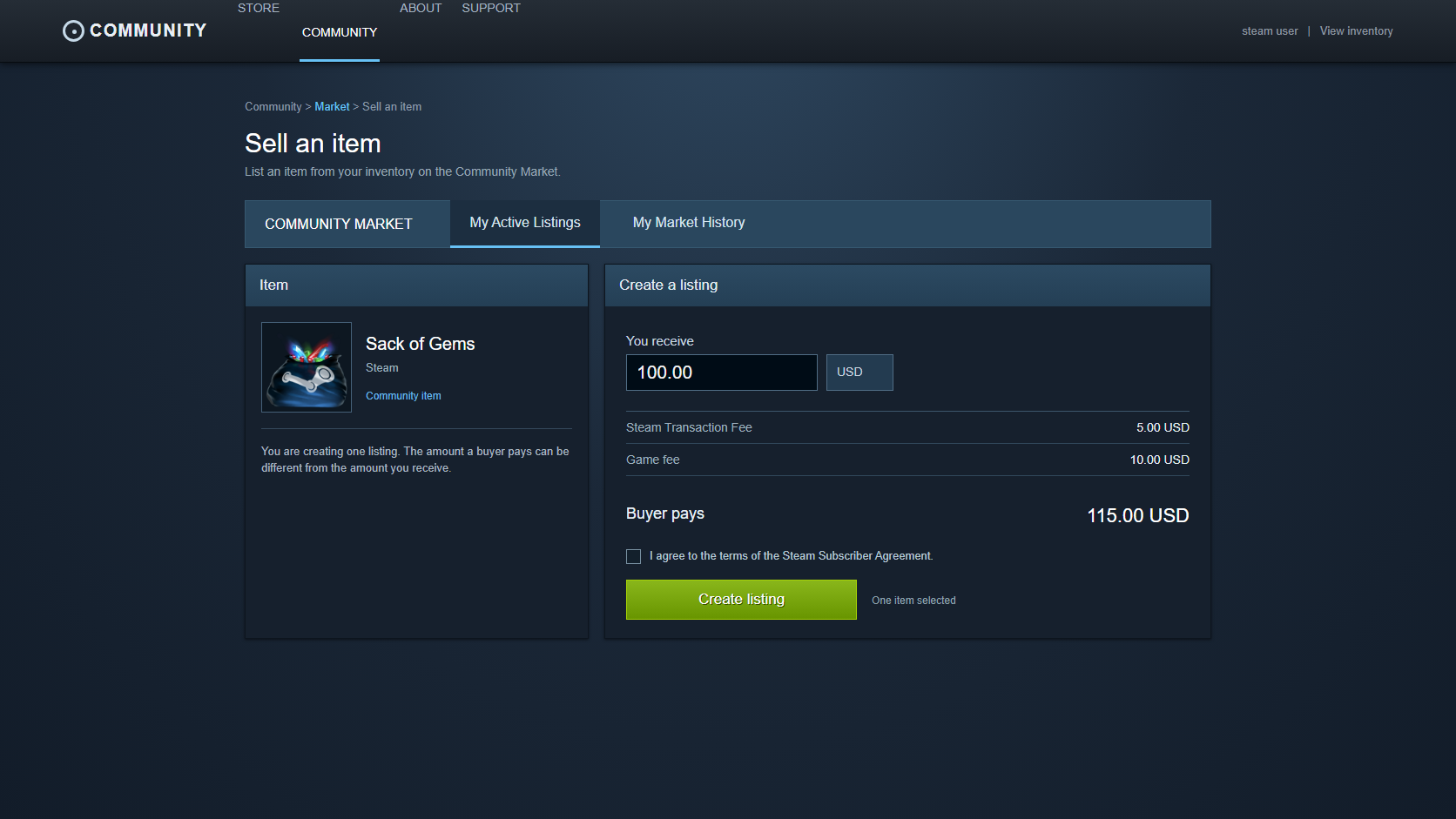
Steam’s Community Market FAQ documents a 5% Steam transaction fee with a USD $0.01 minimum. It also names a 10% game-specific fee for Team Fortress 2, Dota 2, Counter-Strike 2, and Artifact. When both apply, people often call the result 15%.
That is useful shorthand, not a permanent formula for every item on Steam. The game-specific fee can depend on the game and its configuration. Currency handling, tax, and minimum amounts can also affect the last number on the screen. For a real listing, Steam’s confirmation screen before completion is the source of truth.
To make the arithmetic readable, this article fixes one condition: an explanatory model with a 5% Steam fee and a 10% game-specific fee. It is enough to show why “15%” and “about 13.04%” appear together. It does not mean every item in an inventory carries that same fee structure.
It depends which side of the listing you start from
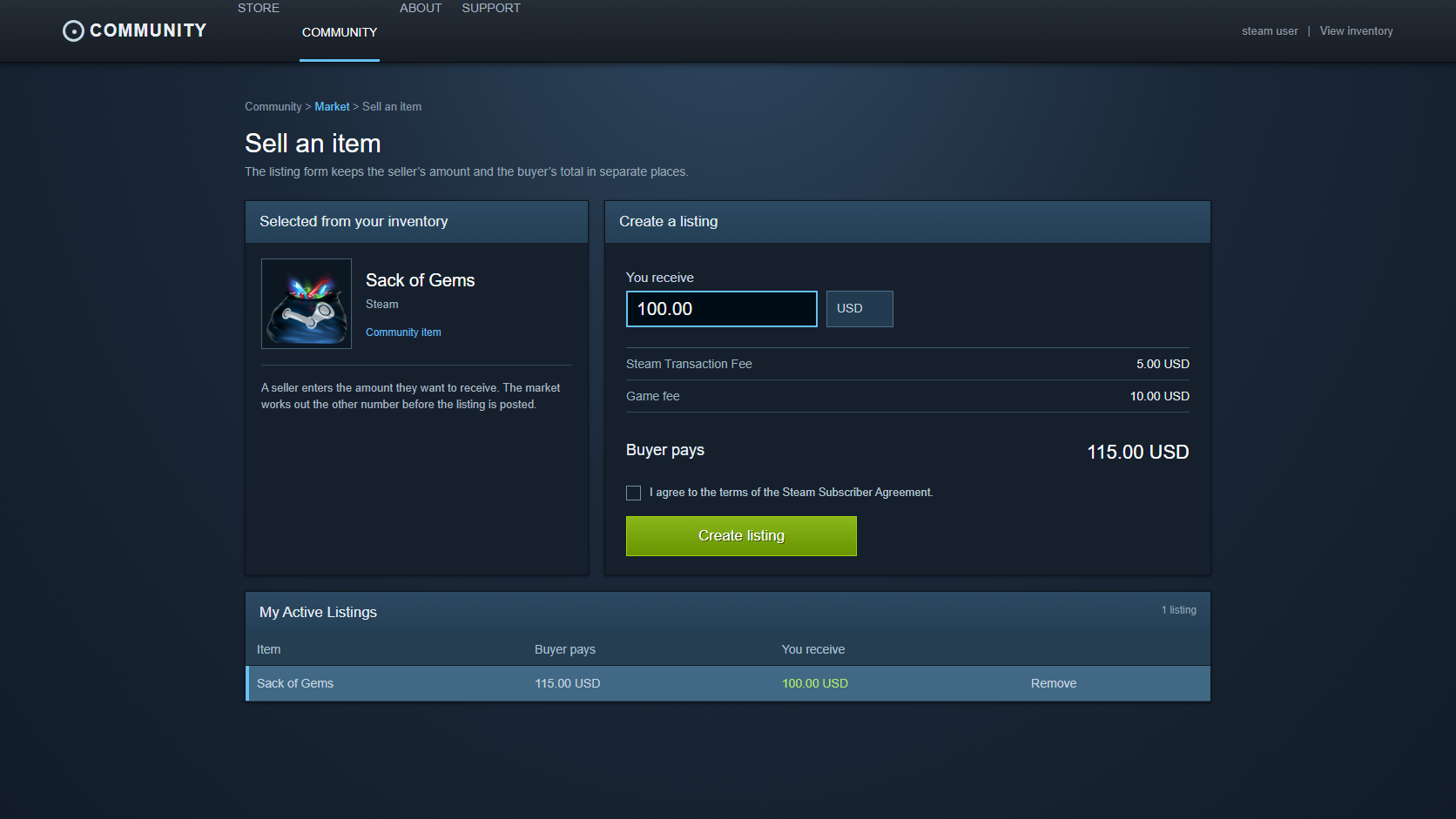
Sellers usually begin with a practical question: how much should reach Steam Wallet? Buyers see the other end of the transaction: how much will leave Steam Wallet in total? The listing contains both fields, but they do not run in the same direction.
If the seller wants to receive $100 {#seller-first}
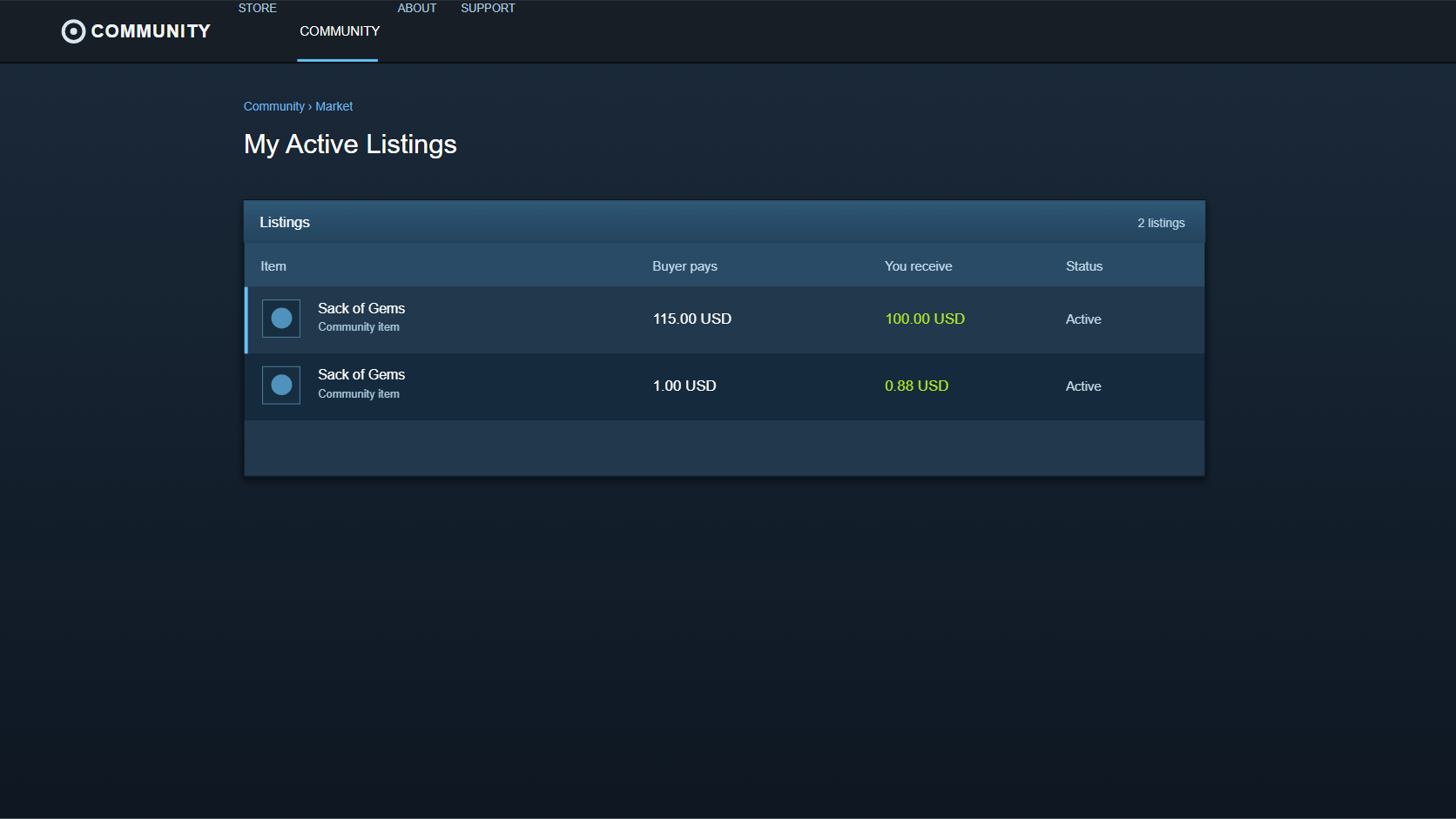
Assume the seller wants $100 in Steam Wallet funds. Under this article’s 5% + 10% model, that creates a $5 Steam fee and a $10 game-specific fee.
| Part of the listing | Amount |
|---|---|
| Seller proceeds to Steam Wallet | $100.00 |
| Steam fee, 5% | $5.00 |
| Game-specific fee, 10% | $10.00 |
| Buyer total | $115.00 |
Measured against the seller’s proceeds, the $15 fee is 15%.
``text $15 ÷ $100 = 15% ``
The buyer, however, paid $115. Divide the same $15 by $115 instead and the result changes.
``text $15 ÷ $115 ≈ 13.04% ``
One person may say the seller receives roughly 86.96% of the buyer’s total. Another may say 15% is added to the seller’s chosen amount. Neither is describing a different system. They are using different denominators.
If the buyer cannot spend more than $100 {#buyer-first}
Now start with the buyer’s budget. A quick 100 × 0.85 suggests that the seller should receive $85. But adding 15% to $85 produces only $97.75, not the original $100.
In a large-amount model that ignores the smallest currency unit, the buyer total should be divided by 1.15.
``text $100 ÷ 1.15 ≈ $86.956 ``
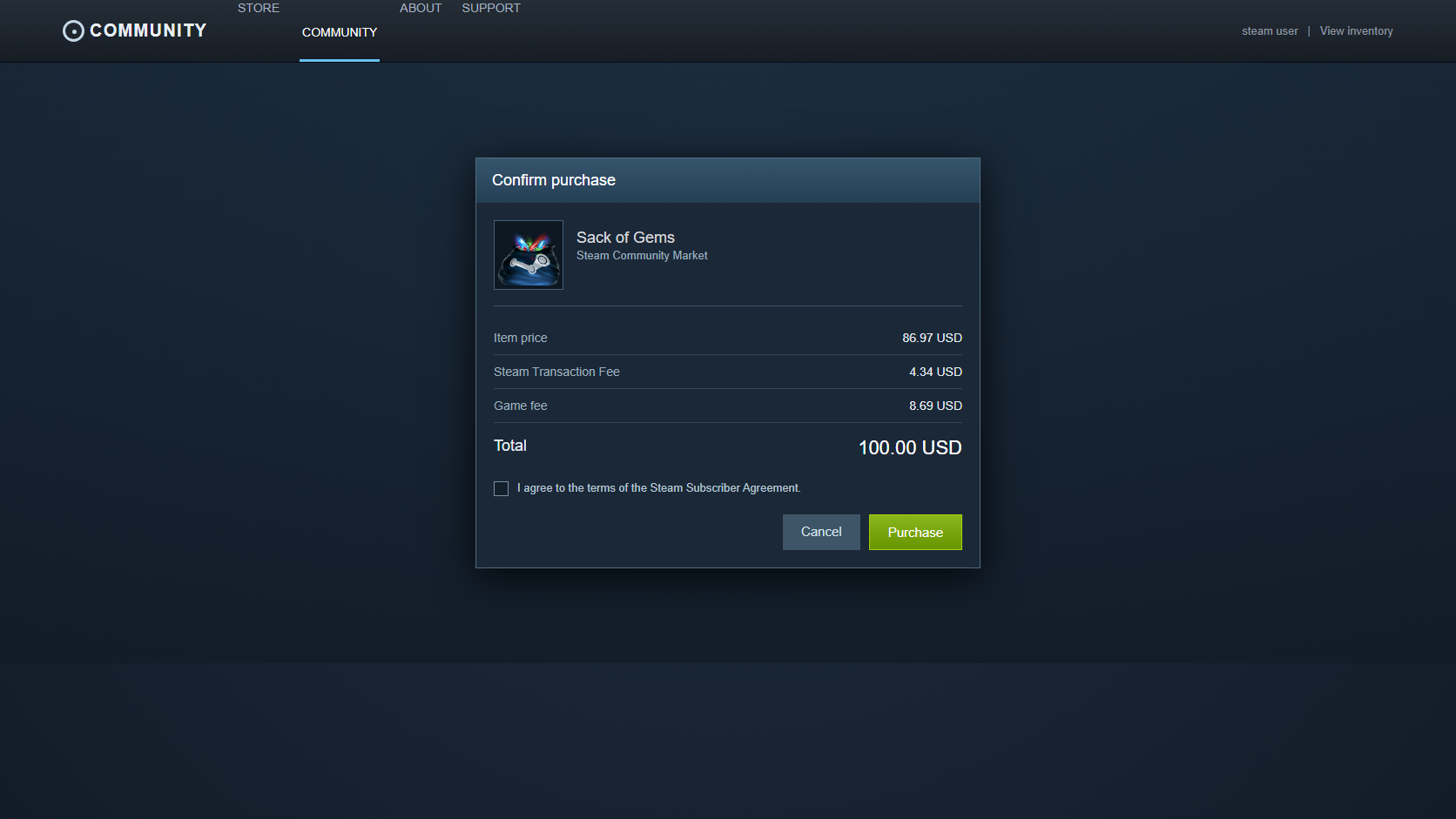
Steam listings do not accept a third decimal place. The current SteamVaults calculator estimate model accounts for USD cents and minimum fees, and finds $86.97 as the seller amount that fits within a $100 buyer total.
| Calculator estimate for a $100 buyer total | Amount |
|---|---|
| Seller proceeds to Steam Wallet | $86.97 |
| Steam fee | $4.34 |
| Game-specific fee | $8.69 |
| Buyer total | $100.00 |
The estimated fees add up to $13.03. Relative to the buyer’s $100 total, that reads as 13.03%. Treating “add 15% to seller proceeds” and “subtract 15% from buyer total” as the same operation is what creates the mismatch.
At low prices, the percentage gets messy
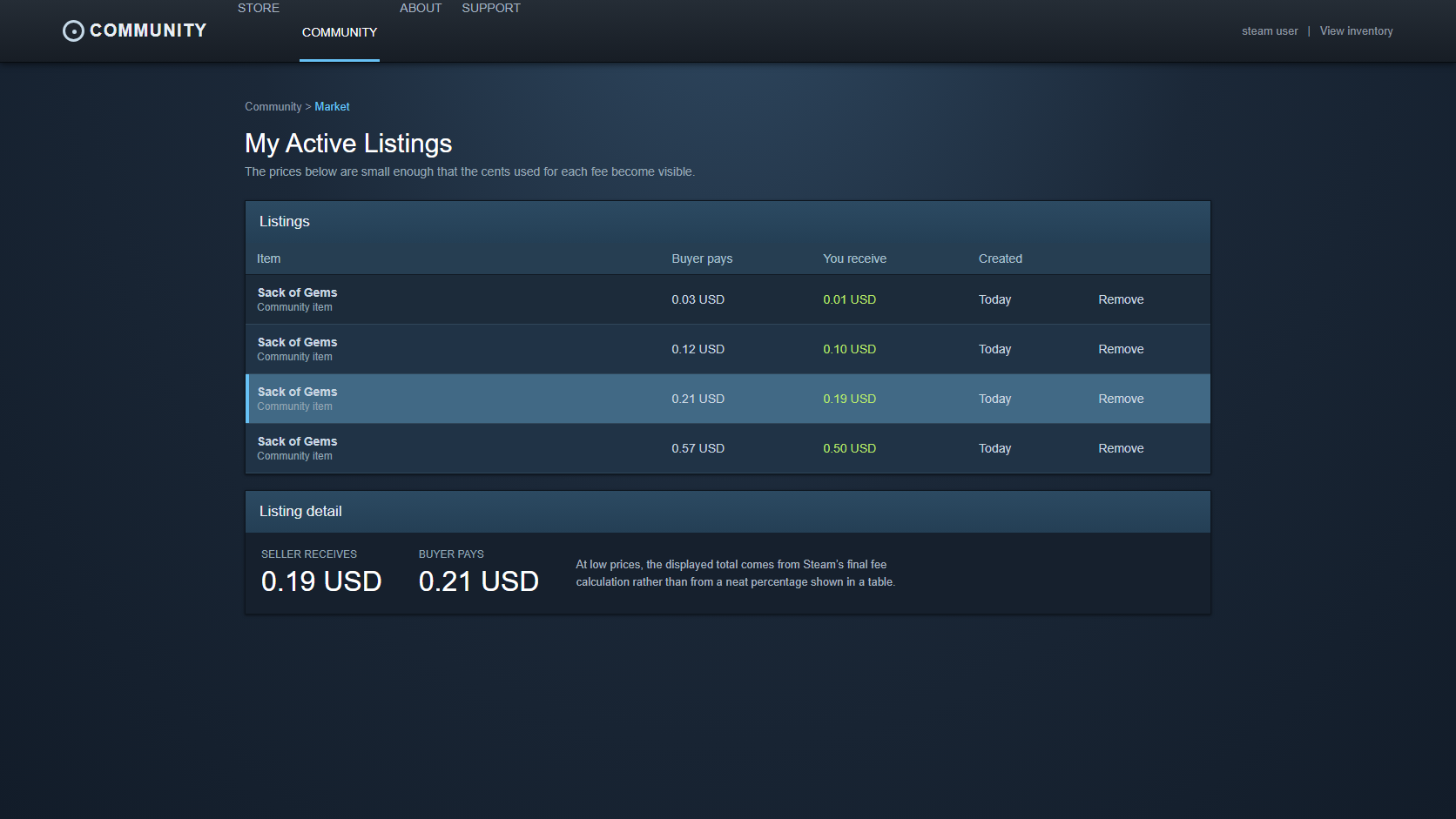
Near $100, multiplying by 1.15 looks close enough. Once the numbers get smaller, a single cent can change the outcome. Half a cent cannot be displayed as a listing amount, and a minimum fee matters much more when the sale itself is only a few cents.
The table below is not a universal fee table published by Valve. It applies the SteamVaults calculator estimate model to one sale at a time: USD cents, a 5% Steam fee, a 10% game-specific fee, and a one-cent minimum for each fee component. If Steam’s confirmation screen differs for a listing, use Steam’s number.
| Target seller proceeds | Estimated buyer total | Estimated total fees | Share of buyer total |
|---|---|---|---|
| $100.00 | $115.00 | $15.00 | 13.04% |
| $10.00 | $11.50 | $1.50 | 13.04% |
| $1.00 | $1.15 | $0.15 | 13.04% |
| $0.50 | $0.57 | $0.07 | 12.28% |
| $0.19 | $0.21 | $0.02 | 9.52% |
| $0.10 | $0.12 | $0.02 | 16.67% |
| $0.01 | $0.03 | $0.02 | 66.67% |
SteamVaults fee-model analysis · 2026-08-22
The selected rows alone do not show how wide the low-price variation is. For this article, we ran the current calculator implementation across every target seller-proceeds value from $0.01 to $100.00, in one-cent steps: 10,000 calculations for a single listing under the 5% Steam + 10% game-fee model, a one-cent minimum for each fee, and USD-cent pricing.
This was not a collection of 10,000 real Steam Market transactions. It is an internal, reproducible analysis of how the SteamVaults calculator model behaves at low prices. It cannot be carried over unchanged to listings with a different game fee, currency, or tax treatment.
| Target seller proceeds | Calculated values | Effective-fee range | Values within ±0.1 percentage points of 13.04% |
|---|---|---|---|
| $0.01–$0.99 | 99 | 9.30%–66.67% | 4 |
| $1.00–$9.99 | 900 | 11.85%–13.04% | 340 |
| $10.00–$100.00 | 9,001 | 12.91%–13.04% | 8,955 |
Of the 10,000 values, 9,299 fell within ±0.1 percentage points of 13.04%. Most of those values are in the $10-and-up range. In this model, every target seller-proceeds value from $14 through $100 stays inside that band.
We also checked whether this was merely an effect of beginning with “15%.” The same 10,000 seller-proceeds values were run through a second calculator model with the 5% Steam fee only. These two models do not sort every Steam game into two categories. They are comparison conditions: one for a case with no game-specific fee, and one for the named 10% examples.
| Estimate model | Calculated values | Large-amount fee as a share of buyer total | Full $0.01–$100.00 range | First point after which every value stays within ±0.1 percentage points of the baseline |
|---|---|---|---|---|
| Steam 5% only | 10,000 | 4.76% | 2.50%–50.00% | $8.60 |
| Steam 5% + game-specific 10% | 10,000 | 13.04% | 9.30%–66.67% | $14.00 |
Both models move around at very low prices. The issue is not unique to “15%.” Once a fee has a minimum amount and the listing is constrained to cents, a simple percentage will be rough around the edges in any such model. The two runs total 20,000 calculations; the conditions and a reproduction script are recorded in this article’s research notes.
The $0.10 row having a higher percentage than the $0.19 row does not mean the formula changed on its own. At that scale, one cent represents a large part of the whole. A difference that is nearly invisible in a $100 transaction can account for almost half of a three-cent total.
Selling ten copies at the same price does not automatically make it one ten-item calculation. If they are listed separately, the calculation happens ten times. Minimum fees and rounding may apply to each listing, which is why a single percentage is a poor shortcut for predicting the outcome of a group of low-priced sales.
Working backwards means finding a valid cent value
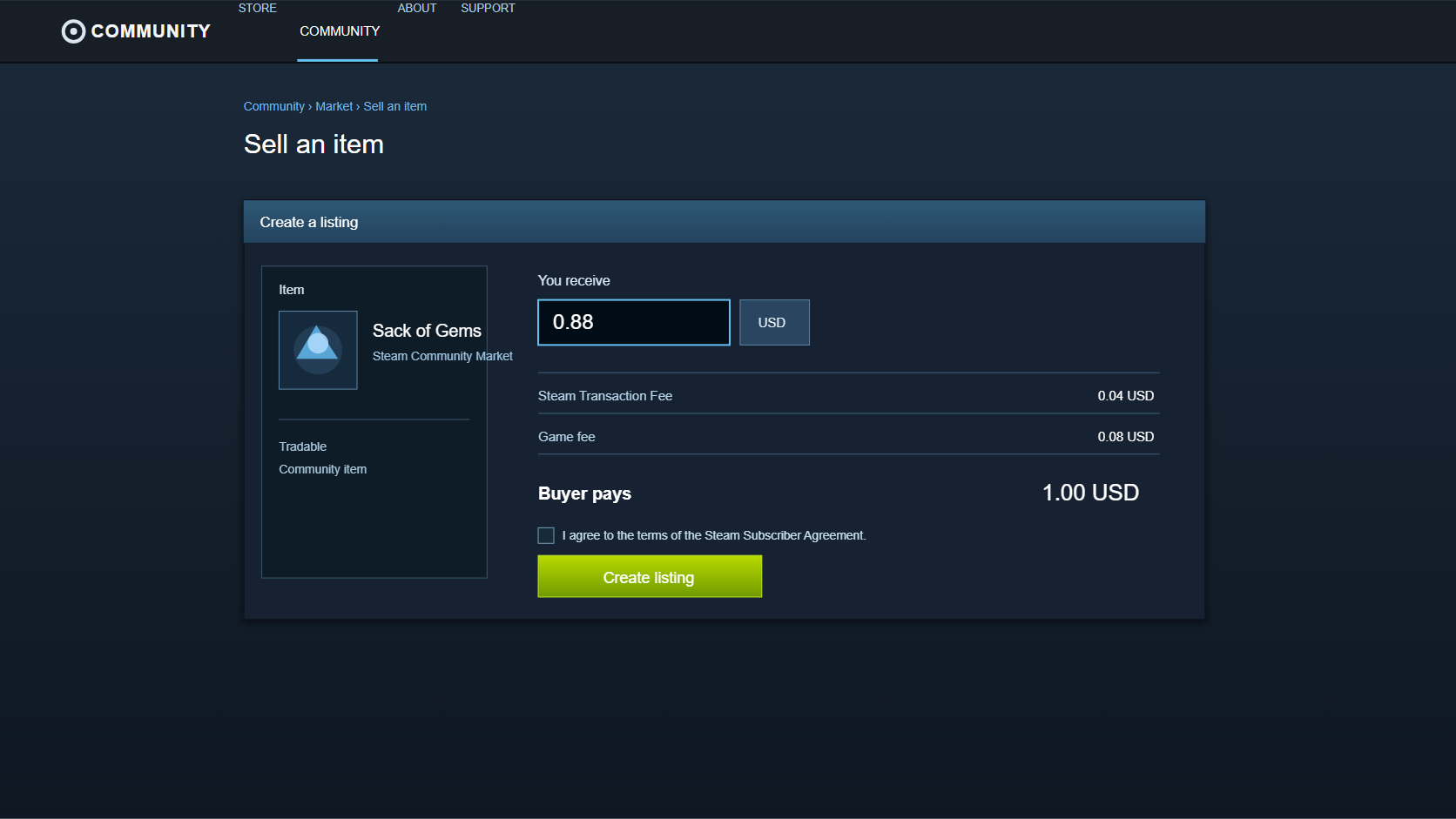
When the seller’s target is known, the calculation moves forward: estimate the fees on that target and arrive at a buyer total. A fixed buyer budget reverses the task. The useful answer is the largest seller-proceeds amount whose fees still keep the buyer total inside the budget.
The SteamVaults calculator narrows candidate values in cents. One amount may remain under budget after fees, while the next cent pushes the total over. That is also why buyer total × 0.85 becomes especially unreliable at low prices.
Under the same estimate model, a $1 buyer total corresponds to $0.88 in seller proceeds. Add a $0.04 Steam fee and a $0.08 game-specific fee, and the total is $1. The fact that 1 ÷ 1.15 is roughly 0.8696 explains the broad relationship, but it is not itself a usable listing amount.
What the calculator does not decide
The Steam Market Fee Calculator estimates a buyer total from seller proceeds, or finds seller proceeds that fit a buyer total. That is useful for checking the likely gap before a listing is created.
It does not establish an item’s actual game fee, tax, currency handling, or Steam’s final amount for the transaction. It also does not read an account or inventory, so it cannot judge whether a particular account or item is in a usable state.
If the calculator and Steam’s confirmation screen disagree, the confirmation screen wins. Check whether the calculator model matches the game, currency, and tax conditions before treating the difference as an error.
Say what the percentage is measured against
“The fee is 15%” and “the fee is about 13% of the buyer total” are not opposing claims. One uses seller proceeds as the base, and the other uses the buyer total.
That denominator is worth naming whenever Market fees are compared. Once it is clear whether a percentage is measured against seller proceeds or buyer spend, numbers such as $100 and $85 stop looking as though they should match exactly.
For any real sale, check Steam’s confirmation screen for the final amount. To estimate the range before that point, use the Steam Market Fee Calculator.
Sources and calculation scope
- Steam Support — Community Market FAQ
- The low-price table and reverse-calculation examples use the SteamVaults calculator estimate model: USD cents, a 5% Steam fee, a 10% game-specific fee, and a one-cent minimum for each fee component. Results can change outside those conditions.
- The analysis method and reproduction script are retained in SteamVaults internal working records. The 20,000 calculations in this article are calculator-model analysis, not a sample of real Steam transactions.
- For a specific transaction, Steam’s pre-completion confirmation screen is the authority for fees, tax, currency handling, and the final total.