
If you've been using several mods and want to return to the original game, unsubscribing may look straightforward. But what happens to a save created with a mod, or to the game's mod settings? Removing files and preserving an existing playthrough need separate attention.
I'd avoid starting with a clean sweep. If something breaks, you may no longer know which mod you need to restore. Begin with checks you can reverse, then decide what to remove.
Disabling and unsubscribing are different actions
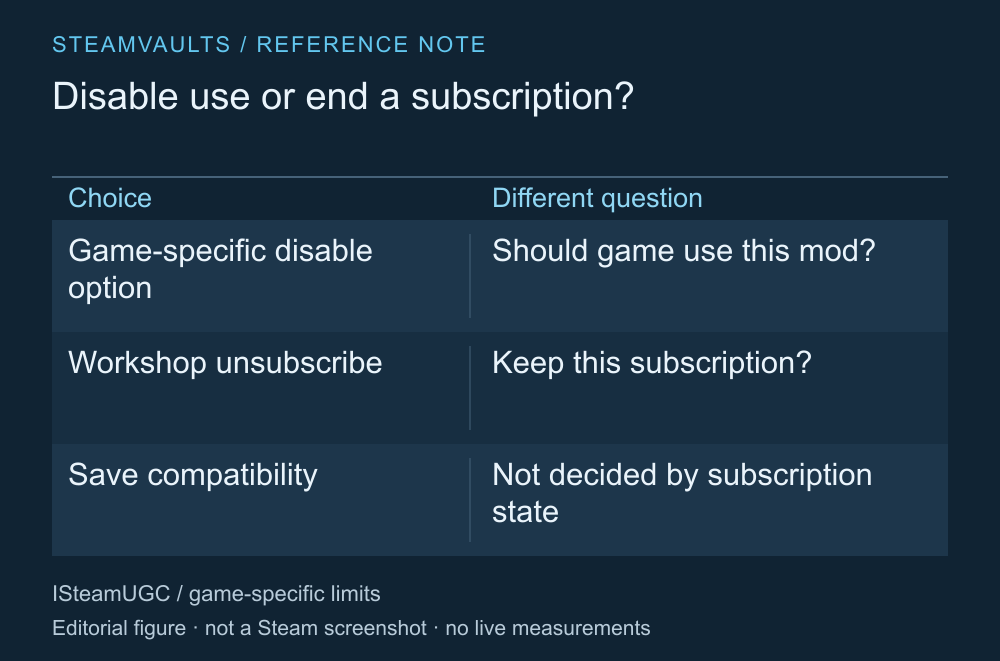
A comparison of two actions, not a capture of a game's mod menu.
If the game has a control for enabling or disabling mods, read its official instructions first. Disabling may mean choosing not to apply that mod in the current game. Unsubscribing on Steam concerns whether you remain subscribed to the Workshop item. Games don't all provide the same disable menu.
Valve's ISteamUGC implementation documentation treats subscription and installation as separate states. Subscribing leads to content being downloaded and installed; it doesn't assess whether a particular mod can safely be removed from a save. Steam Workshop implementation documentation
If you suspect a mod is causing a problem, record the original setup and check one item at a time using the game's supported procedure. Follow any game-specific requirement that prohibits removal or requires a new save. This guide doesn't guarantee safe removal of every mod.
Preserve the existing playthrough first
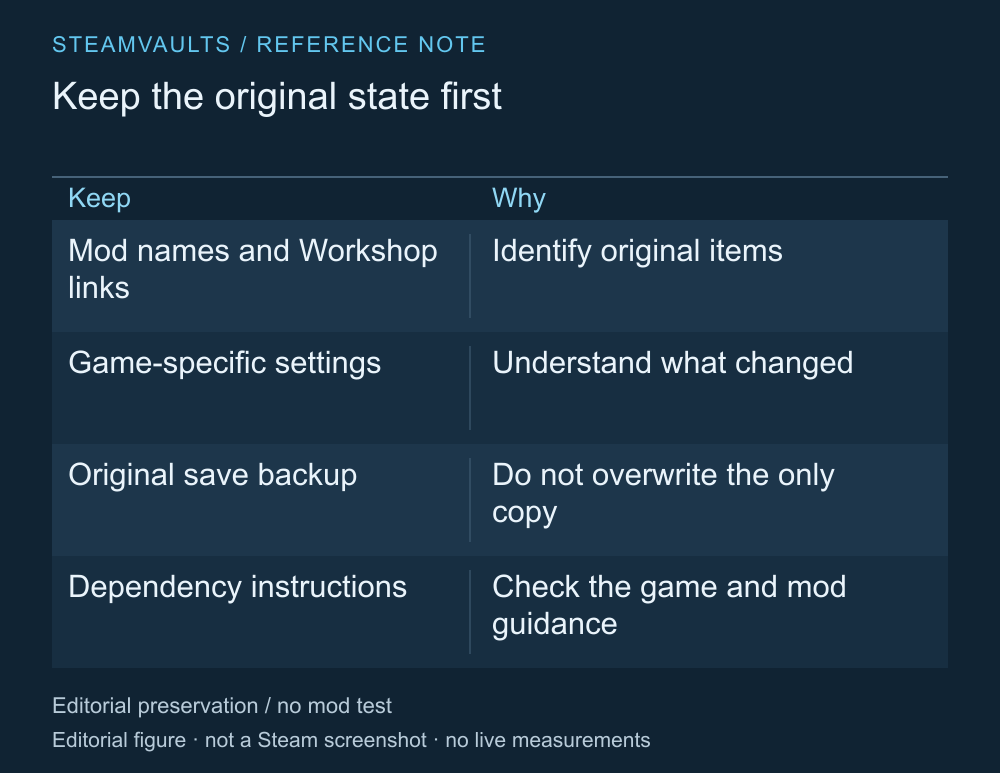
Recording a list and actually backing up a save are separate tasks.
Record the mod names, Workshop links and in-game mod settings. This helps you find the original item if its name changes or similar items exist. Check the item's description and developer guidance for any dependencies too.
Next, find the game's official save location and backup method. Keep the original playthrough from being overwritten. If possible, use a supported copying or separate-save procedure to distinguish a test save from the original after removal. Some games may have additional conditions for doing this safely.
How a save behaves without the mod depends on the game, especially if the save uses items, maps or rules that the mod added. Workshop subscription status can't establish that the same save will keep working. If the mod author's and game's instructions don't settle the conditions, I'd ask before deleting the original.
After unsubscribing, quit the game and check removal
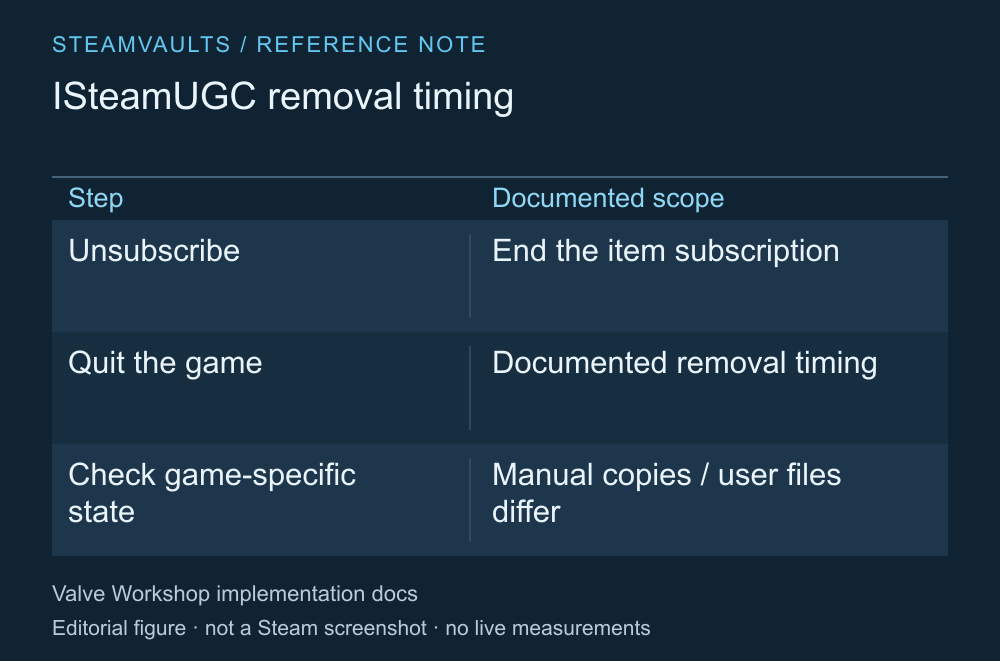
The removal timing described by ISteamUGC. It doesn't mean every game's user folders have been deleted.
Valve's documentation says that unsubscribing through ISteamUGC results in the item being removed after the game quits. Unsubscribing while a game is running doesn't establish that every part of its active mod state has immediately cleared. Unsubscription and removal timing
Close the game normally, then check the subscription list and the game's mod state. If something still appears, identify whether it's the same item, a separately installed manual copy or a setting stored by the game. Unsubscription shouldn't be treated as cleanup of all user files or restoration of a save.
I'd avoid skipping this investigation by deleting Steam's entire Workshop folder. A broad location that can also hold other games' items exceeds the mod being removed here. Follow the removal guidance for the identified mod and game.
Decide what to test before opening the original save
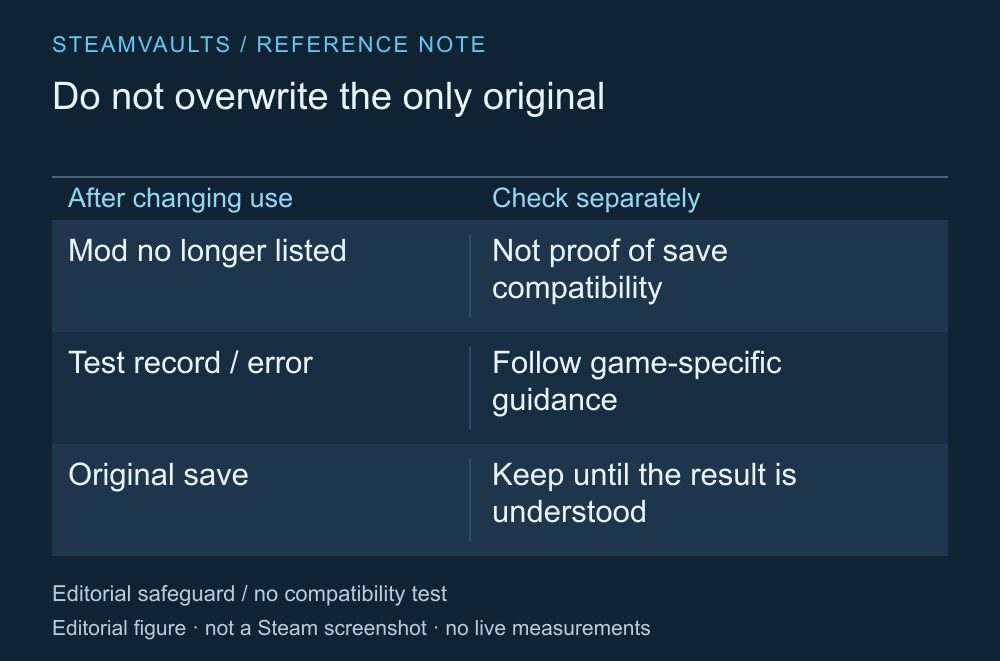
A sequence that prioritizes the original save, not actual compatibility-test results.
After changing the mod's state in a supported way, check what changed. A mod disappearing from a menu and an existing save working normally are different results. If an error appears, record its wording and the item you changed before saving over the original.
A file check may be relevant, but Steam integrity verification doesn't assess the compatibility of a save that used mods. Resubscribing also doesn't guarantee the exact old mod version and state will return.
This guide uses official implementation documentation read on October 5, 2026. No mod was installed or removed and no save was tested. When a long playthrough matters, I'd spend the time preserving the material needed to retrace changes before reaching for deletion.