
Can You Cash Out Steam Wallet Balance? What Is Actually Possible
Steam Wallet balance cannot be withdrawn directly. Learn when refunds apply, how tradable items can move value, and the limits of the supported Sack of Gems.
I design SteamVaults pricing and inventory rules and write about the Steam Wallet, Community Market, item liquidity and trade constraints.
Article languages
On this page
The short answer is no: Steam does not offer a bank-style withdrawal for Steam Wallet balance. There is a narrow refund route for eligible, unused Wallet funds, and there are ways to move value through tradable items. Those are not the same as withdrawing the balance directly.
I did not arrive at that distinction by reading the terms first. I found it after refunding games, selling items, and looking at the number left in my Wallet. The question was much simpler: “I put this money in. Why can’t I take it back out?” I asked AI, opened market pages, and tried to understand third-party sites. SteamVaults grew out of that search.
Why did my money still feel stuck?
A refund could still leave the value inside Steam
I have refunded games because they were not fun, and for ordinary reasons that had nothing to do with trading. When the refund returned to Steam Wallet, the purchase was reversed but the practical problem remained. The number was in my account, yet I could not send it back to my bank whenever I wanted.
The amount was never consistent. Sometimes it was roughly ₩10,000, sometimes closer to ₩100,000. That range is awkward for a casual user. It is too valuable to ignore, but not valuable enough to justify learning an entire trading business. Buying a game I did not want just to use the balance felt wasteful.
Steam’s published rules define the Wallet boundary, but they do not give a complete explanation for every policy choice. I can recognize that boundary without pretending the result is satisfying from the user’s side. My interest was not in attacking Steam. It was in creating one more choice where the product itself leaves very little room.
> Sources and scope — checked August 24, 2026: The first-person parts of this article are the founder's own account. Steam Wallet, refund, Market, and trade-hold rules are linked to Steam's official pages. Any view on the convenience of a third-party service is editorial experience, not Steam policy or a promised outcome.
What Steam Wallet actually allows
No general withdrawal, with a limited refund exception
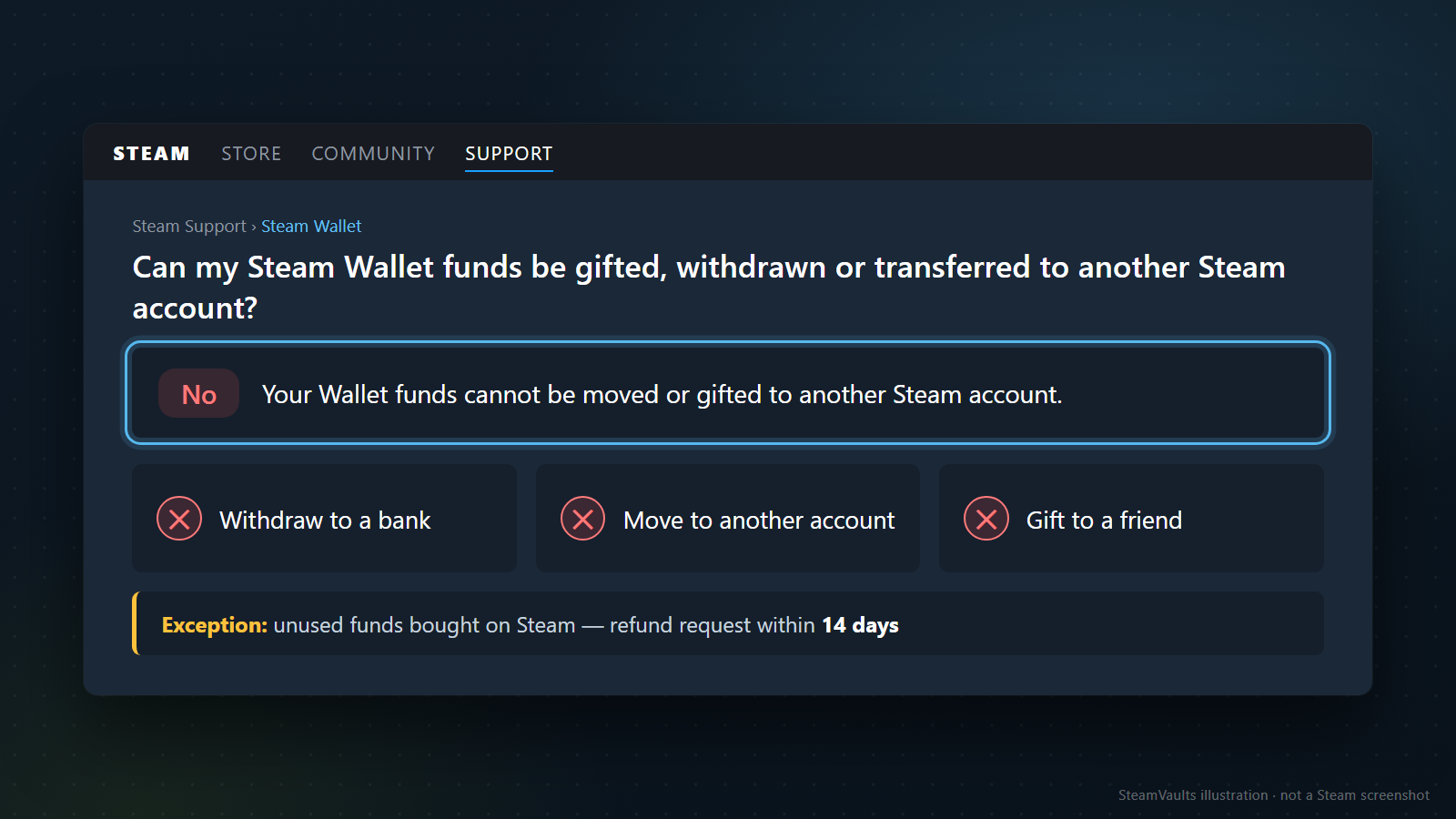
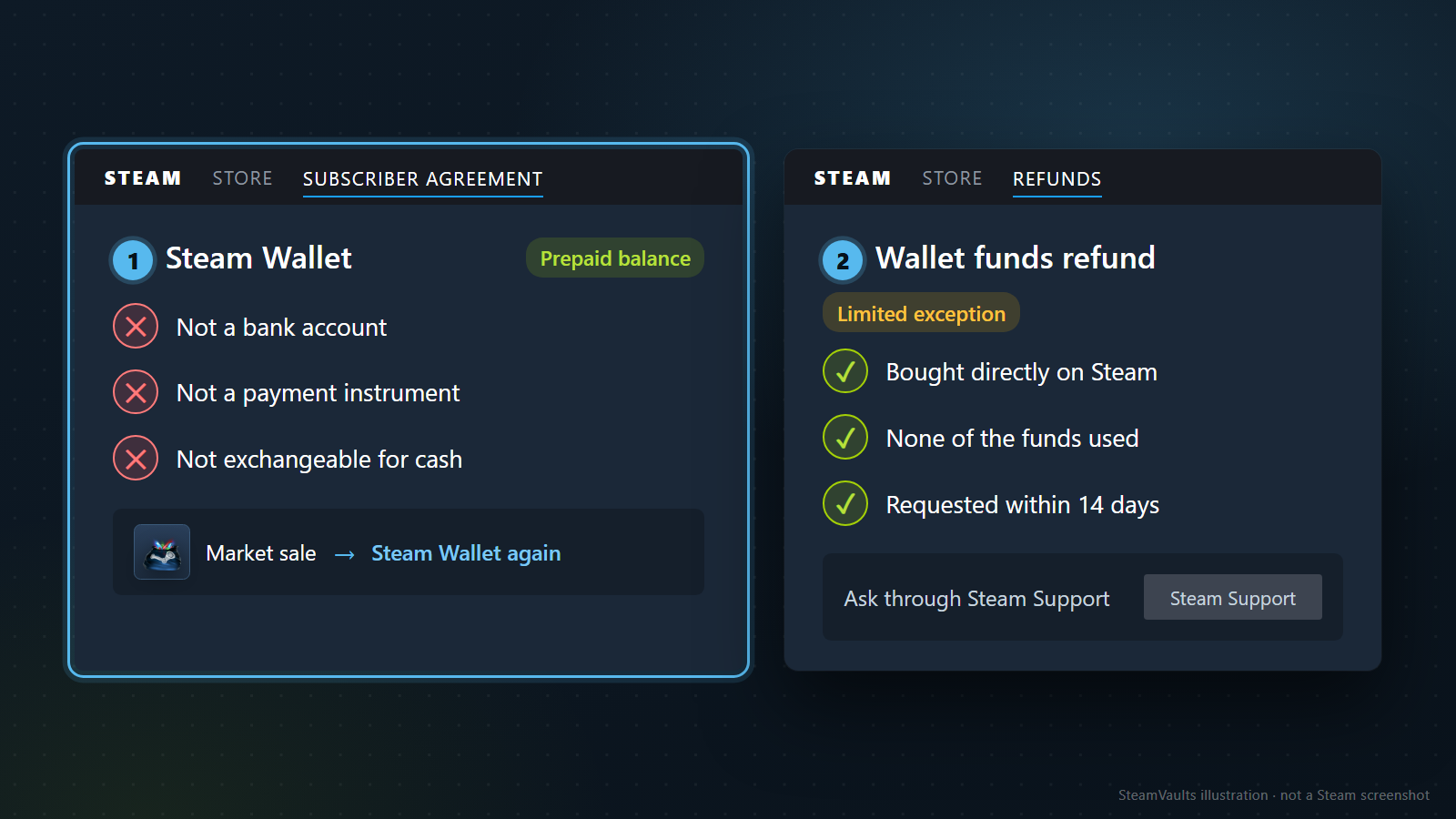
Steam Support says Wallet funds cannot be moved or gifted to another Steam account. It also documents the limited Wallet-fund exception: funds bought directly on Steam may be refundable within 14 days if none of them were used.
Valve's Steam refund policy serves a different role: it gives the usual game-and-software baseline—request within 14 days of purchase and less than two hours of play—and explains the destination. An approved refund goes to the original payment method when possible; if that method cannot receive it, Steam credits the Wallet. See where a Steam refund goes before assuming that “refunded” means “back in the bank.”
That same Wallet boundary rules out sending ordinary balance directly to PayPal or a bank, or simply transferring it to another Steam account. A gift purchase stays a purchase inside Steam; it does not transfer the balance itself.
The Steam Subscriber Agreement is even more direct: the Wallet is a prepaid balance, not a bank account or payment instrument, and Wallet funds are not exchangeable for cash. Selling an item on the Steam Community Market does not change that boundary. The proceeds become Steam Wallet funds again.
If the balance itself has not appeared after a top-up or an item sale, start with the transaction checks for missing Steam Wallet funds. That is a different question from deciding where an available balance can be spent.
The alternatives existed, but they were built for traders
A skin marketplace can feel like another exchange
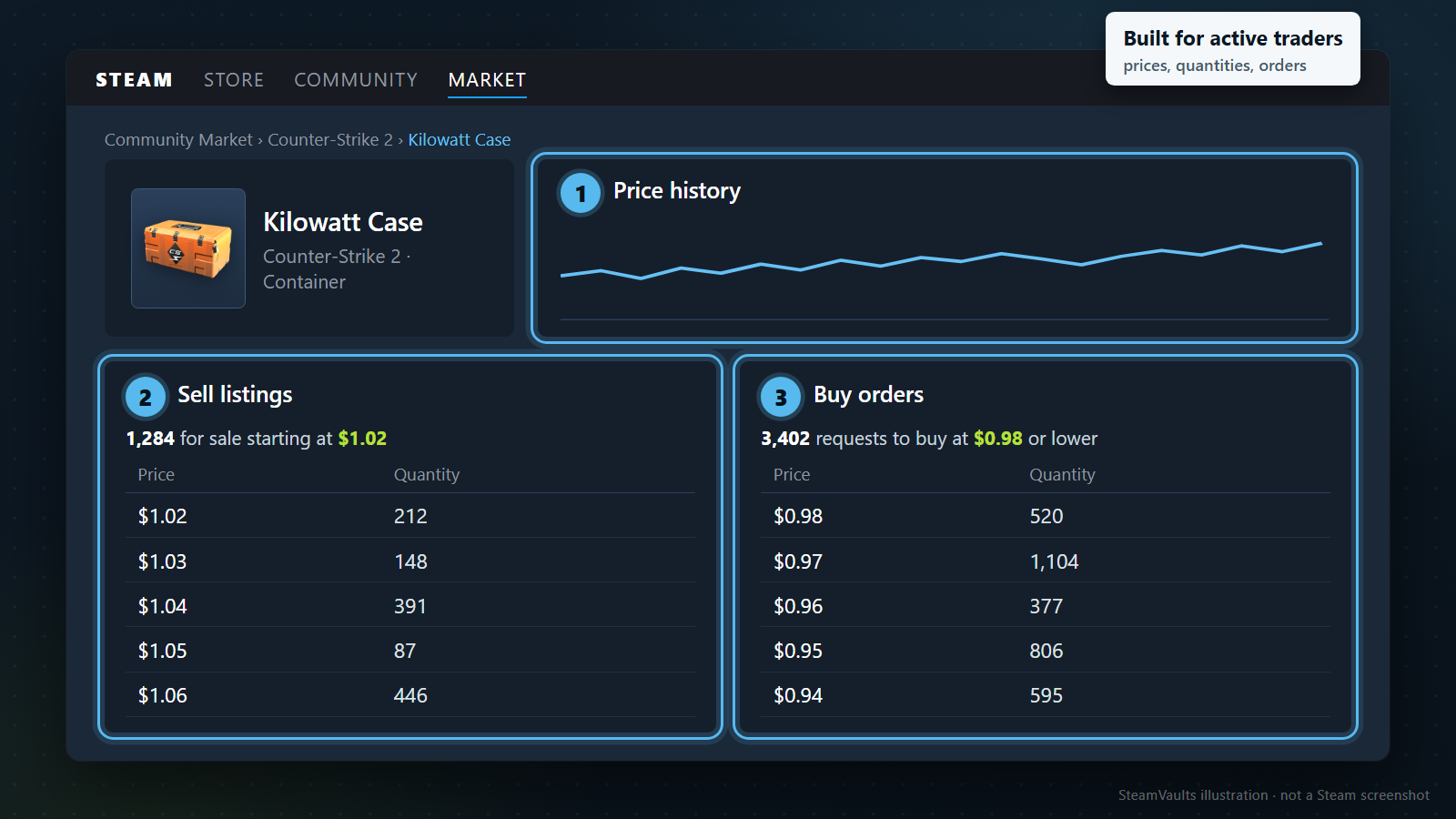
There are large skin markets all over the world. When I first opened them, I did not feel that I had found a simple answer. I felt that I had entered another market. There were thousands of items, different prices, listing rules, fees, account checks, and withdrawal methods to learn.
A regular user may only want to recover ₩10,000 or ₩20,000. Even ₩100,000 is not enough to make everyone comfortable uploading identity documents and learning an unfamiliar order book. For an active trader, that work can make sense. For someone who just has leftover Wallet balance, it can make giving up look easier.
Peer-to-peer trading makes trust the first price
The other route is to find somebody in a community and trade directly: a gift, an item, then money on the other side. The first question is always who sends first. If I do not trust the stranger, the stranger has no reason to trust me either.
A few percent saved on fees means nothing after a scam. A larger platform can add protection, but it also adds process and cost. The methods were real; they simply did not feel designed for the casual Steam user I had in mind.
The item route also has an economic cost. A Steam Market purchase price and a third party's cash bid are not the same, and both can move. Before buying anything just to resell it, compare which item characteristics matter, why cash prices are usually lower, and the restriction checklist. A quote is decision information, not a promise to preserve all Wallet value.
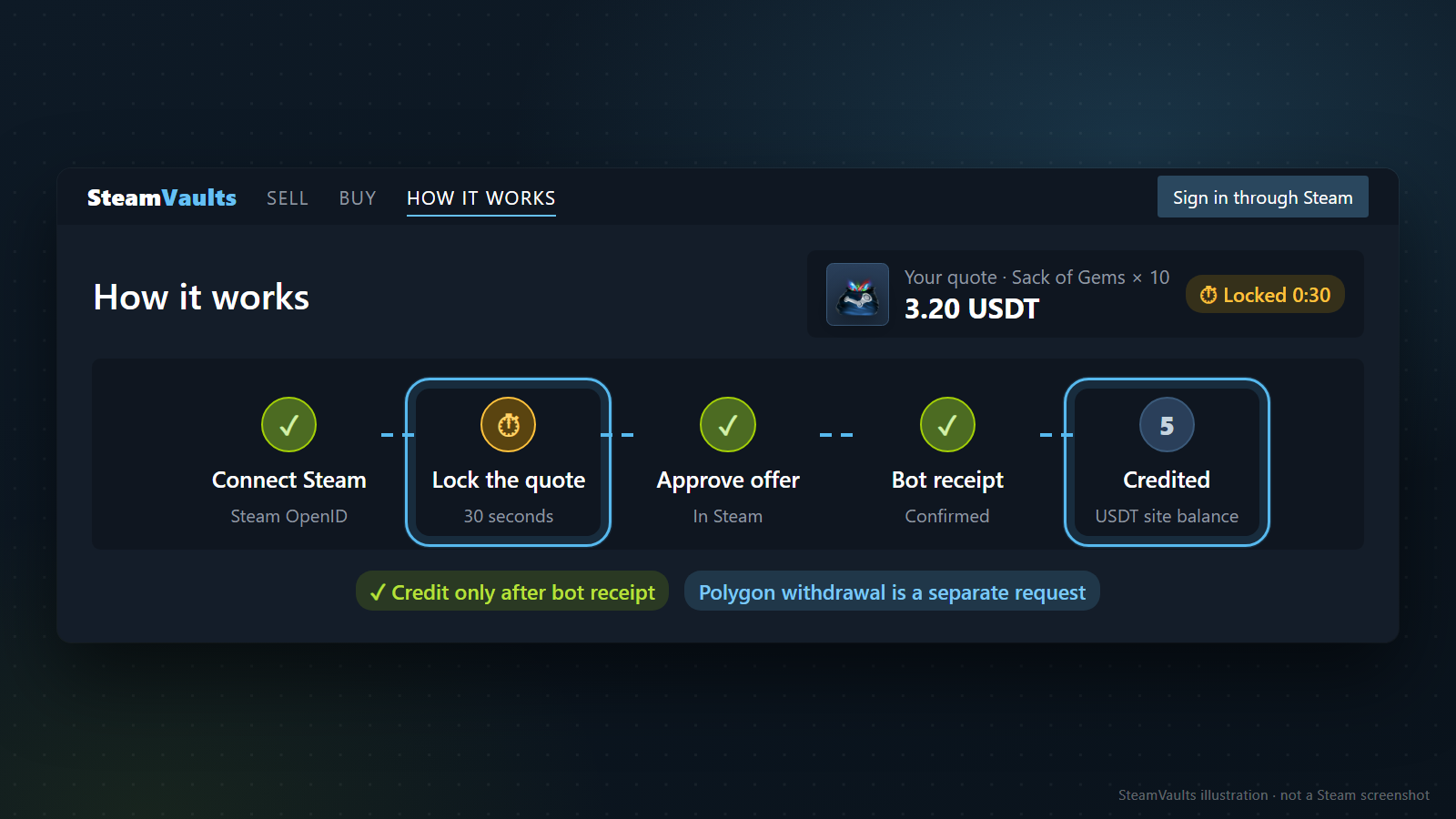
> Current SteamVaults status — checked August 24, 2026: The public sell page supports exactly one automated item, the Sack of Gems. A displayed quote locks for 30 seconds; the amount is that quote, not a fixed percentage. Credit follows bot receipt and successful settlement. A separate Polygon USDT withdrawal shows a 0.80 USDT fee before confirmation, and quotes or features can pause. Check the live screens before trading.
I wanted to remove the search for a counterparty
The trade is with the platform, not a matched stranger
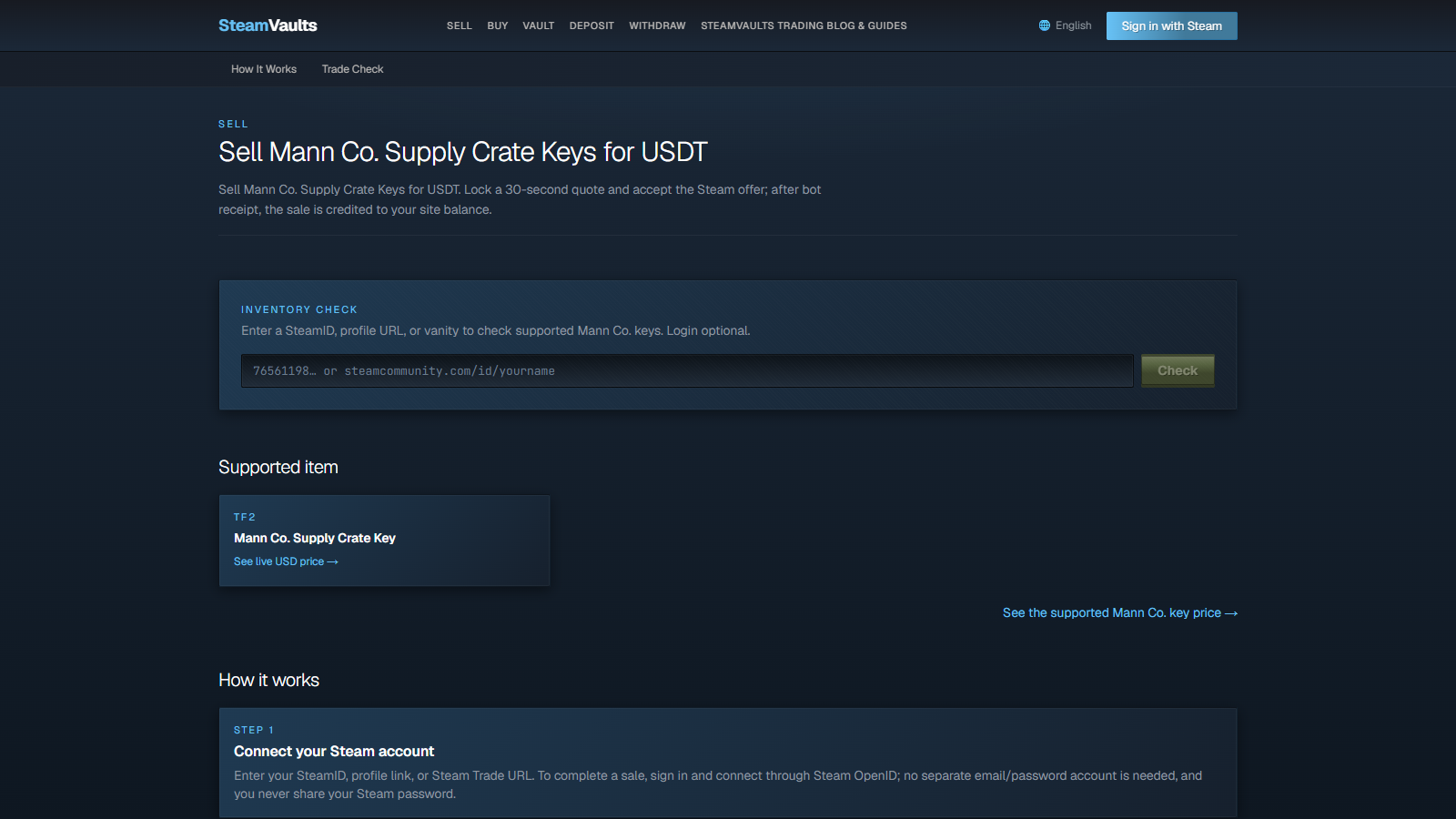
SteamVaults is designed so a user trades a supported item with the platform instead of waiting for another user's listing. It avoids chat negotiation and coordinating with a stranger. Actual availability still depends on the feature gate, bot inventory, Steam, and settlement services.
When selling is available, the intended path is short: check the quote, connect through Steam OpenID, approve the trade offer in Steam, and wait for confirmed bot receipt. Only then is the sale credited to the SteamVaults USDT site balance. A Polygon withdrawal is a separate request and can have its own availability limits.
The reaction I want is not a grand testimonial. It is: “That was genuinely simple. Why did I only find this now?” I want users to realize they did not need to take scam risk with a stranger or hand excessive personal information to a market just to deal with a modest balance. I also want the reverse thought to occur: next time they want a game, perhaps they can obtain a supported item through this route instead of always topping up at full price.
One key was a deliberate constraint
Part of the confusion on skin markets comes from having too many choices. CS2 skins alone can require users to understand wear, patterns, and stickers. SteamVaults therefore began with one standardized item, the Mann Co. Supply Crate Key. That was the historical starting point; the current automated-item catalog is limited to the Steam Sack of Gems.
The key has a long history as a common unit in TF2 trading, and ordinary keys with the same name do not need individual wear or pattern inspection. In my judgment, its active market and relatively narrow trading range made it a practical starting point for automated quotes and inventory control.
That is not a promise that its price cannot move. Some people use keys as a cash-like way to park value, some view them as trading assets, and others simply use them to open crates. All three views can be reasonable. A single-item model is also both a strength and a limitation: the user has less choice, while the platform takes on the responsibility for that item’s pricing and inventory risk.
Fast trading still has waiting periods
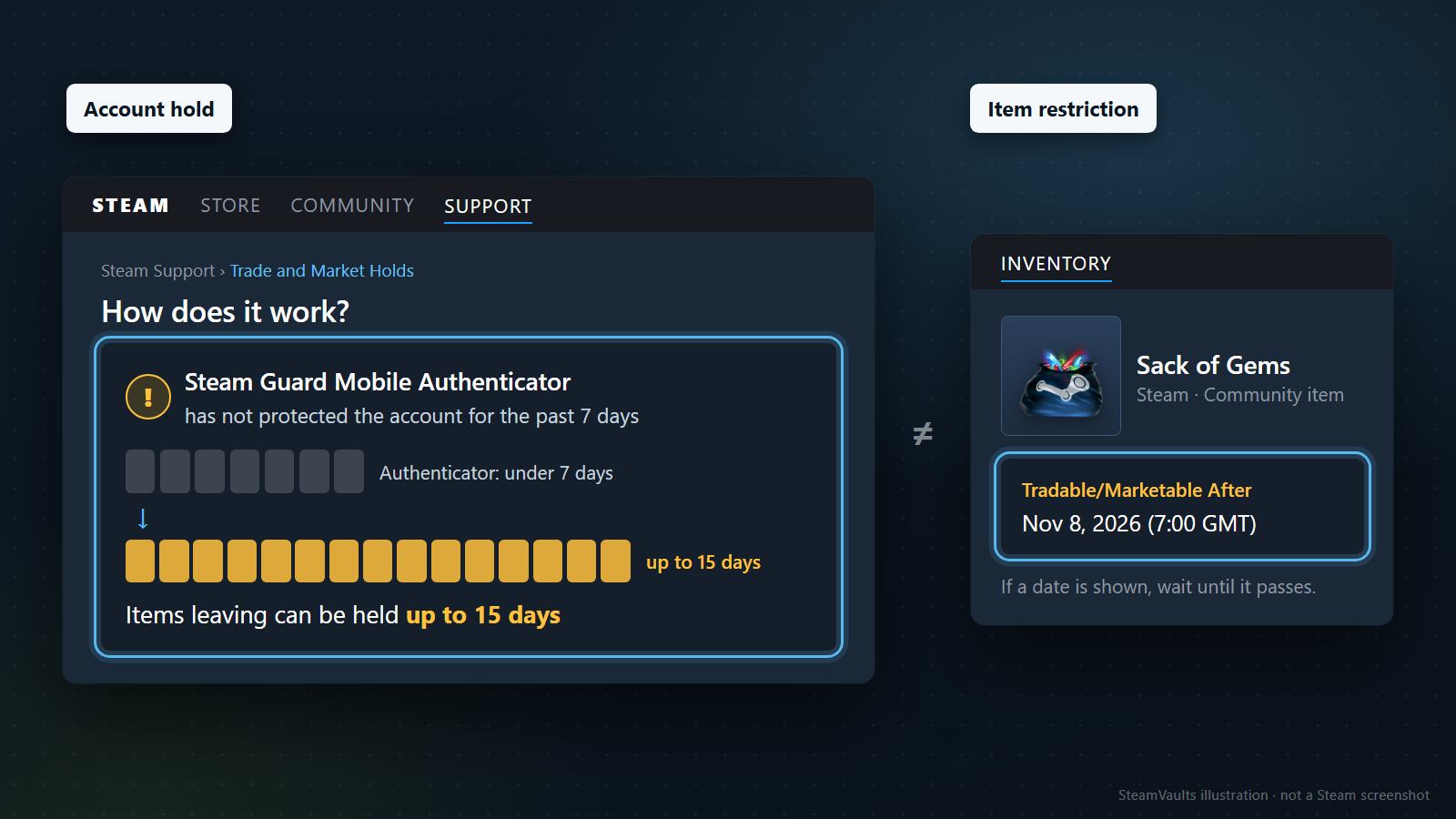
An item restriction and an account hold are different
The historical TF2 key example had its own item rule: the Official TF2 Wiki says a key bought from the Mann Co. Store is untradable for seven days when the user's first Steam purchase is more than 30 days old; otherwise, the wait is three days. That account-history condition belongs to the historical key example and does not define the current Sack of Gems rule. Before using the current supported item, check the Sack itself in your Steam inventory and confirm that Steam marks it as tradable, including any date shown there.
There is also a separate account-security rule. Steam’s trade-hold documentation says items leaving an account can be held for up to 15 days when the Steam Guard Mobile Authenticator has not protected the account for at least the previous seven days. Item-specific restrictions and account-security holds have different causes. SteamVaults cannot bypass either one.
If the balance is already ordinary Wallet credit, the actual item route is:
1. Check the currently supported item before spending anything. If Sack of Gems is still supported and you accept the price risk, buy it with Wallet balance on the Steam Community Market. 2. Open that item in your Steam inventory. If Steam shows a future tradable date, wait until it passes. An account-level trade hold is separate, so also follow whatever hold Steam displays. 3. Once the item is tradable, recheck the SteamVaults item page, the sell feature, current support, and the live quote. Support, selling, or quoting may pause; you cannot complete a trade from an old screenshot or at an earlier price. 4. Sell only if those conditions still work for you. The site balance is credited after the bot confirms receipt, and Polygon withdrawal remains a separate request.
This sequence turns Wallet balance into a Steam item and later sells that item. It is not a Wallet withdrawal. The Market purchase price, later cash quote, and price movement can reduce the recovered value. It does not promise a loss-free conversion, instant completion, or a way around Steam restrictions.
The real product is more choice, not cash-out hype
Simple should remain the operating rule
I do not want SteamVaults to become a service that chases money first, adds a new fee or form whenever it can, and grows lazy after the system begins working. The test is simpler: does the user still feel that this is the easiest path? Can a person finish without wondering why so many steps were necessary?
Trust cannot honestly mean promising that nothing will ever fail. A 24-hour system can have an outage, and Steam or blockchain conditions sit outside our control. Showing the quote, trade status, and bot inventory clearly—and being open when something does go wrong—is more credible than claiming perfect uptime.
SteamVaults is an independent third-party service and is not affiliated with Valve or Steam.
It does not withdraw Wallet balance directly or remove Steam restrictions. It uses Steam’s existing item-trading features to give users one more way to decide what to do with value that would otherwise remain inside the platform.
Use this order before treating the item route as an option:
1. Start with Steam Support if the money is an eligible unused Wallet top-up or refundable purchase. 2. If it is ordinary Wallet balance, stop looking for a direct withdrawal: SteamVaults cannot access or withdraw it. 3. Before buying an item, confirm that SteamVaults still supports it. After buying, wait until Steam marks it tradable, then continue only if the live quote is acceptable after comparing cash value. 4. Treat Polygon USDT withdrawal as a separate step. Check availability, the displayed fee, the destination network, and the risk of loss before confirming.
SteamVaults currently supports the Steam Sack of Gems rather than the historical key. Review the Steam Sack of Gems price, restrictions, and support status, then confirm selling availability before starting. Steam account and item restrictions may still delay a trade.
Ready to sell supported Sacks of Gems?
After the bot confirms receipt, USDT is credited to your site balance. Polygon withdrawal is a separate request.