
Деньги не появились в кошельке Steam: что проверить
Как отличить незачисленное пополнение Steam от банковской блокировки и удержания выручки: квитанции, аккаунт, история расходов и обращение в поддержку.
Языки статьи
В этой статье
Банк прислал уведомление об оплате, а баланс Steam не изменился. Или предмет исчез из инвентаря, письмо о продаже уже пришло, но при покупке игры Steam пишет, что денег недостаточно. Результат похожий, однако искать нужно разные записи. При пополнении — квитанцию о покупке средств кошелька. После продажи — историю Торговой площадки и условия удержания именно этой суммы.
Хочется услышать: «Подождите несколько часов, деньги появятся». Я бы не советовал ждать вслепую, не выяснив, что произошло с платежом. У пополнения, продажи и возврата разные записи и условия. Можно часами проверять другой аккаунт или ждать зачисления суммы, которую банк лишь заблокировал.
С новым пополнением пока подождите. Разберите одну уже совершённую операцию. Для проверки не нужно тратить дополнительные деньги: нужны записи о том, что произошло с первой суммой.
Откуда должны были прийти деньги
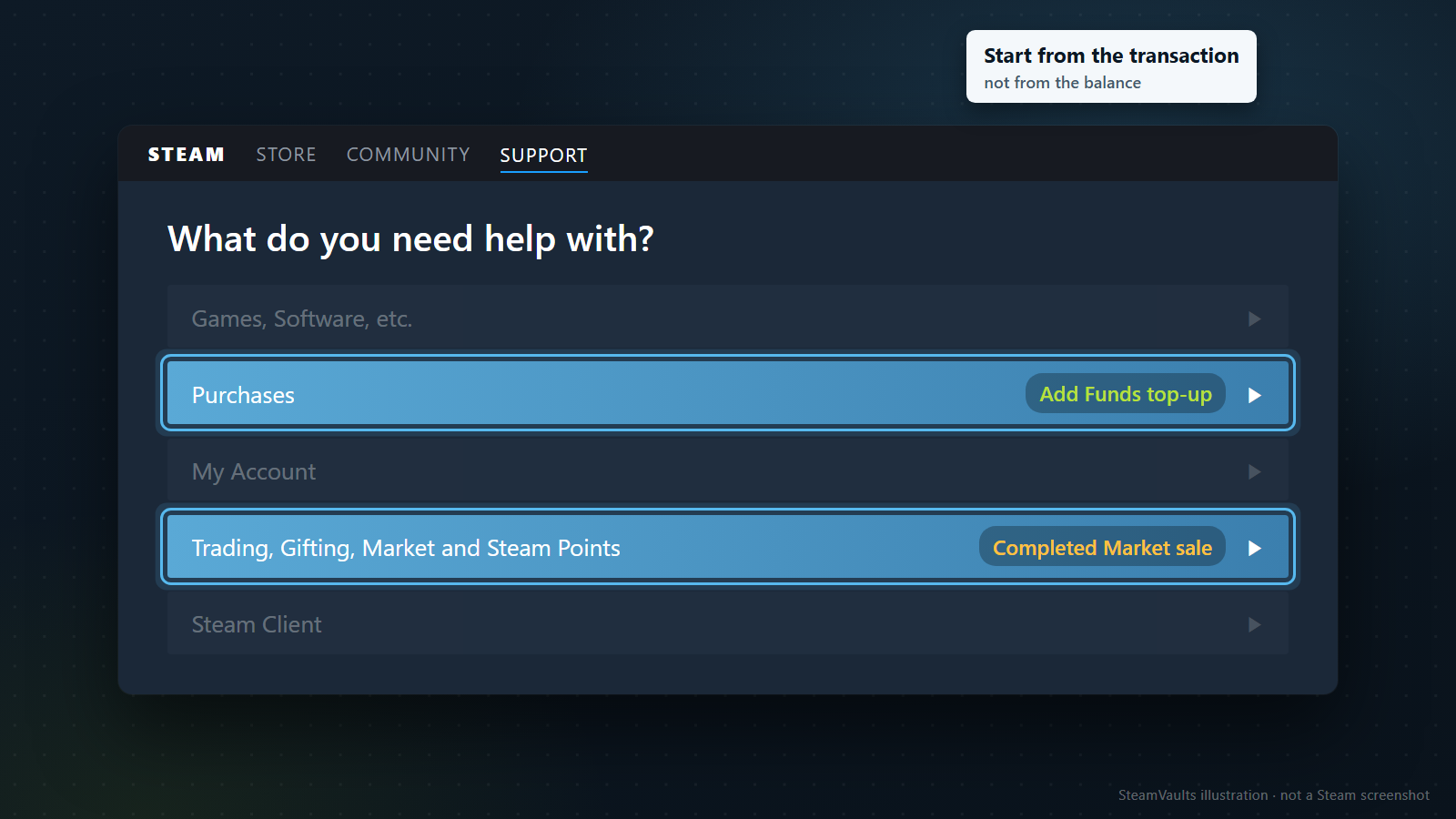
Баланс кошелька показывает итог; причину задержки по нему не узнать. Даже внутри одного аккаунта прямое пополнение, продажа предмета и одобренный возврат начинаются с разных операций. Поэтому сначала запишите не только нынешний остаток, но и действие, после которого вы ожидали поступление определённой суммы. Вы нажали кнопку пополнения? Выставили предмет на продажу? Получили одобрение возврата?
После пополнения ищите квитанцию Steam и соответствующую строку в истории покупок. После продажи откройте историю Торговой площадки и убедитесь, что предмет действительно купили. Подтверждение размещения лота и подтверждение состоявшейся продажи — разные события. Если вы лишь подтвердили объявление, денег от покупателя могло ещё не быть. Постоянное обновление кошелька этого не прояснит.
Valve пишет, что историю операций Торговой площадки можно посмотреть на её главной странице и в данных аккаунта в магазине; квитанции также отправляются по электронной почте. Сверяйте время и сумму: одинаковое название предмета легко перепутать с другой продажей. Справка о Торговой площадке Steam
Если вы ждёте возврат, начните с указанного в одобрении способа возврата средств. Деньги, направленные на исходный способ оплаты, бессмысленно искать в кошельке. Этому посвящён отдельный материал о возврате Steam на карту или в кошелёк. Сроки возвратов здесь не используются как сроки пополнений или выплат за проданные предметы.
Не можете сразу определить тип операции? Перечитайте заголовок уведомления.
Авторизация платежа, завершённая покупка, размещение лота, продажа предмета и одобрение возврата не взаимозаменяемы. Если заголовка недостаточно, найдите ту же запись внутри Steam. Лучше открыть привычный клиент или самостоятельно перейти на сайт поддержки, чем идти по ссылке лишь потому, что адрес отправителя кажется знакомым.
Не нашли квитанцию? Так и запишите. Это не то же самое, что сообщение Steam об отказе в покупке: её результат пока не подтверждён. Банковское уведомление тоже не заменяет квитанцию о завершении в Steam. С этими уточнениями поддержке будет понятнее, что именно нужно выяснить.
При пополнении сначала сравните аккаунты
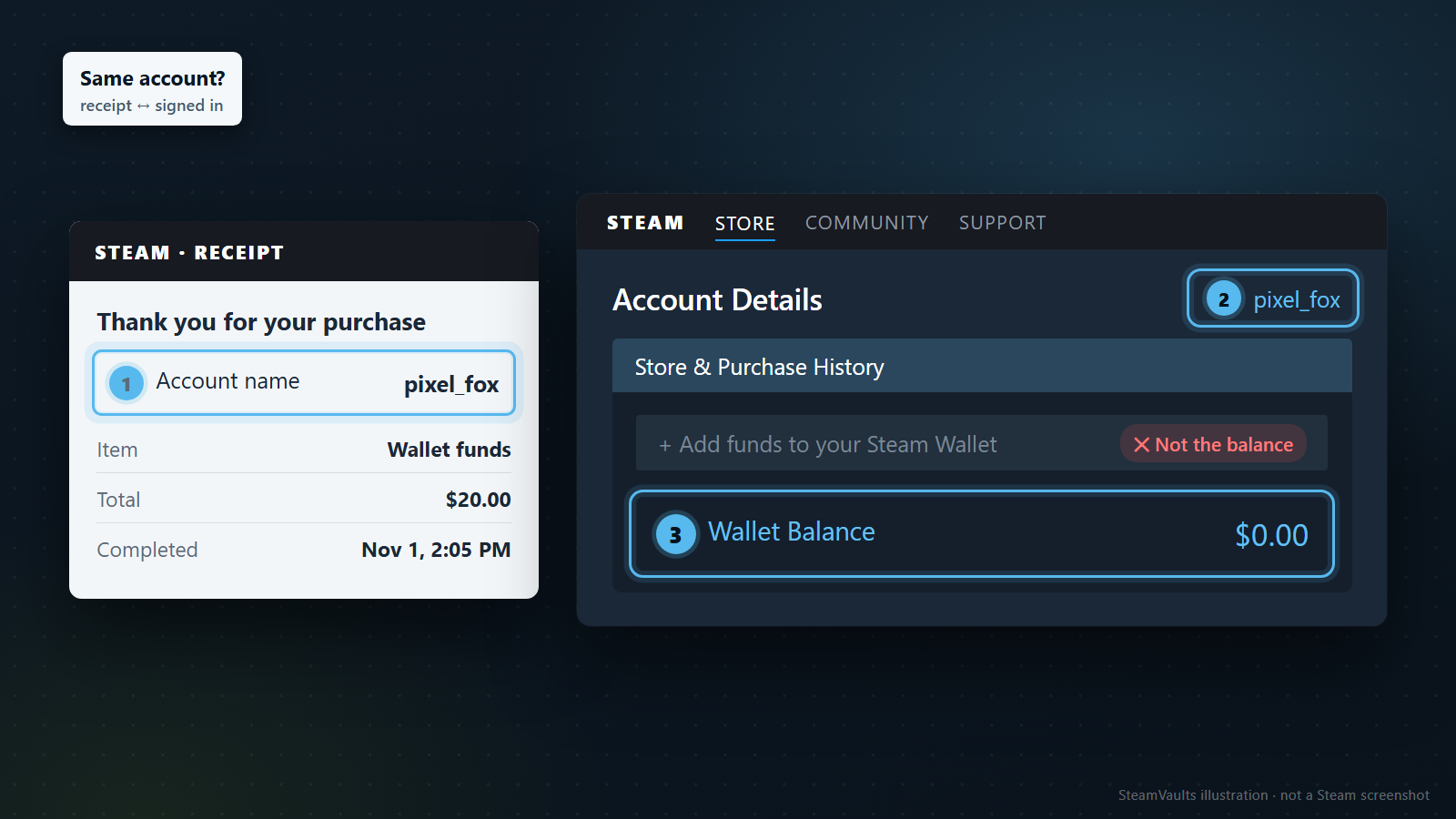
В справке о кошельке Valve предлагает понятную последовательность: проверить письмо с квитанцией о завершённой покупке, убедиться, что вход выполнен в указанный там аккаунт, затем перезапустить клиент Steam на компьютере. Если после этих проверок баланс по-прежнему неверен и с завершения покупки прошло больше двух часов, предлагается обратиться в поддержку. Справка о кошельке Steam
Проверка аккаунта кажется лишней: свой-то профиль вроде бы невозможно перепутать. Но если пополнение оформляли в браузере, а остаток смотрите в клиенте, сначала подтвердите, что вход везде выполнен одинаково. Сравните обозначение аккаунта в квитанции с текущим аккаунтом, а не только знакомый аватар или ник. Владелец банковской карты не определяет, на какой аккаунт Steam записалась покупка.
Если аккаунты разные, сначала найдите операцию и баланс там, где оформлено пополнение. Для обращения о неверном остатке нужно понимать, к какому аккаунту относится покупка. Из этого не следует, что баланс можно перенести между аккаунтами. Сверка нужна, чтобы найти запись, а не способ перевода. Возможность такого перевода разобрана в отдельной статье.
Если аккаунт совпадает, полностью закройте и снова запустите клиент. Valve рекомендует эту проверку, но её результат сам по себе не объяснит причину задержки. Баланс обновился — вы знаете, что теперь он отображается верно, а не какой сервер или этап обработки дал сбой. Не обновился — сообщите поддержке, что в аккаунте из квитанции остаток всё ещё неверен после перезапуска.
Два часа отсчитываются от завершения покупки.
Перезапуск клиента не запускает этот срок заново. Но и момент первого нажатия кнопки оплаты нельзя автоматически считать временем завершения. Запишите время из квитанции и текущее время; если письмо и экран используют разные часовые пояса, укажите оба. Особенно около полуночи точное время полезнее формулировки «оплатил вчера».
Не превращайте этот порог в обещание зачислить деньги обязательно за два часа. Документ задаёт порядок проверки и момент обращения. Он не гарантирует длительность обработки для любого способа оплаты и не обещает, что банковская блокировка снимется в тот же срок. Если завершение покупки Steam ещё не подтверждено, сначала проверьте состояние платежа, о котором речь дальше.
В обращении приложите сведения о завершённом пополнении из квитанции и истории Steam. Причину вроде «ошибка платёжной системы» или «баг аккаунта» указывать не нужно, если вы её не знаете.
Сумма в банковском приложении ещё не означает зачисление
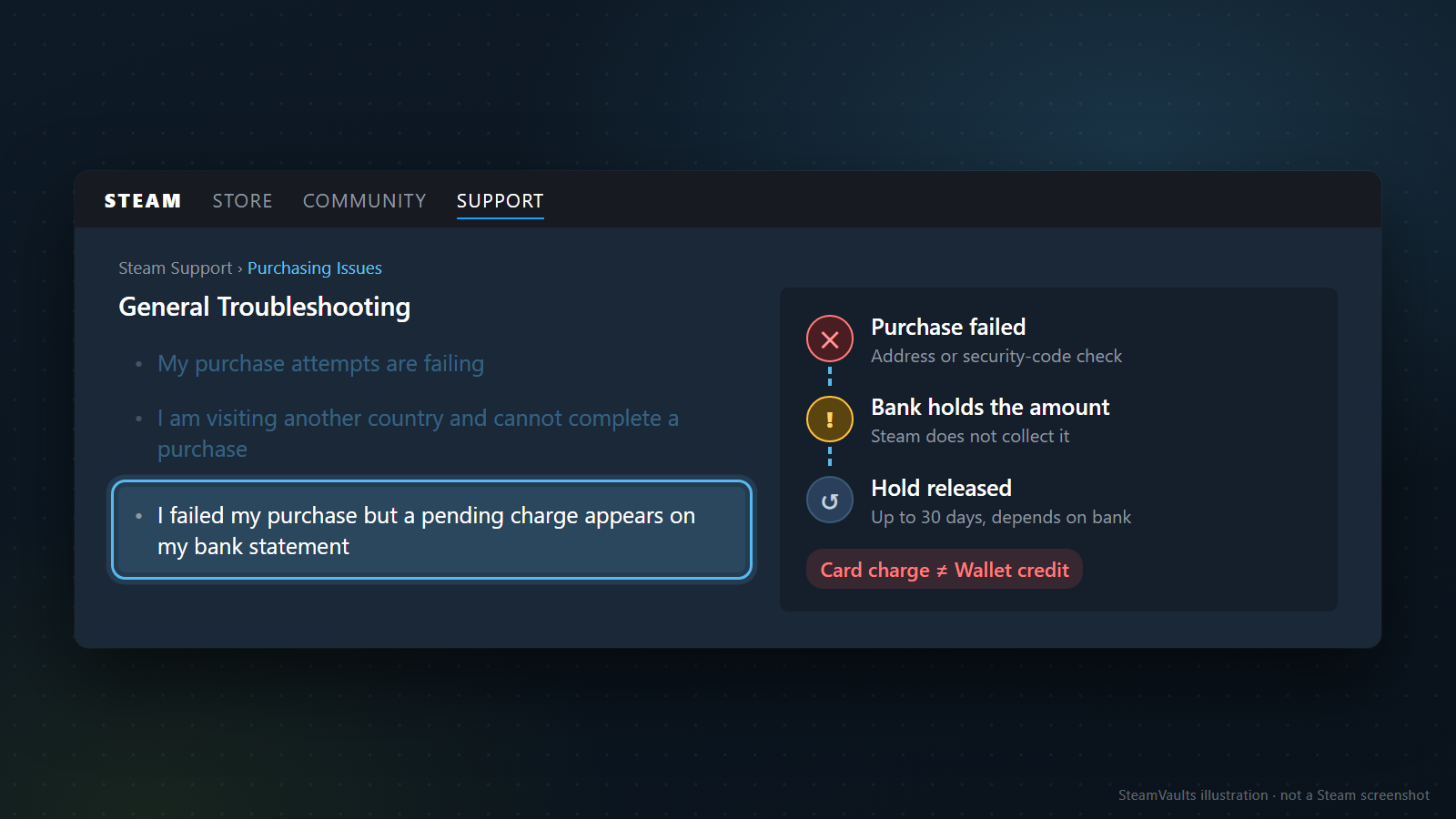
Появление суммы в приложении банка само по себе не подтверждает пополнение кошелька. Посмотрите, обозначена ли операция как предварительная авторизация или как окончательное списание. У банков разные формулировки; цвет строки и звук уведомления здесь ничего не доказывают. Если Steam сообщил об отказе, а сумма у банка осталась, прежде чем считать записи противоречивыми, проверьте возможность временной блокировки.
Valve описывает такой случай при неудачной проверке адреса или защитного кода карты: банк может временно заблокировать сумму, хотя Steam отклоняет покупку и не получает эти средства. В зависимости от процедур банка снятие блокировки может занять до 30 дней. Это объяснение относится к указанным неудачным покупкам, а не к обычному сроку зачисления успешно завершённого пополнения. Проблемы с покупками в Steam
Ждать 30 дней, прежде чем задавать вопросы, не требуется. У банка уточните статус операции и порядок снятия блокировки. У Steam — завершилась ли покупка и к какой попытке относится отказ. Банк и Steam могут показывать разные этапы одного платежа, поэтому им нужны разные вопросы.
Блокировка действительно мешает: деньги ещё не дошли до Steam, а потратить их с карты уже нельзя. Можно объяснить поддержке, что игра нужна сегодня. Но отдельно укажите статус платежа — срочность покупки не означает, что отклонённое пополнение завершилось или заблокированная сумма доступна в кошельке.
Вместе с суммой запишите валюту. Банк может показывать пересчитанное значение в другой валюте или отдельную комиссию. Поиск операции Steam по сумме, которую вы сами вычислили через предполагаемый курс, способен привести не к той покупке. Сопоставляйте время, исходную валюту и сумму платежа с записью Steam. Банковский пересчёт сохраните отдельно; не угадывайте причину разницы до проверки настоящей выписки.
Если после отказа вы пробовали оплатить несколько раз, разберите каждую строку. Равные суммы ещё не показывают, продублирована ли одна запись или было несколько попыток. Отдельно посчитайте успешные пополнения Steam, попытки с сообщением об отказе и позиции в банковском приложении. Сверьте идентификаторы, а затем задавайте вопросы о несоответствиях. До этого рано объявлять всё двойным списанием — и столь же рано списывать каждую строку на обычную блокировку.
Ошибку в адресе или реквизитах исправляйте только в официальной форме оплаты. Проверять карту через комментарии и личные сообщения не требуется. Не вписывайте в первое обращение полный номер карты или защитный код: сведения для поиска операции и секреты, позволяющие оплатить покупку, нужны для разных задач.
Предмет продан, но деньги удерживаются
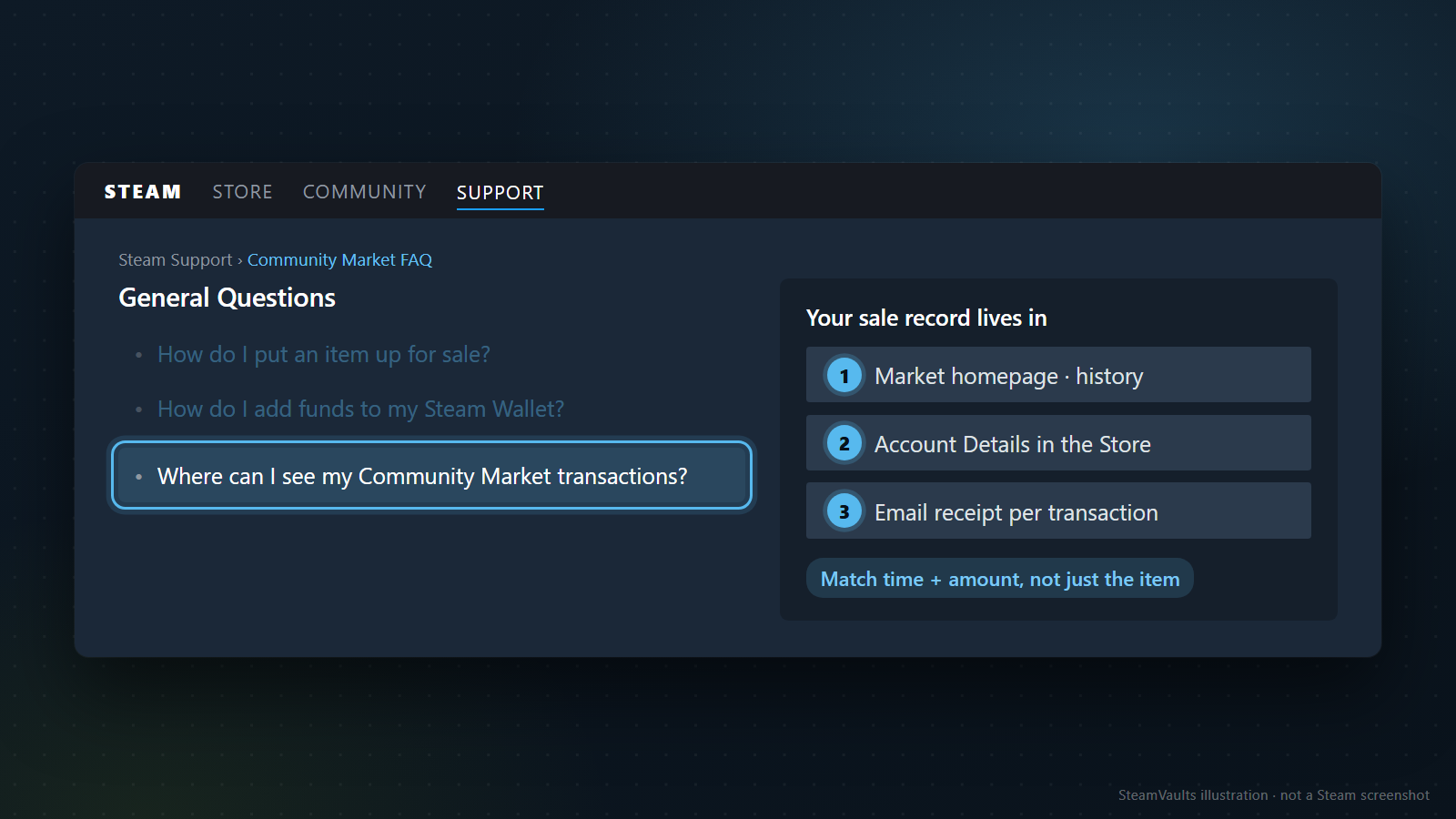
После продажи проверьте не только исчезновение предмета, но и запись о состоявшейся сделке. Отменённый лот или другой переход состояния нельзя автоматически считать продажей. Если продажа найдена, сравните сумму к получению с письмом и посмотрите, есть ли отметка об удержании в кошельке или уведомлении. Сейчас вы выясняете состояние денег, а не рыночную стоимость предмета.
Продажа могла завершиться, а выручка ещё не стать доступной. Если Steam пометил сумму как удерживаемую, не включайте её в бюджет следующей покупки. Отметка не объясняет причину удержания, зато подтверждает, что сумма учтена: это уже не ситуация, когда о поступлении нет никаких записей.
Здесь я бы прежде всего прочитал уведомление самой сделки, а уже потом ответы из поиска. В открытой справке Торговой площадки мне не удалось подтвердить единый срок освобождения средств для всех продаж. Отзыв «получил через день» описывает чужой результат, а не формулу для вашего аккаунта. Даже в ответах по запросам Steam pending funds или Steam market pending проверяйте, о чём был названный срок: пополнении, возврате или продаже.
Есть конкретный исторический пример. 14 сентября 2024 года пользователь опубликовал в обсуждениях Steam пересказ письма о необычной цене продажи и удержании денег на срок до пяти дней. В опубликованном тексте также упоминалась возможность отмены сделки. Это переписанное пользователем старое письмо, а не действующее для всех операций объявление Valve и не наше собственное наблюдение. Пример нужен, чтобы показать: рядом с подтверждением продажи могут существовать отдельные условия доступности денег. Предсказывать по нему срок вашей операции нельзя. То обсуждение в сообществе Steam
Сохраните срок или предполагаемое время из своего уведомления. Если текст изменился, запишите, когда видели каждую версию. Так можно проследить изменение сообщения, но не выяснить внутреннюю причину проверки. Данных, по которым можно вычислить скрытый алгоритм или допустимый процент отклонения цены, у нас нет.
Если текущее уведомление прямо говорит, что поддержка не может ускорить процедуру, рассчитывать на ускорение от множества обращений незачем. При этом несоответствие записей всё равно имеет смысл сообщить. Продажа не находится, баланс противоречит указанному статусу или обнаружилась операция, которой вы не совершали? Передайте именно эти сведения официальной поддержке. Просьба снять удержание быстрее и просьба проверить расхождение — разные обращения по смыслу.
Если предмет ещё не продан, а удерживается само размещение, это другая ситуация. Ей посвящена статья об удержании обменов и лотов Торговой площадки. Одинаковое слово не делает их одним таймером. Оснований обещать, что перенастройка аутентификатора освободит выручку, при подготовке этого текста мы не нашли.
Сверяя баланс, учтите последующие покупки
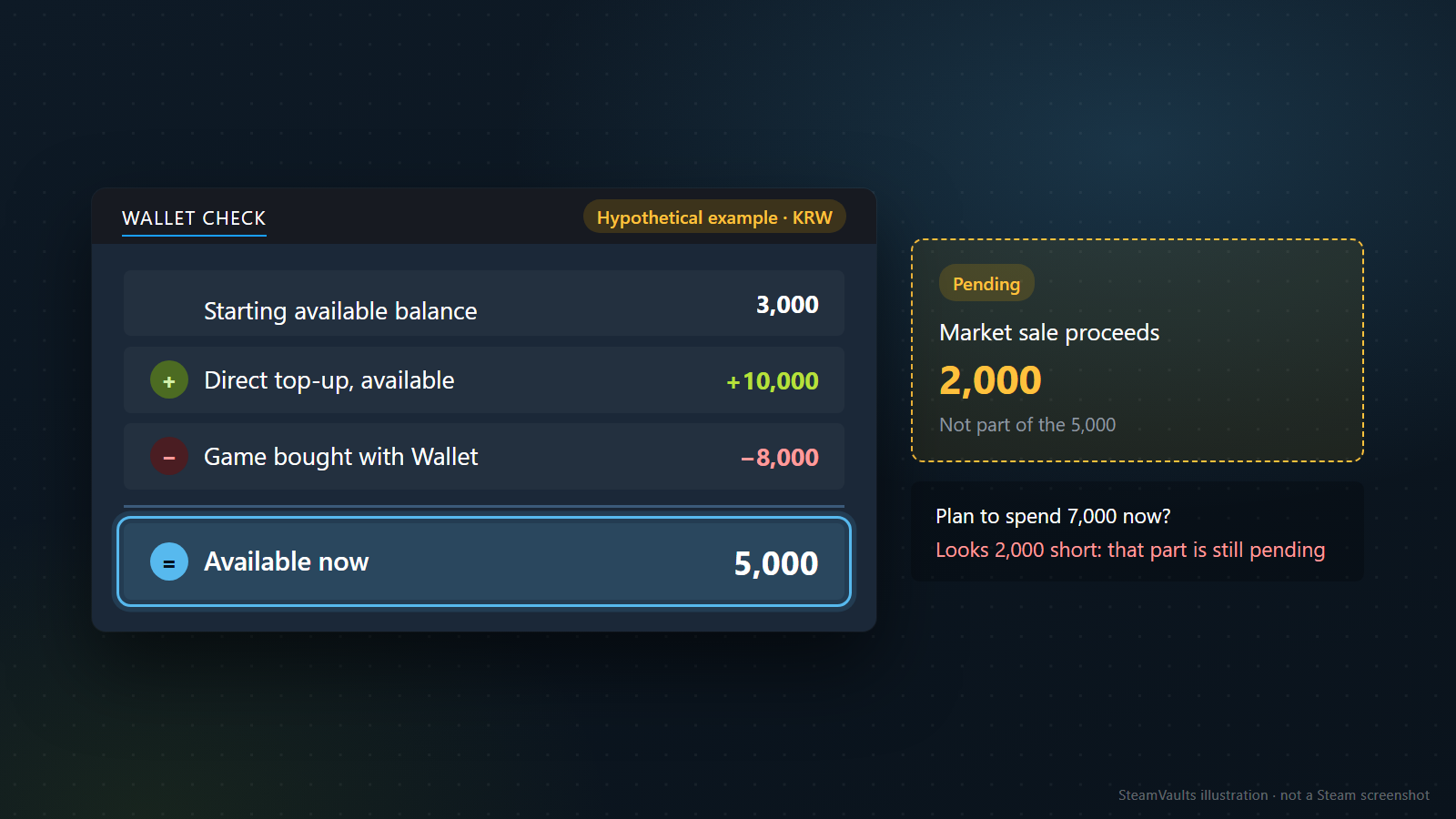
Для сверки сначала выберите момент, от которого считаете. Одного вычитания ожидаемой суммы из нынешнего остатка мало. Если баланс перед пополнением известен и других операций не было, всё просто. Если вы успели купить игру и продать предметы, понадобятся их записи. Ошибка в исходном остатке испортит весь расчёт. Отделяйте подтверждённые значения от того, что помните приблизительно.
Следующие суммы — вымышленный пример учёта в корейских вонах, не наблюдение за аккаунтом или ценами. В начале доступны 3 000 KRW. Пополнение на 10 000 KRW уже зачислено, затем на игру из кошелька потрачено 8 000 KRW. Ещё 2 000 KRW от отдельной продажи остаются на удержании. Доступный остаток здесь равен 5 000 KRW. Ожидание, что можно прямо сейчас потратить 7 000 KRW вместе с удерживаемой суммой, создаёт мнимую недостачу 2 000 KRW.
Даже если остаток совпал с расчётными 5 000 KRW, продажа в примере всё ещё на удержании. Поэтому одного верного итога мало — нужна запись конкретной сделки. Особенно легко ошибиться, когда пополнение и продажа на одинаковую сумму: рост баланса на 2 000 KRW ещё не показывает, какая именно операция дала эти деньги.
Для продаж берите сумму продавцу, а не общую сумму покупателя. Если сравнить цену с комиссиями с ростом своего баланса, можно принять комиссию за пропавшие деньги. Подробный расчёт есть в статье о комиссиях и сумме к получению; для этой сверки достаточно значения из квитанции о продаже. По той же причине нельзя складывать без разбора разные валюты.
Не пропустите покупки, завершённые за это время. Помимо игры, которую вы оплатили сами, проверьте исполненные покупки на Торговой площадке. Наличие заявки ещё не означает состоявшуюся покупку. В расчёт входят фактические расходы завершённых сделок, а не предполагаемые траты или предел суммы заявки. Приоритет заявок и причины их исчезновения разбираются в отдельном материале.
Если нашли расход, которого не совершали, обычной сверкой баланса дело уже не ограничивается. Сообщите о чужой операции по официальному каналу поддержки аккаунта. Не принимайте личные предложения «переведите ещё немного — вернём первоначальную сумму». Объяснение о восстановлении баланса не создаёт причины отправлять деньги или предметы другому пользователю.
Не создавайте новые операции ради проверки старой
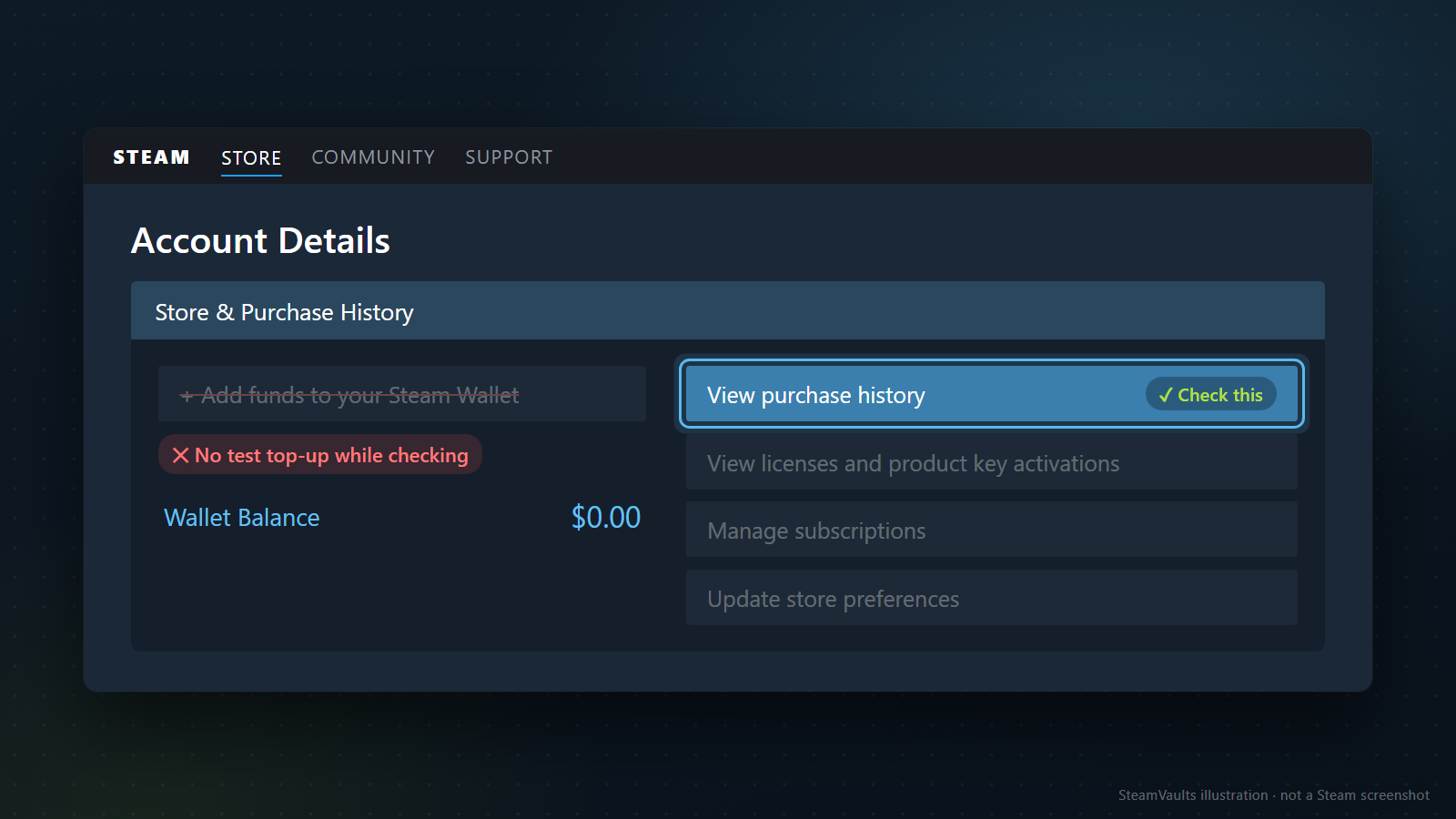
Когда деньги не видны, хочется проверить систему ещё одним небольшим пополнением. Я бы этого не советовал. Даже успешная новая покупка не объяснит состояние первой, а неудачная добавит ещё одну операцию для разбора. При повторе на ту же сумму придётся дополнительно выяснять, к какой попытке относится каждая квитанция. Если записи о проблемной операции уже есть, новый платёж для диагностики не нужен.
Продажа другого предмета тоже не проверит первую сделку: это уже другой предмет, другой покупатель и другая операция. Если новая выручка поступит сразу, из этого не следует, что прежнее удержание ошибочно. Вы вправе продать что-то ещё ради покупки игры, но это решение о своих деньгах, а не способ исправить первую продажу.
Особенно внимательно относитесь к советам сменить страну аккаунта или настройки безопасности ради освобождения денег. Проверенная официальная инструкция по пополнению говорит о квитанции, аккаунте, перезапуске и обращении. Расширять её до переделки всего аккаунта незачем. Ограничение доступа к Торговой площадке и ожидание доступности выручки требуют разных записей. Случайное применение мер для снятия ограничений может только запутать разбор.
Сохраните исходную операцию, нынешний статус и конкретное расхождение. Затем отмечайте только изменения: например, время перезапуска или новый текст уведомления. Снимок каждого экрана после каждого обновления вряд ли поможет разобраться лучше.
Разделяйте материалы для открытого обсуждения и для закрытого обращения. На форуме не стоит публиковать квитанцию с аккаунтом, почтой, полными идентификаторами и платёжными сведениями. Документы, которые запросила официальная поддержка, передавайте по её закрытому каналу. Если проблема связана с кодом кошелька, сам код тоже не нужен в публичном посте. Обещание «проверить за вас» не повод отдавать логин или код подтверждения.
Если к проблеме примешались ожидания о том, где можно потратить или вывести баланс, сначала полезно прочитать о различиях между кошельком Steam и выводом наличных. Здесь мы ищем операцию, которая должна отражаться в кошельке, а не путь превращения удерживаемых средств во внешние деньги.
Поддержке нужна история одной конкретной операции
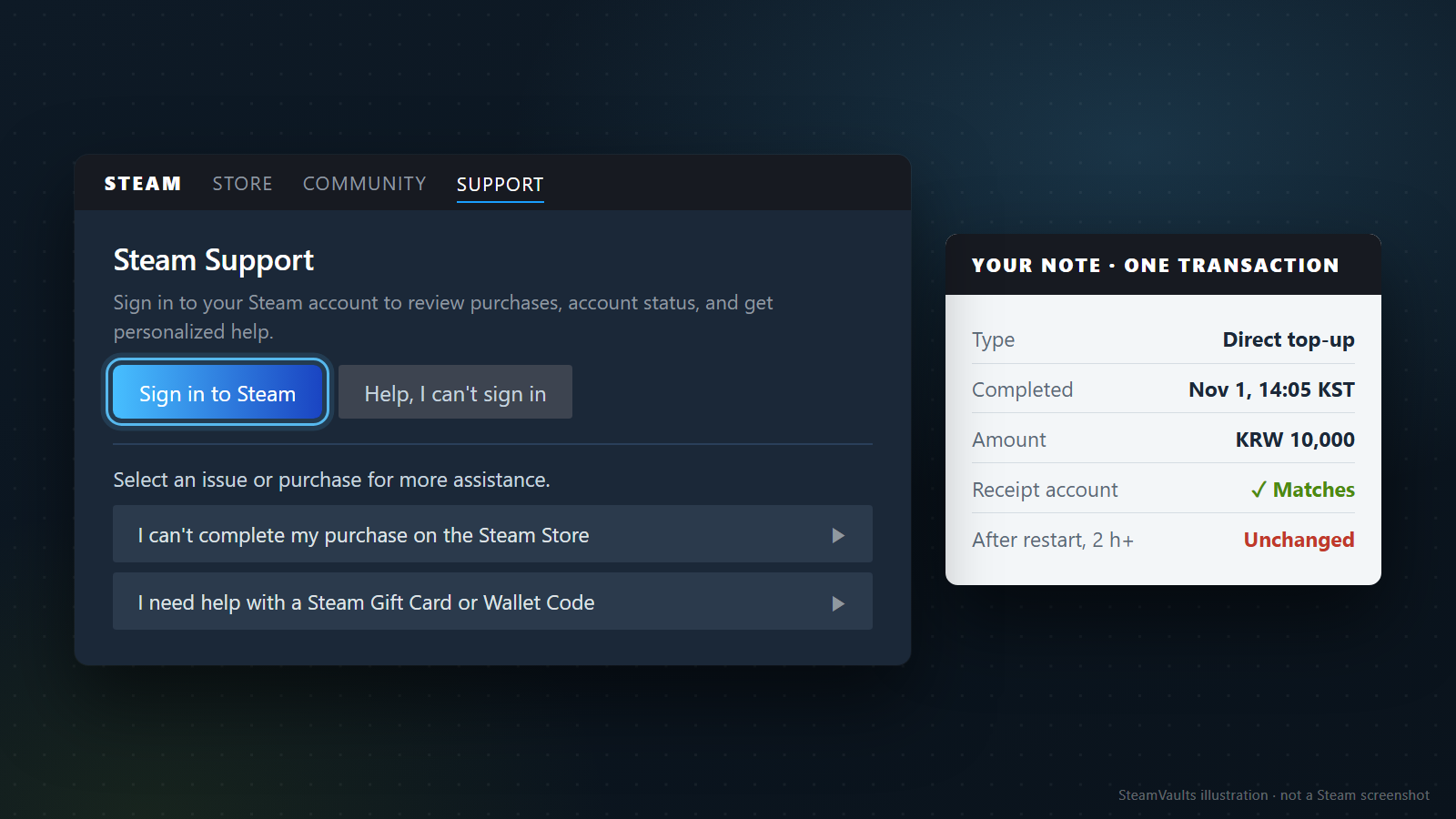
Начните обращение с операции, которую нужно проверить: пополнения или продажи. Добавьте сведения для её поиска, затем опишите, где проверили завершение, что видите сейчас и что уже сделали. Такой порядок полезнее длинного рассказа о предполагаемой причине сбоя.
Для пополнения достаточно такой последовательности: время завершения, валюта и сумма; подтверждение совпадения аккаунта из квитанции с текущим входом; результат перезапуска. Если после завершения прошло больше двух часов, а остаток не сходится, укажите это. Допишите, были ли затем другие расходы из кошелька. Это не готовый текст для слепого копирования: выбирайте только факты, которые действительно проверили.
Не нашли квитанцию о завершении — не копируйте из примера утверждение, что покупка завершена. Укажите время и сумму у банка, сообщение об успехе или отказе в Steam, наличие операции в истории покупок. Непроверенные сведения так и пометьте: догадку, вставленную вместо пробела, позже придётся исправлять.
При продаже одного названия предмета мало: таких продаж могло быть несколько. Добавьте время и сумму к получению. Отдельно опишите завершение в истории, удержание в кошельке и условия письма. Есть предполагаемое время освобождения — передайте точную формулировку и время проверки; нет такой информации — так и напишите. Если последующие расходы уже сверены, а разница осталась, покажите именно её.
Откройте Steam Support, войдите в аккаунт и выберите соответствующую покупку или тип проблемы. Участник открытого обсуждения не сотрудник, который может посмотреть ваши платёжные записи. Получив ответ по почте, полезно самостоятельно открыть поддержку и убедиться, что тот же ответ есть в вашем обращении, а не доверять одной новой ссылке.
После отправки добавляйте реальные изменения: время зачисления, новый текст удержания, появившуюся запись об отмене. Повторяющиеся догадки при неизменном статусе могут затруднить чтение истории. Обещать время ответа или результат обращения эта статья не может.
Официальные документы и публичное обсуждение проверены 5 сентября 2026 года. Valve описывает проверки и момент обращения для прямого пополнения. Единого срока удержания выручки Торговой площадки в этих источниках подтвердить не удалось.
Готовы продать поддерживаемые Sack of Gems?
После подтверждения получения ботом USDT зачисляется на баланс сайта. Вывод через Polygon оформляется отдельным запросом.