


You keep playing, the game has a card badge, and yet the inventory stays quiet. It is easy to put every version of that experience into one bucket: “Steam card drops stopped.” In practice, several different states can look identical from a distance. You may have used every regular playtime drop. You may be looking at a free-to-play game, where the rule is different. Or you may already be eligible for a booster pack without having received one.
The useful first move is not to leave the game running for another hour. Steam does not publish a fixed number of minutes or hours between card drops for every game, and an empty inventory by itself is not proof of an error. Check whether the game still has regular drops available, whether its drop rule is purchase-based, and whether the account is only in the booster-pack pool. Those are separate questions with different answers.
This guide is about finding the right question before spending more time on the wrong one. It is not a card-pricing guide, and it is not a promise that a particular card will arrive. Valve’s Steam Trading Cards FAQ explains the system’s public rules; the Badge page for the specific game remains the best place to read the state Steam is showing to your account.
A stopped card counter can mean three different things
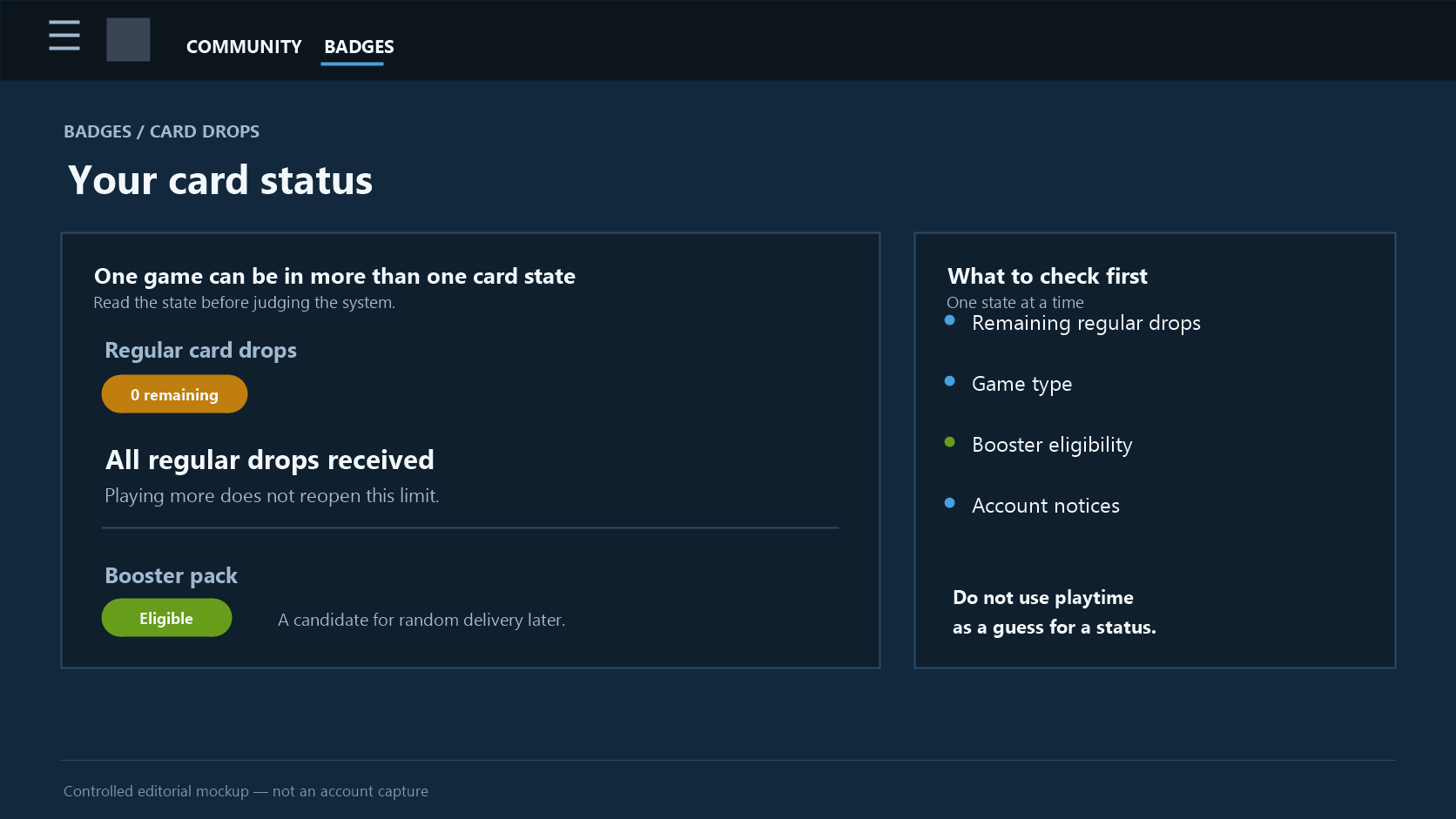
Most “no more cards” reports fall into one of these buckets:
- All of the regular card drops assigned to that game have already been received.
- The game is free to play, so its drops follow the separate in-game purchase rule.
- Regular drops are over and the account is eligible for a booster pack, but no random booster grant has happened yet.
There can also be broader account conditions, or a game may not participate in Steam Trading Cards at all. That is why a friend’s result, an old forum post, or advice to “just idle longer” is a poor substitute for the status attached to the exact game on your own account.
Completing a set is not the same as having drops left
An eight-card set can look unfinished when you own only four cards. That does not necessarily mean four more cards are waiting for more playtime. Valve says that most participating games drop about half of a set through play. The remaining cards may need to come from other community members.
That distinction is the source of many false alarms. A badge can still be incomplete after regular drops are exhausted. Not being able to craft the badge does not, by itself, mean that another hour of play should produce the final missing card.
Booster eligibility is not a new drop allowance
After all regular drops have been received, an account can become eligible for a booster pack. Eligibility means the account is in a pool for a random grant; it does not reopen the normal playtime-drop limit. Steam does not publish a personal queue position, an expected delivery date, or a schedule that says when the next pack will arrive.
Keeping those states separate changes how an empty counter reads. If regular drops are still shown as remaining, playtime can still be relevant. If all regular drops are shown as received, playing the same game longer is not a published way to create a new regular-drop slot.
Start with the game’s Badges page
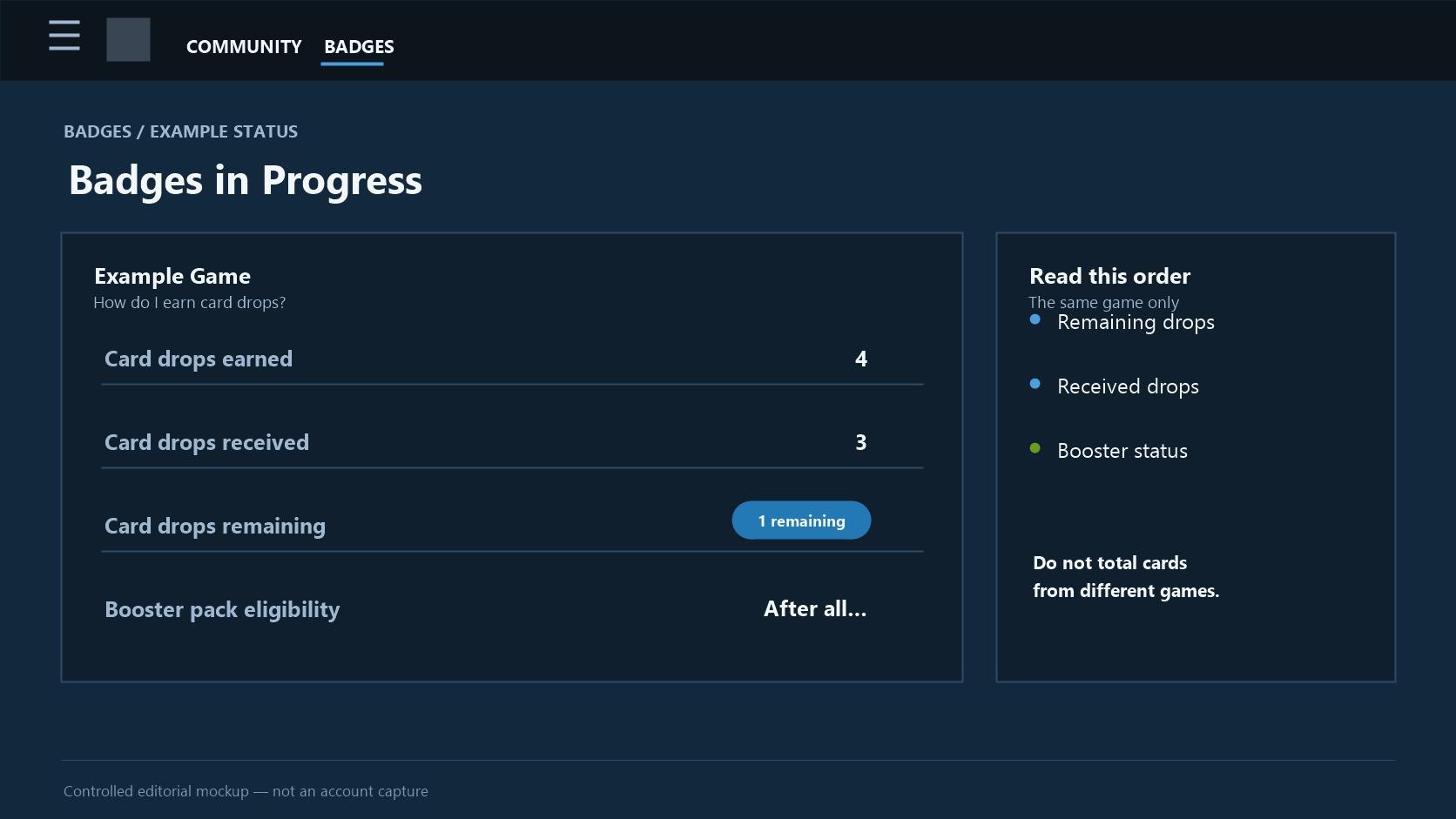
Valve points players to the Badges page. In the How do I earn card drops? window, Steam can show drops already received, ways to earn more, and whether the account is currently eligible for a booster pack. Badges in Progress also shows the card set and the collection’s progress.
The interface language may change the wording, but the reading order stays simple.
| Check this first | What it tells you | What to do with the answer |
|---|---|---|
| Remaining regular drops | Whether this game can still award a card through play | Only then is it worth treating playtime as part of the problem |
| Regular drops received | Whether the game’s normal drop limit has been reached | If all are received, stop trying to calculate another normal drop |
| Booster-pack eligibility | Whether the account is in the separate random-grant pool | Treat it as eligibility, not as a delivery notice |
Read the row for the same game
The overall inventory is noisy. One game might have two regular drops remaining while another has already reached its limit, and cards from both can sit together in the same inventory. A new card elsewhere does not reopen the first game’s counter.
Open the relevant game’s badge row and read its own drop message. The number of cards you still need for a full set is collection progress. The number of regular drops remaining is a playtime-reward rule. They can be different numbers, including “cards still needed” alongside zero regular drops.
Do not turn a remaining count into a clock
The FAQ says cards arrive occasionally while playing participating games. It does not give a universal interval. A claim such as “one card will appear in 30 minutes,” “restart once to force it,” or “unlock this achievement to trigger a drop” goes beyond the published information.
If Steam shows a remaining drop, the careful conclusion is only that more play can still matter. If it shows zero, there is no published basis for expecting the same game to create another regular card simply because it remains open.
Most participating games stop regular drops at about half a set
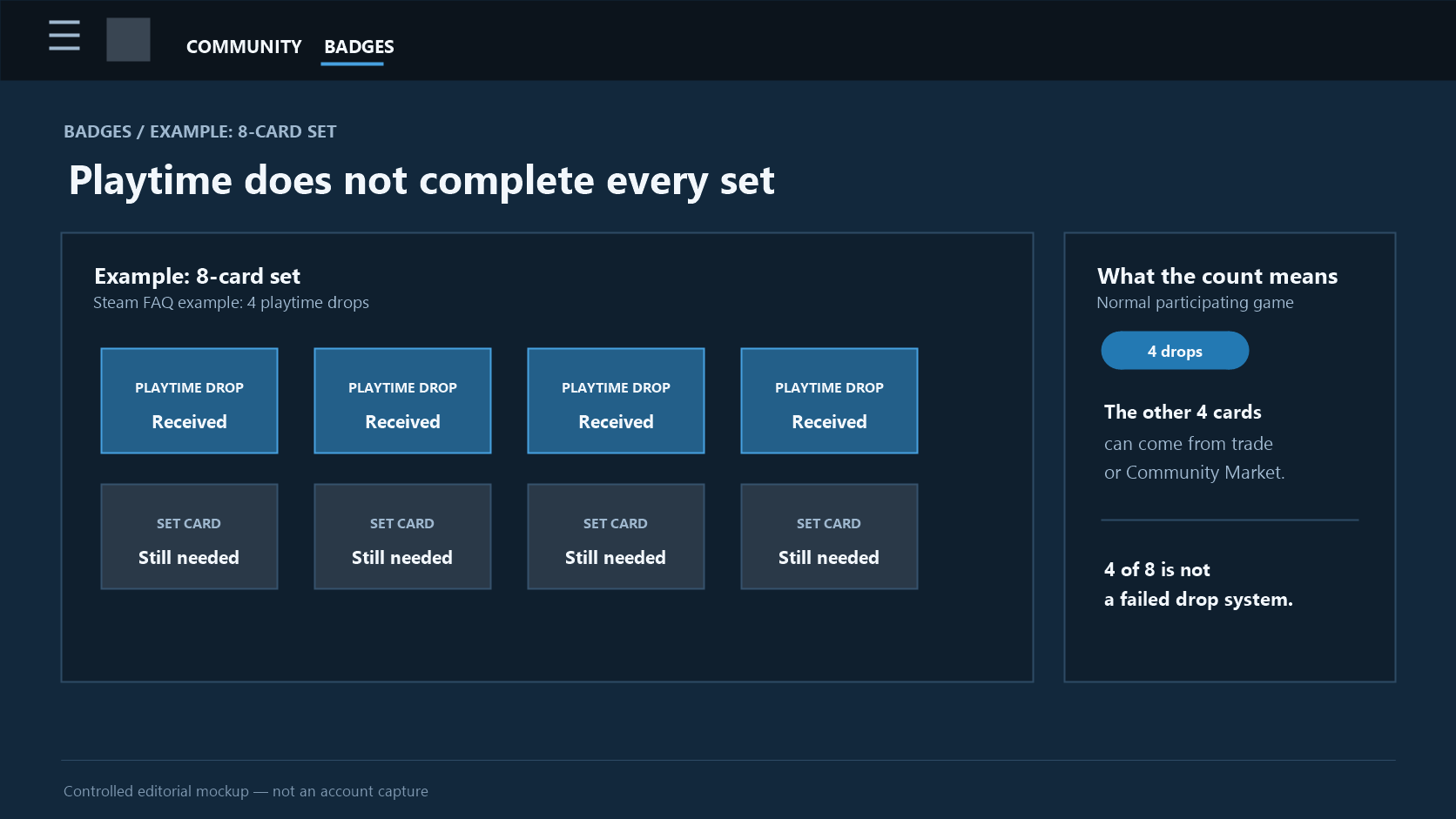
Valve’s clearest example is Half-Life 2: its card set contains eight cards, while playing the game can produce four card drops. The FAQ uses that example to explain the broader pattern—most participating games award about half of the cards in a set through play.
“About” matters. Do not turn the set size into an exact formula for every game, and do not assume a game participates merely because it appears in your library. The rule applies to participating games.
Four of eight is often the system working normally
In an eight-card example, receiving four cards through play is not evidence of a broken badge. The other four may be acquired through trading, the Community Market, or another community member. Playtime opens part of the collection; it is not designed to guarantee a completed set.
That is why the last missing card can be misleading. “I only need one more card for the badge” describes a collection goal, not a promise that the game has one more playtime drop reserved for you. Check the remaining-drop indicator before treating the missing card as a stalled reward.
Achievements are a tempting but unreliable explanation
Valve says card drops are tied to playtime and are independent of achievements. A card and an achievement can happen on the same evening without one causing the other. Likewise, completing every achievement does not prove that the game’s card counter is exhausted.
When a set is almost complete, achievement hunting can feel like a plausible way to “trigger” the last card. It is better to let the game’s Badge page answer the actual question: are there regular drops left?
What changes after the regular limit
Once the Badge page says all regular drops have been received, the decision tree changes. You can look for the remaining set cards through the usual collection routes, or maintain eligibility for a possible booster pack. The first is an action you can choose now; the second is a random Steam grant.
If the next decision is what to do with cards you already have rather than why drops stopped, see the separate guide to cards and Gems. It covers the post-drop item decision, not how the drop counter works.
Free-to-play games use purchases inside the game, not playtime alone
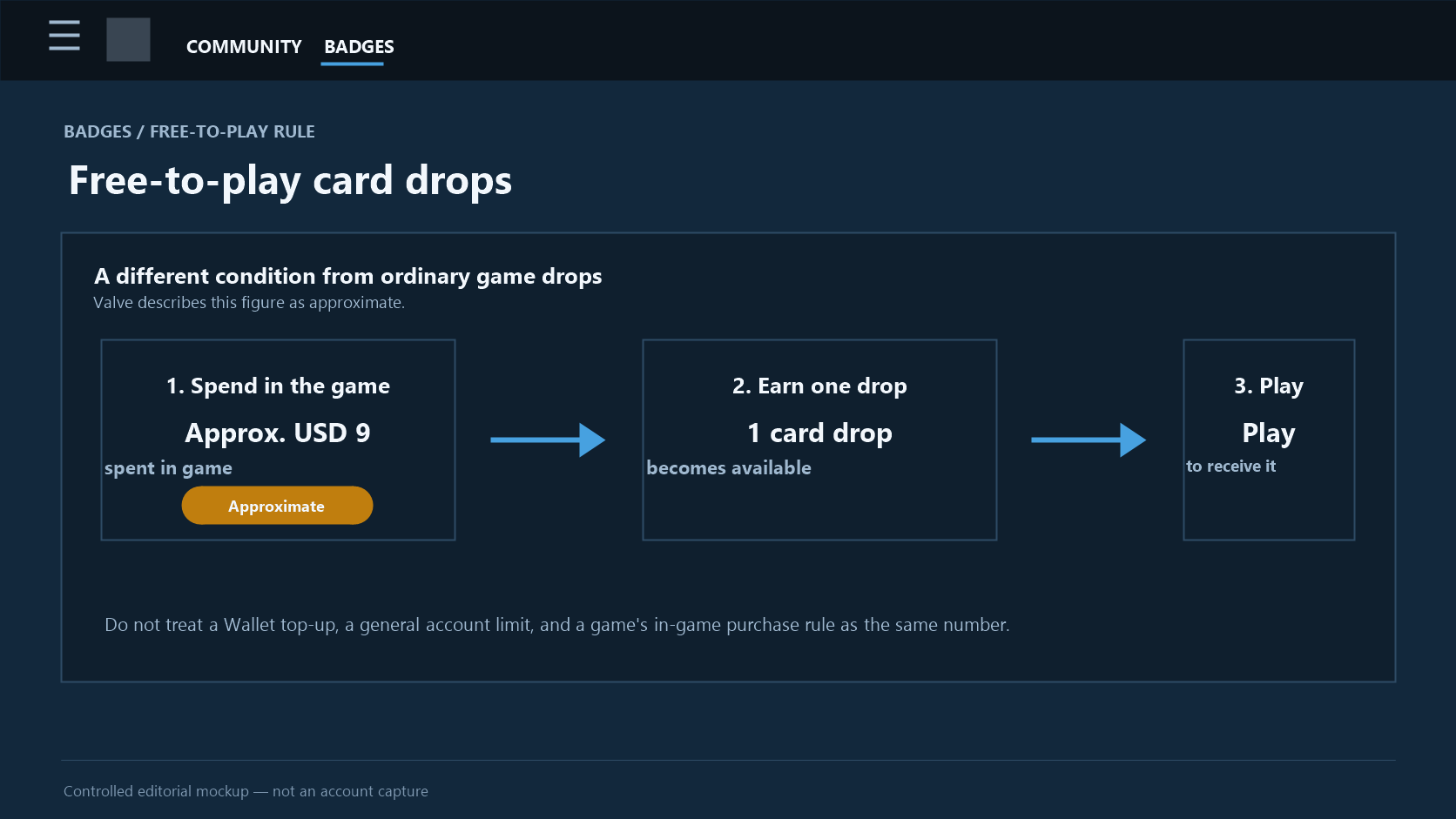
Free-to-play games do not simply reuse the “about half a set” explanation. Valve’s FAQ links their card drops to in-game purchases. Its stated historical rule is approximately USD 9 spent in the game since the start of the Trading Card Beta for one card drop; the card then drops while you play.
That wording contains two steps. First, qualifying in-game spending creates a drop opportunity. Then playing the game is when the card can arrive. Closing a purchase screen without an immediate card in the inventory is not, by itself, evidence that the rule has failed. On the other hand, leaving a free-to-play game open for a long time does not by itself establish new purchase-based drops.
“About USD 9” is not a universal Steam-spending conversion table
Valve says “approximately,” which is an important limit. It is not a safe basis for building a currency conversion chart, predicting a precise number of drops, or treating every Steam payment as the same thing. This guide does not turn it into a claim about Wallet top-ups, purchases outside the game, or a particular payment method.
The narrow, supportable reading is enough: in a free-to-play game, the FAQ uses a purchase-based rule inside that game, approximately USD 9 per drop, followed by play. The actual badge information for that game should decide what you investigate next.
Keep the limited-account rule separate
Steam Support also documents an account-level restriction for limited user accounts. A limited account cannot gain Steam Profile Levels or Trading Cards. That is a different issue from the free-to-play in-game purchase rule.
Do not use one rule to diagnose the other. A reader who has met a game’s purchase condition may still need to check account-level Steam Support information; a reader seeing a limited-account notice should not assume that simply playing longer will resolve it. Only Steam’s account and support pages can show the status for a particular account.
Finishing regular drops does not mean a booster pack has arrived
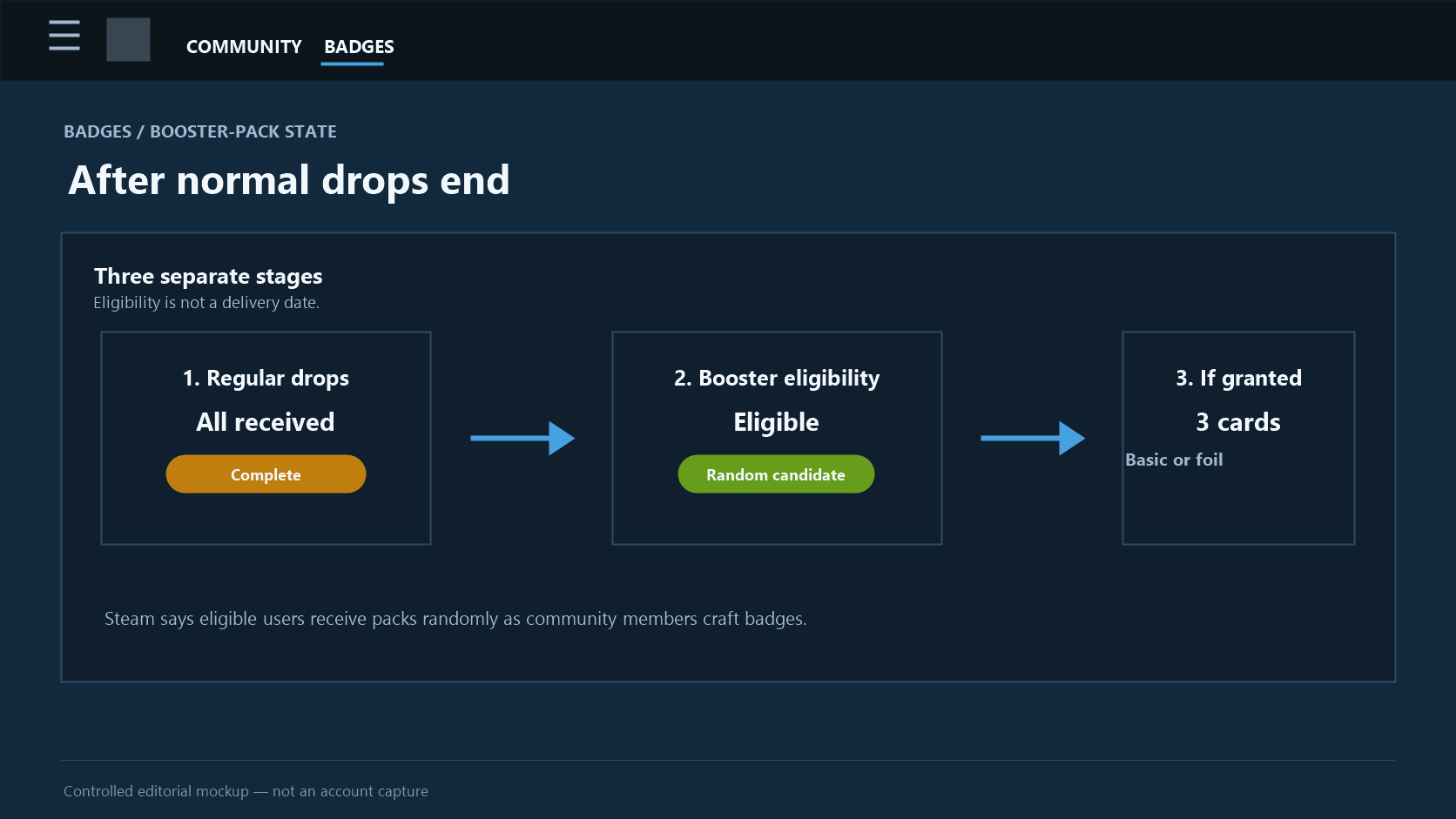
This is the point that causes the most confusion. Valve says that, after all card drops have been received, an account becomes eligible for a booster pack. It does not say “after completing the set,” and it does not say “after crafting the badge.” The threshold is receiving the regular drops assigned to the account for that game.
A booster pack contains three cards and can include basic or foil cards. Eligible users receive packs through random grants as community members craft badges. Eligibility is therefore a state in the system, not a receipt in the inventory.
Treat eligibility, selection, and receipt as separate events
The cleanest way to read the process is in three stages:
1. Regular drops exhausted: no more playtime cards are left for that game. 2. Booster eligibility: the account can be included in the random-grant pool. 3. Booster receipt: Steam actually grants a three-card pack.
It is normal for the second state to last without an observable countdown. The FAQ does not publish a booster frequency, a typical wait, a weekly guarantee, or the base chance. Claims that a pack arrives every week, follows after a set number of crafted badges, or is due tomorrow are guesses rather than published rules.
You can be eligible with an incomplete set
Because the normal drop limit and set completion are different, an account can be eligible for a booster pack while cards are still missing from the badge set. The reverse mistake is common too: completing a set through trading or the Market does not make a booster pack appear immediately.
Use the game’s current Badge message rather than a screenshot from someone else’s account. And do not regard a booster pack as another playtime reward. Once normal drops are over, repeatedly running the game does not change the published condition for regular drops.
Foil cards do not create a predictable path
The FAQ notes that foil cards can appear in normal drops and can be included in booster packs. That describes a possible card type, not a timetable or an odds calculation. It does not let anyone calculate how long to wait, how many regular drops to expect, or how to force a foil.
Prices and rarity can quickly become a different conversation. For diagnosing a stopped counter, stay with the immediate questions: does this game have regular drops left, and does Steam show booster eligibility?
Weekly sign-in and Steam Level improve eligibility conditions, not certainty
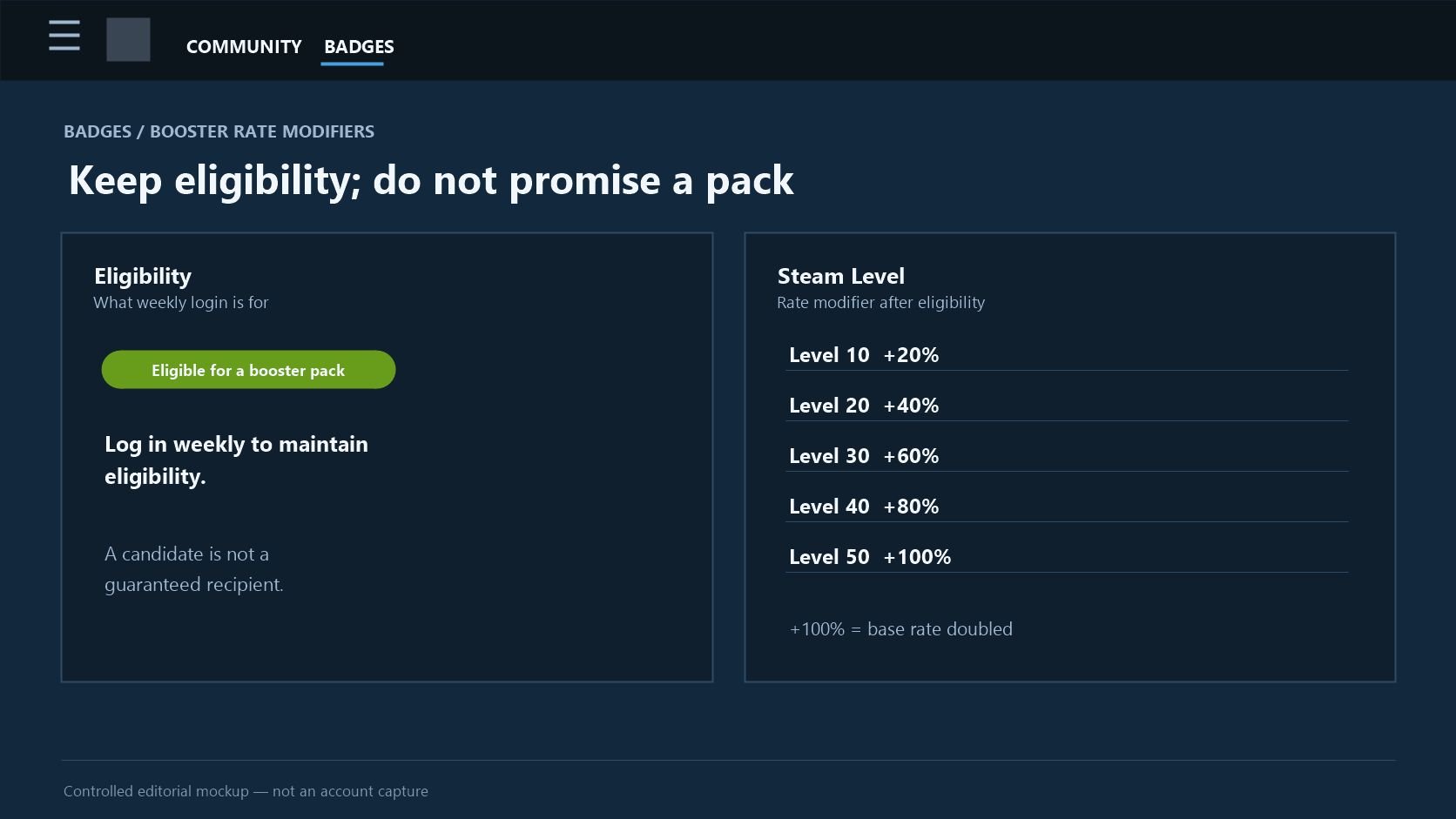
For an account already eligible for booster packs, Steam asks users to log in weekly to maintain eligibility. That instruction is about remaining eligible. It is not a promise of one booster pack per week. The eventual grant is still random, and the FAQ does not publish an exact reset time, a required device, or a personal grant schedule.
Steam Level is another modifier that is easy to overread. Once eligible, the FAQ lists higher relative booster-pack rates at these levels:
| Steam Level | Change relative to the base rate |
|---|---|
| 10 | +20% |
| 20 | +40% |
| 30 | +60% |
| 40 | +80% |
| 50 | +100% (double the base rate) |
“+100%” does not mean a 100% chance
At Level 50, +100% means the rate is double the undisclosed base rate. It does not mean “certain to receive a pack,” “one guaranteed pack,” or “a pack within a few days.” Because Steam does not publish the base probability, the relative increases cannot be turned into a reliable personal wait-time forecast.
The practical conclusion is modest: a higher Steam Level is relatively more favorable after eligibility exists. It is not evidence that leveling up will produce three cards on demand.
Weekly sign-in belongs on a checklist, not on a calendar promise
Logging in weekly is worth doing if you are waiting as an eligible user, because it follows Steam’s stated requirement for maintaining eligibility. It should sit beside—not replace—the other checks: regular drops exhausted, game-specific eligibility, and any account-level notice.
No amount of extra sign-ins restores a regular playtime drop after that limit is over. Conversely, an eligible status is not a message that a booster pack has already been received. Read both the eligibility information and the actual inventory separately.
Use this seven-step check before assuming something is wrong
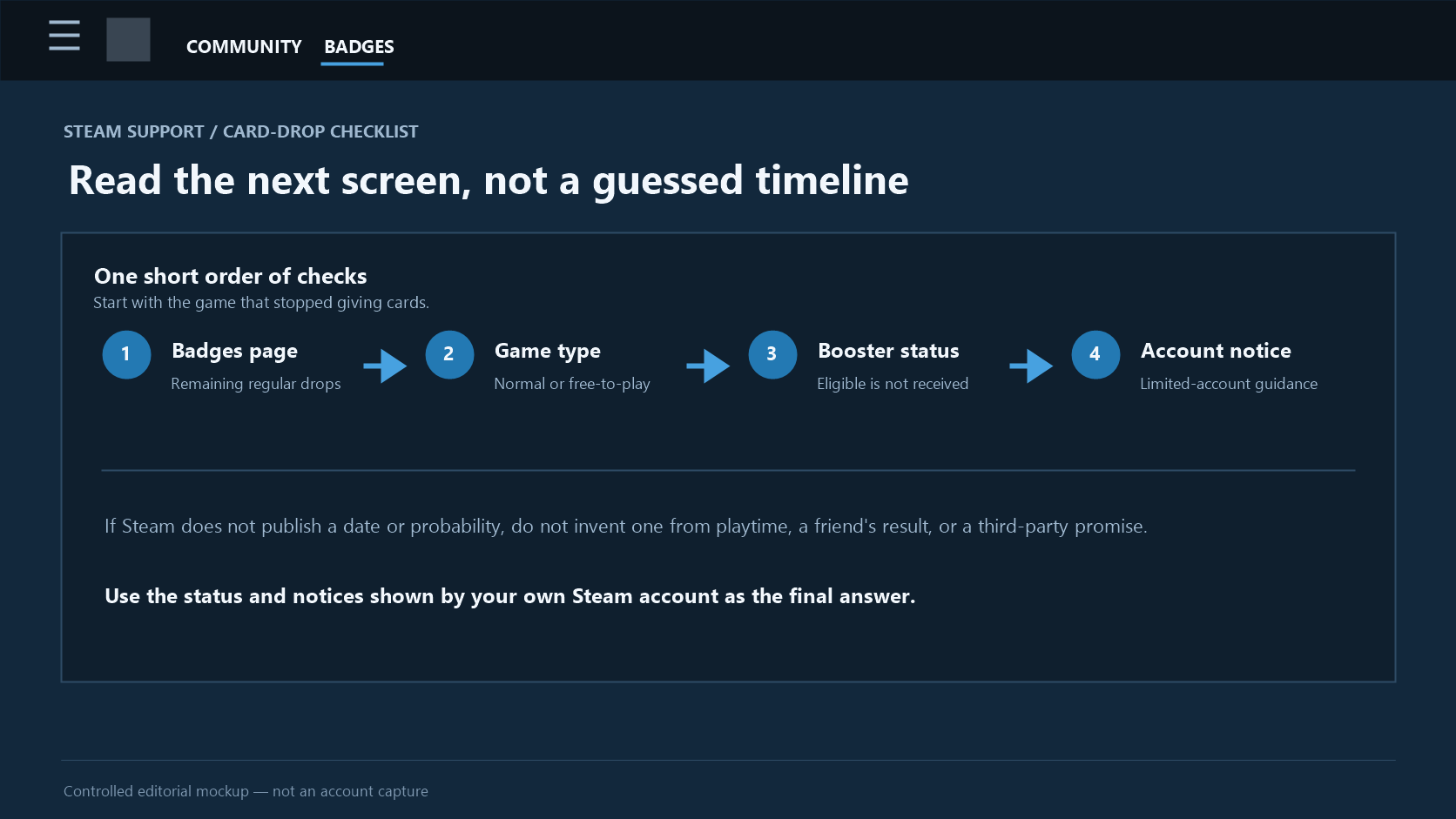
When cards stop appearing, this is the shortest reliable order of checks:
1. Open the Badge page for the exact game. Read its How do I earn card drops? information and Badges in Progress, not the total number of cards in the inventory. 2. Check remaining regular drops. If drops remain, remember that Steam does not publish an exact arrival time. If the count is zero, do not expect the same game to reopen normal drops through extra play. 3. Separate the game types. For ordinary participating games, use the about-half-a-set structure. For free-to-play games, examine the in-game purchase rule instead of treating all playtime alike. 4. Separate missing cards from unused drops. A gap in the set does not prove that another regular card is due. 5. Read booster wording on its own. Eligible means a random-pool candidate, not a delivery date, a schedule, or a probability you can calculate from outside Steam. 6. Do not overstate weekly sign-in or Steam Level. Sign-in maintains eligibility; level changes a relative rate. Neither guarantees a card. 7. If cards and Steam Levels are both unavailable, read the account notice. Limited user accounts are covered by a separate Steam Support rule, so account status should be checked before treating more playtime as the answer.
One final practical boundary: do not hand over account access, an authentication code, or a card transfer to make this check. The information needed here is the status Steam shows in your own Badge and support pages.
The useful habit is not memorising every number. It is reading three things separately for the same game: remaining regular drops, booster-pack eligibility, and any account restriction notice. Steam does not publish the missing timetable, so the fastest honest answer begins with the state the account actually shows.
> Sources and limits — checked August 26, 2026: The about-half-set rule for ordinary games, the Half-Life 2 eight-card/four-drop example, the approximately USD 9 in-game purchase rule for free-to-play games, three-card booster packs, weekly sign-in, Steam Level modifiers from +20% to +100%, and the Badge-page checks are drawn from Valve’s Steam Trading Cards FAQ. The separate restriction on Trading Cards and Steam Profile Levels for limited user accounts is documented by Steam Support’s Limited User Accounts page. Steam does not publish a fixed drop interval, booster base probability, or personal booster delivery date, and this guide does not invent one.
The next decision may concern the cards you already have: what badge crafting consumes and gives you, or whether to craft a booster instead of buying the missing cards. Neither decision needs a promise that another free pack will arrive.