


When a game behaves differently than expected, the first snag may be figuring out where to ask. You bought it on Steam, so Steam Support might seem like the obvious choice. But an issue inside the game may be something its developer needs to handle. A wrong turn can mean getting redirected, and posting account details or unnecessary files in a public forum can create risks unrelated to the problem.
Start by locating the issue. Did it happen with your Steam account or a purchase, in a launch error shown by Steam, or inside the game after it opened? Then separate a public discussion, where you can ask other players about their experience, from the developer's official support route, where you can ask about the game's behavior or intent. You do not have to diagnose what is broken first. Describe the screen or message you saw, what you actually did, and anything you have not checked.
This article is based on Steam and Factorio support guidance reread on September 26, 2026. It does not report a game test or a support request we submitted. Factorio's intake rules apply to Factorio only; for another game, follow that game's current support instructions.
Even if you bought it on Steam, choose who to contact based on the issue
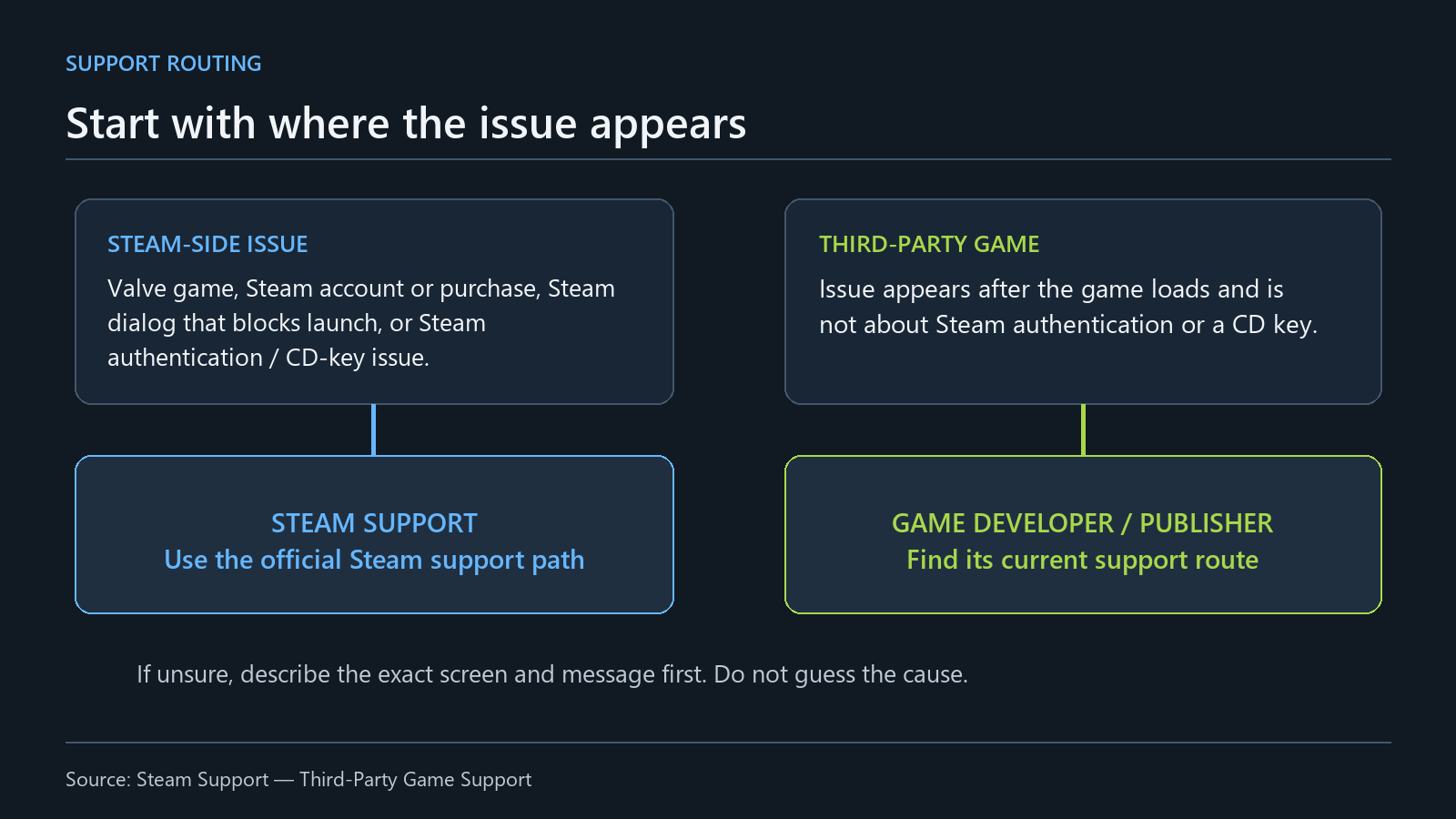
A summary of the scope in Valve's public support guide. It does not diagnose the cause or resolution of every issue.
Valve's support guide does not cover every problem with every game launched through Steam. It lists issues with Valve-developed games, Steam account access or use, purchases made through Steam, registering a retail CD key on Steam, and errors shown in a Steam dialog that prevent a game from starting. It also includes Steam authentication or CD-key errors that appear after a game loads. Steam's guide to third-party game support
For bugs or unexpected behavior inside a third-party game after it has launched, Steam directs players to that game's developer or publisher—unless the issue is Steam authentication or a CD key. Its examples include crashes or errors after launch, problems connecting to a multiplayer server, game bugs, gameplay or controller questions, third-party DRM, and activation limits. The useful distinction is where the problem happened and who handles it, not just which store processed the payment.
When you describe where the issue began, leave the cause open. Say whether the window came from Steam or appeared inside the game, whether it showed an exact error message, and how far you had got before it appeared. “Server outage,” “account restriction,” or “DRM error” may be interpretations rather than things you verified. You can report what happened without knowing why. Copy the wording you saw, or say there was no message.
Steam also explains how to find a third-party game's support contact. Select the game in your Library and look for the Support tab on the right. Depending on the screen size or client layout, there may instead be a ... menu. Then choose Gameplay or technical issue, I am having another problem, and Contact Game Support to reach the game's support page. Menu wording and placement may change, so follow the current interface. If you cannot find the contact, Steam says you can ask Steam Support for its details.
When contacting Steam Support, its guide says to have your account username and the exact error message—or a detailed description of the unexpected behavior—ready. That is not a reason to post account information in a public discussion. Give account details only through an official Steam Support route if it asks for them there; a public post needs only the game name and context needed to understand the issue. Never share your password or Steam Guard Mobile Authenticator code. Steam says its support staff will not ask for either. Steam Guard Mobile Authenticator FAQ
When choosing a contact, first sort out whether the issue was on a Steam account or purchase screen, in a Steam dialog, or inside a game that had already launched. For the last case, use the game's support link in your Steam Library to find the developer's or publisher's current instructions. If you are unsure whether it is a bug or a gameplay question, do not decide the cause in advance; describe the scene in the discussion or help space that the game identifies. This is a practical way to keep different support scopes separate, not an official Valve classification chart. If you cannot tell whether a window belonged to Steam or the game, say so instead of guessing.
Official forums can still serve different purposes
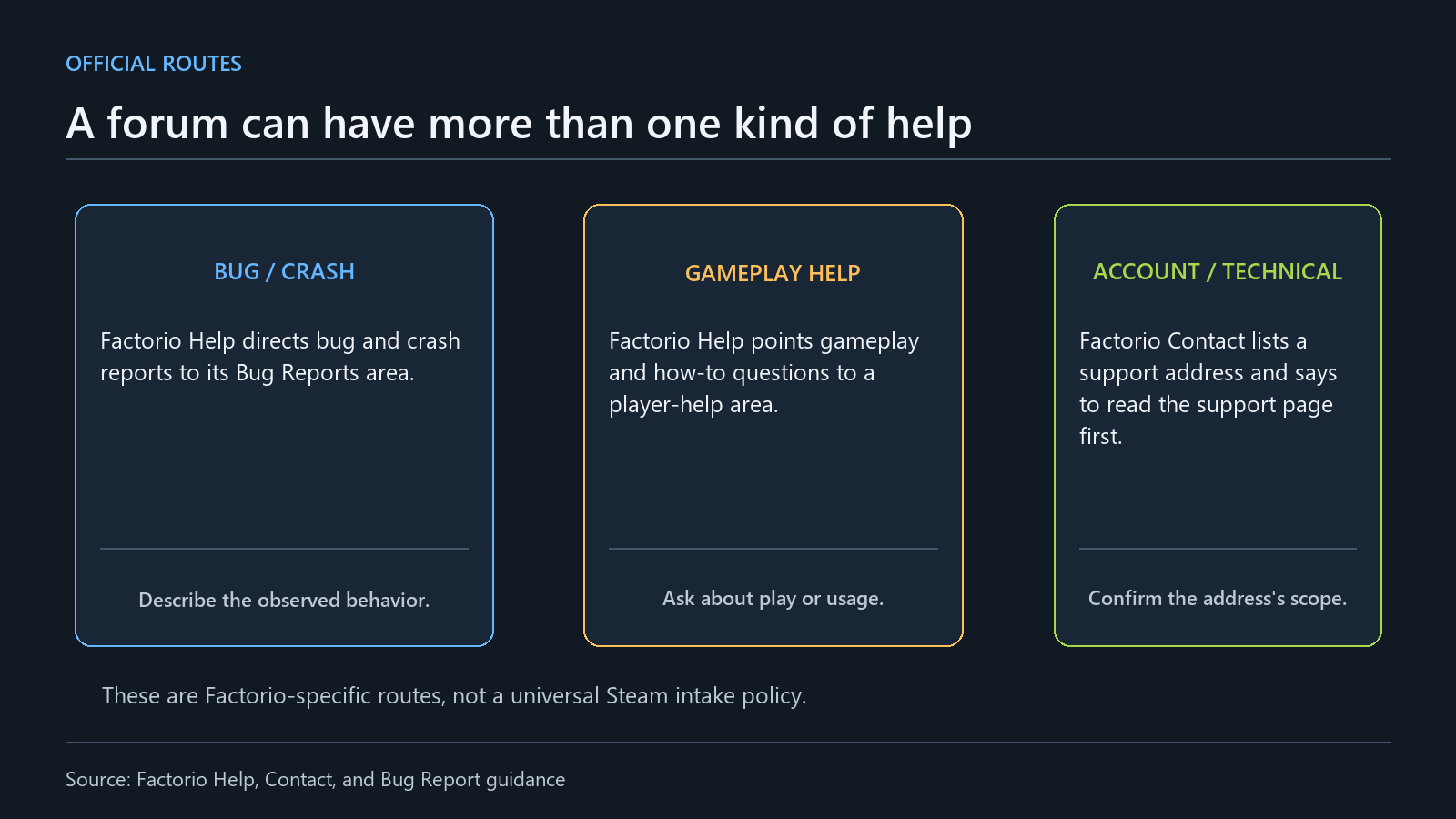
A summary of Factorio's public Help and Contact pages. It does not claim that every developer forum has the same structure.
The label “official forum” does not mean every post there reaches the development team. Factorio's Help page directs people with crashes, launch failures, or bugs to its Bug Reports area. People stuck in the game or asking how to play are directed to a section where other players can help. Its Contact page also presents the official forum as a main place to communicate, with separate mentions of bug reports, gameplay help, ideas, and suggestions. Factorio Help · Factorio's official contact options
Factorio's Contact page lists an account and technical-support address and tells visitors to read the support page first. Finding an address does not mean every question belongs there. Steam's Help page likewise points to Community Help, where people can search Steam Discussions for answers or post a question. That is a public place to ask and search; the page does not promise that a developer will review a post, reply within a set time, or fix an issue. Steam Help: Community Help
Being stuck in a game does not automatically make something a bug report. If you need help with how to play, player help may fit; if the behavior seems to differ from the instructions, check whether there is a bug-report area. Factorio routes those topics to different spaces. For account or payment issues, start with the official support route Steam identifies, not the game's discussion board.
Public discussions can be a place to ask other players about gameplay or similar observations. A private support route may fit better when an official form needs information about an account or purchase that should not be public. Companies do not all work the same way, so check whether a space is public and what the channel says it handles. Steam warns that contacting the wrong provider may delay a request. A reply from another player does not confirm a cause, and a developer asking for more details does not mean a fix is settled.
Describe the scene in the title, not a guessed cause
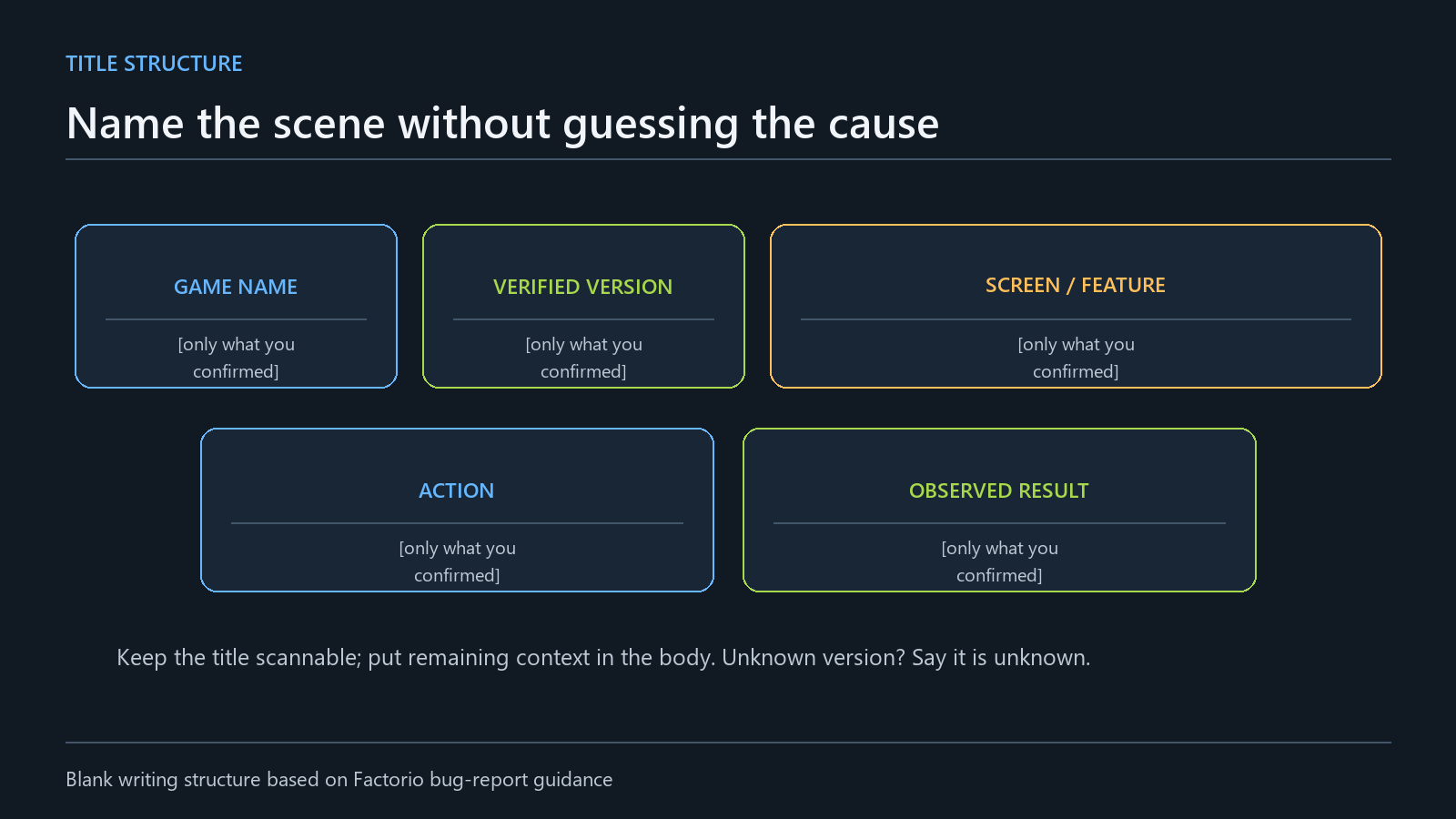
The blank fields show a writing structure, not an actual game's error or version.
Factorio's bug-report guide asks reporters to include the version and context in the title, and to describe what happened on a particular screen or after an action instead of saying that the whole game is broken. The guide was posted to the Factorio forum on May 16, 2014. It is guidance from one game's forum at a particular time, not a universal Steam title rule or another game's current policy. Factorio's bug-report guide
A title helps people find a scene among similar posts; it does not replace the report. A vague title may leave readers unsure whether the issue happened before launch, in a menu, with a save, or while connecting to multiplayer. You can start with a blank structure and fill in only what you checked:
> [Game name] [confirmed version] — [screen or feature] after [action I took] [observed result]
The brackets are blanks for the actual details, not an invitation to guess. If you have not confirmed the version, say so. Use the feature name or button wording shown on screen. If there was no error text, say that. Do not label a version “latest” or add an arbitrary number when you do not know it; readers may mistake a guess for a fact.
Keep the cause out of the title unless you have evidence for it. Describe the last screen you saw and what you did before it, rather than announcing a diagnosis. Steam's guide distinguishes a Steam dialog that blocks launch from an error inside the game. The fact that you launched the game through Steam does not establish where its message came from.
You do not need to squeeze every condition into the title. Include the game, confirmed version, affected screen or feature, action, and result; use the body for the rest. Check the game's own support documentation to see whether it asks for device or mod details. Factorio's instructions can be a useful reference, but another game's current guidance determines what its intake form needs.
One specific request in Factorio's guide is to report one bug per post. That is Factorio forum guidance, not a form every company requires. Still, unrelated issues can be hard to evaluate together: their conditions and useful attachments may differ. If you are unsure whether to split a post, first compare whether the screens, actions, and results belong to the same event, then check that forum's rules for duplicates and separate reports.
Including a version helps readers narrow down the state in which you observed the issue; it does not claim that the version caused it. Check the version shown in the game information and say if you could not confirm it. Do not say the behavior was the same before and after an update unless you compared those versions. Factorio's older guide recommends using its latest version, ideally the latest experimental version. That was the guide's advice when it was posted, not a current fix for every game.
I think a useful title is a short index to the scene, not a way to make the issue sound more dramatic. Asking for a faster fix does not add version or action details. A title with the screen and action lets readers see what the report covers. Even when the cause is unknown, you can still name what appeared on screen.
Count what happened, and leave unknowns unknown
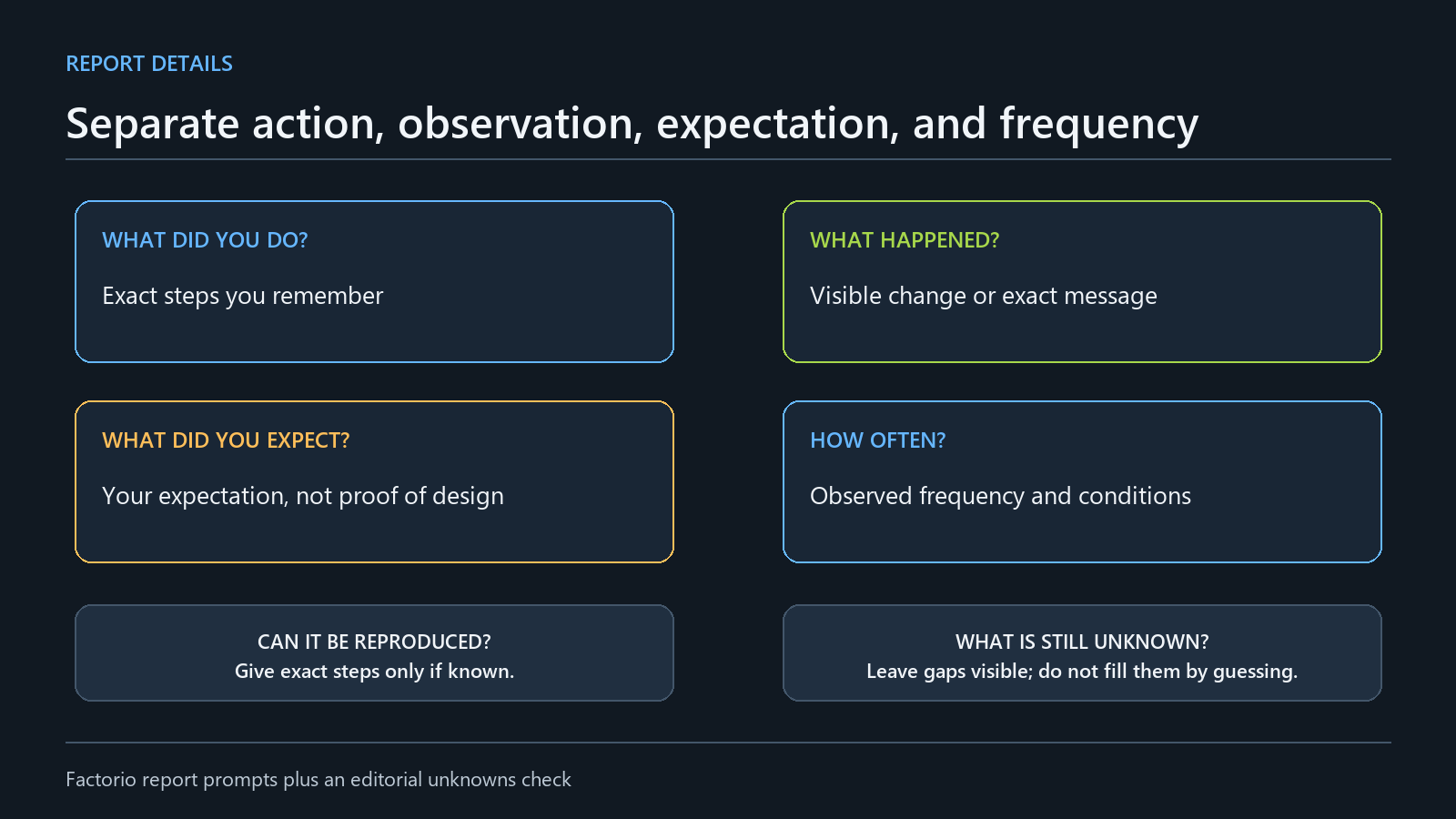
Use each field for something the writer actually checked. Do not fill it with an invented count or result.
Factorio's bug-report guide asks what you did, what happened, what you expected instead, and whether the issue happens always, once, or sometimes. It also asks for exact steps when the issue can be reproduced. Keeping those details separate is more useful than compressing them into one sentence: your action, what appeared on screen, what you expected, and how often you saw it are different pieces of information. A difference between expectation and result does not establish the cause.
> - What I did: [steps I personally checked] > - What actually appeared on screen or in the system: [message, state, or change] > - What I expected: [expected behavior] > - Frequency and scope checked: [actual count or frequency I observed] > - What I have not checked yet: [not checked or unknown]
This blank structure is not a form every company requires. Check the selected game's instructions to see what its support team needs. Separating facts from expectations, and frequency from reproduction steps, can keep you from filling gaps with guesses. If you saw an issue once and did not try again, say you observed it once and have not checked whether it can be reproduced. If you do not remember how many times, say you do not remember instead of inventing a number.
“Sometimes” and “often” can mean different things to different readers. Factorio's guide asks about frequency; where you can, distinguish the actual number of attempts from the conditions under which you saw the issue. If you tried a different input device, describe that as a separate condition rather than combining the results. If you changed settings or restarted, note what you saw before and after. The point is to show which observation followed which action, not to let readers guess at a cause.
You do not have to abandon a report because you cannot remember every reproduction step. Write the last step and screen you remember, and mark the earlier conditions as unknown. Factorio asks for exact steps when you can reproduce an issue; it does not ask you to hide that you could not. More than one occurrence and reproducing the issue under the same conditions are different kinds of information. If the version, save state, mods, or input device differed, separate those observations.
Counts need a denominator. “It happened twice” does not say how many times you tried, and “sometimes” does not give readers a period or conditions. Factorio's always, once, and sometimes labels help describe the observed frequency. If you can count both attempts and occurrences, list them separately; if you did not track attempts, say so. Do not turn personal notes into an error rate or failure probability for the whole game. One report is not a population study.
Keep the expected result separate from the cause or intended design. Saying what you expected explains your expectation; it does not prove the game was designed that way or that its documentation promised it. If you checked instructions or in-game text that led you to expect something, you can point to them. Otherwise, do not present an expectation as an official rule. The support team can review the difference between what you expected and what happened and decide whether the behavior is intended, an issue, or needs more information.
There is no need to repeat an action over and over just to check it. Read the game's official troubleshooting guidance first, and say if you did not carry out a suggested check. Use words such as “always” or “never” only when your observations support that scope.
Attach only what the scene needs; keep the question short
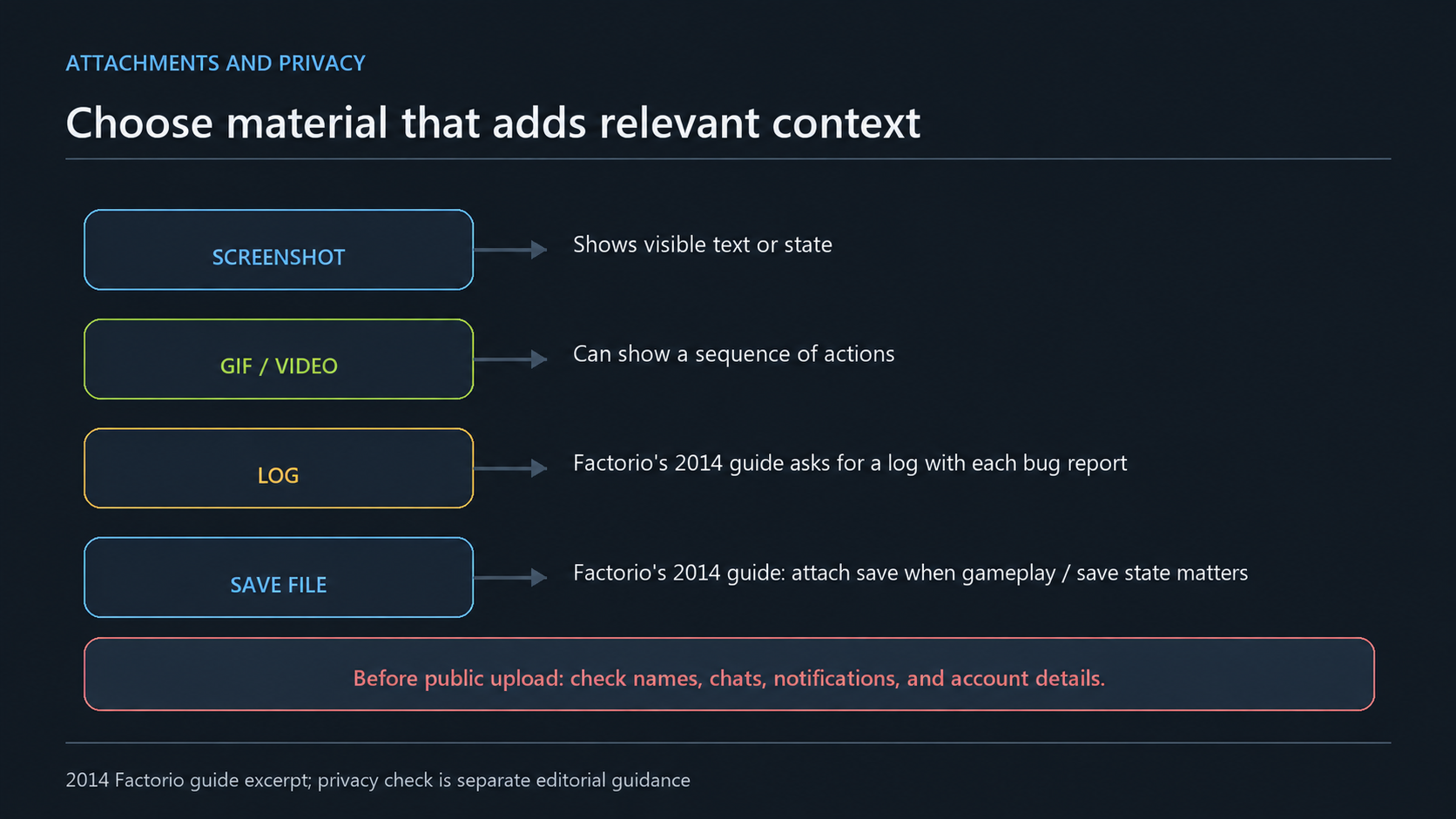
The log and save notes come from Factorio's bug-report guide posted on May 16, 2014. This historical guide is not evidence of current Factorio requirements or other games' rules; the privacy reminder is separate editorial advice.
An attachment helps when it adds information that is hard to explain in the text. A screenshot can show a message or button state, but may not show what happened just before that screen. A video can show more of a sequence; before uploading one, check whether the game's support page accepts it and where to send it. This does not mean every game requires images. There is no need to post a file publicly if the channel did not ask for it.
Factorio's bug-report guide requires a log file with every report and asks for a relevant save file when an issue depends on gameplay progress or save state. Screenshots, GIFs, and videos may also help explain a report. These are requests for Factorio's official forum, not requirements for another game. Follow the materials and submission method specified by the place receiving your report. Factorio's attachment guidance
Factorio's log documentation explains where its logs are and what they contain. They are .log files in the user data directory, alongside the saves and mods directories, and can be opened in a plain-text editor. The file usually needed is factorio-current.log, which records the current run; factorio-previous.log is a backup of the previous run. The first line identifies the game build. Later entries may include the operating-system version, launch arguments, read/write paths, graphics and hardware details, and the order in which mods load. The log also shows the map-loading stage. This describes Factorio only; it is not a guide to similarly named files or log formats in other games. Factorio Log File documentation
Factorio's bug-report guide requires a log with each report, but it does not state why. Its separate log documentation lists information a log may contain, including the operating-system version, launch arguments, paths, and mod-loading order. From those fields, it is reasonable to infer that a log can add context that is difficult to describe in a post; that is an inference from reading the two documents together, not a reason the guide itself gives. It does not mean players must diagnose the issue from a log before reporting it. factorio-current.log is from the current run and factorio-previous.log is from the previous one, so check whether the file from the run in question is still available. If a later run replaced it, do not claim that the file you have captures the issue.
The Factorio Wiki says a log may contain the session's system date and time, the updater's login name, and full paths to some Factorio or mod files. It also says this information is generally not sensitive. That is specific to the logs described by Factorio's documentation; it does not certify that logs from other games are safe or that anyone has reviewed your file. Do not say you analyzed a log if you did not. Send only files the receiving channel requests, in the way it specifies. Factorio Log File documentation
Steam's Online Conduct rules prohibit violating other people's personal rights, harassment and spam, and improperly collecting or distributing information about others. If a screenshot includes someone's name, contact information, or message that is unrelated to the issue, do not expose it in a public post. Steam Guard guidance also says not to share a password or mobile authentication code, and that Valve employees and Steam Support will not ask for either. Be cautious if a link someone sent you asks for those details. Steam Online Conduct · Steam Guard Mobile Authenticator FAQ
When choosing an attachment, I look at whether it helps answer the question, not how much it shows. A readable screenshot may help with a message or button; if the sequence matters, a video may explain more if the channel allows it. Consider a save file only when the game's documentation asks for it. Check for friends lists, chats, names, and notifications before posting publicly, without covering details needed to understand the issue. If you are unsure about putting a file on a public board, check whether the game's guidance offers a private submission route or ask the support channel how to send it.
Attaching a file and confirming a cause by inspecting it are different things. Describe only what the material shows. Before editing or deleting a log or save, check the game's submission guidance.
If you get stuck drafting a message, start with these blanks. They are notes to help you keep track of facts, not a report about an actual case.
> Game and confirmed version: [ ] > Screen where the issue appeared and what I did: [ ] > Actual result and expected result: [ ] > Frequency, reproduction, and what I checked: [ ] > What I still do not know: [ ] > Attachments and the recipient's instructions: [ ] > One thing I want to know: [ ]
You do not have to fill every field. If you do not know the version or count, say so, and add only what the game's official form asks for. Keep the public discussion to details needed to understand the scene; do not post Steam account information or authentication codes. Before sending, check that the message is about one issue and that any attachment actually helps explain it. This is a writing recommendation, not an official form.
Similar titles are only a starting point for comparison
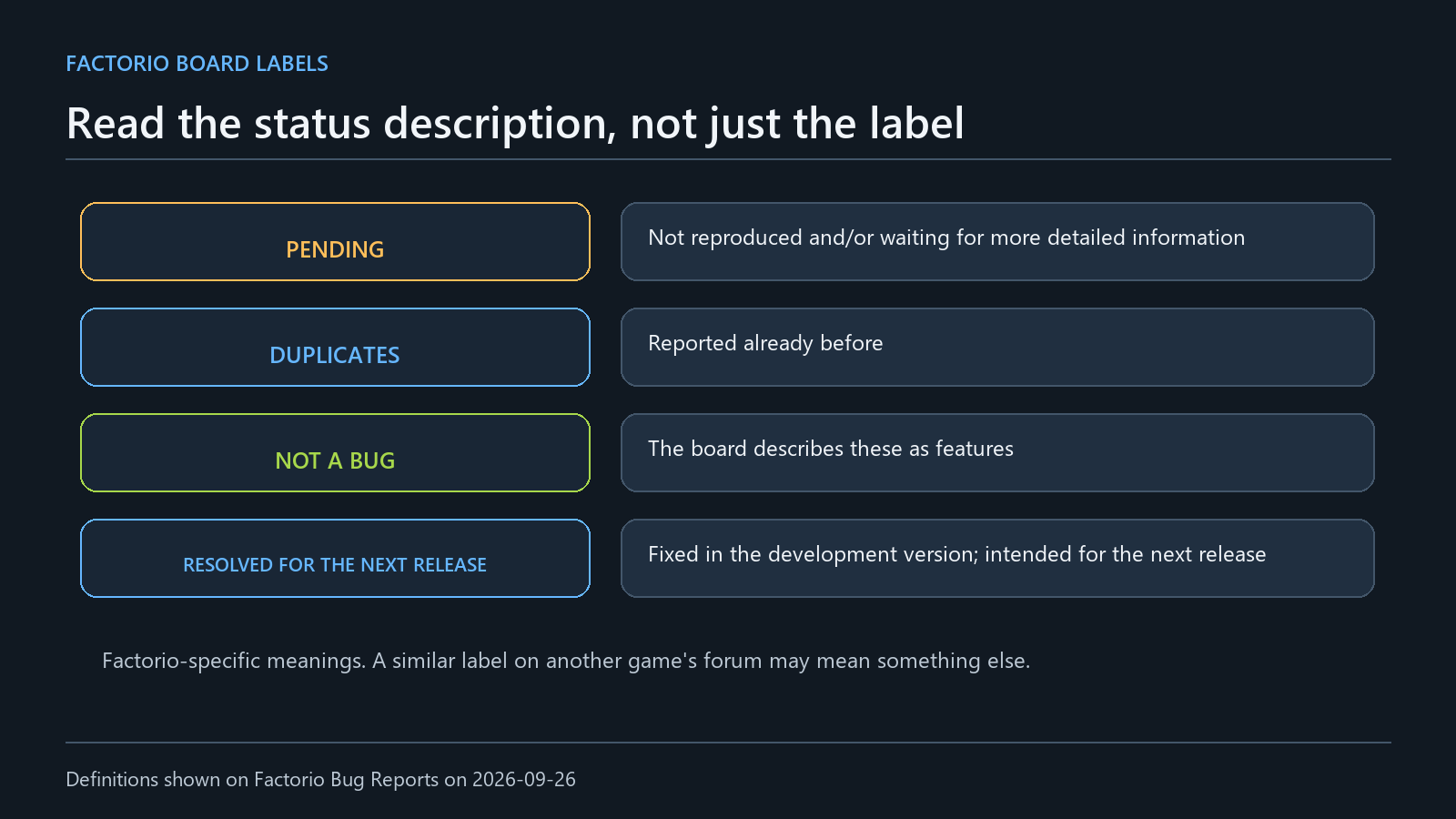
A summary of status definitions on Factorio's official bug-report forum. Do not apply them automatically to another game's status labels.
A similar title in search results does not prove the post is about the same issue. Factorio's guide asks people to search its Bug Reports area and check known issues first. If you are sure an existing report is about the same problem, it says to add information there instead of opening another one. That is Factorio's forum procedure. For another game, check its search scope and duplicate-report rules. Factorio's bug-report search guidance
If you have a distinctive phrase from the screen, a feature name, or an error code, you can use it as a search term. A lack of search results does not prove that the issue is new: the wording may differ, the post may not appear in search, or it may be in a different section. A common term does not prove that an older post matches your issue either. Factorio tells users to search within Bug Reports and check known issues; before applying that method elsewhere, look at the site's own search tools.
Whether to add to an existing report or make a new one should depend on more than a similar title. Compare the conditions that are public: the screen, sequence of actions, game version, relevant save state, and other details. Factorio asks users to add to an existing report when they are sure the problem is the same. If you are unsure, do not force two issues together; check the section rules or describe the differences in a separate post. You can say what you searched and how the conditions differ.
Compare the details in a report, not just its title: the version, screen or feature, action sequence, result, and frequency. If a public post does not include these conditions, you may not be able to determine whether the issue matches. Comments saying other people have seen the same thing are not enough to calculate how many reports share a confirmed cause or how many players are affected. Stick to what the poster or commenter actually described.
As of September 26, 2026, Factorio's Bug Reports forum describes Pending as issues it could not reproduce or for which it is waiting for more detail; Duplicates as issues already reported; and Not a bug as behavior that is actually a feature. Resolved for the next release means the issue was recently fixed in a development version and will reach players in the next release. Similar labels in another game may mean something else, so do not infer an outcome from familiar wording. Factorio Bug Reports forum
The same board shows a separate Assigned category, but its label alone does not explain the process or timeline. Do not infer from the name that someone is already fixing an issue or that a release is imminent. Read the category description together with recent comments or edits to the actual report; if the information is not public, leave it unknown. Topic counts and last-comment dates change, so they are not used here as long-term statistics.
Resolved for the next release describes a Factorio development-version fix expected in the next release; it does not mean the fix is already in the version players can install. If the board does not give a version or date, do not guess at the release schedule. If you get a follow-up question, answer it with what you checked and under what conditions. A lack of a reply does not prove the report was ignored or that the issue will be fixed. This article does not give a waiting period set by Steam or Factorio.
A useful report is not the one that sounds the most technical. It makes clear which channel should read it and separates what you did and saw from what you expected or still do not know. Check whether Steam or the game developer handles the issue, then follow that channel's current instructions. Leave an unknown cause open, check who can see a file or account detail before sharing it, and read a status label only within the definition its source provides.