
Why use Proton when a game already has a Linux version?
Compare native Linux with Windows via Proton using documented Civilization VI and Factorio examples, runtime roles, version limits and feature needs.
Article languages
On this page
Seeing Linux support on a Steam game can be reassuring. Then you search for help and find someone recommending the Windows version through Proton. If a Linux version already exists, why download a different build? What would actually improve? Those questions are difficult to answer when every recommendation seems to use a different meaning of “works on Linux.”
Start with the version and features your intended play requires, rather than asking which route is faster. Someone who needs to join a friend's multiplayer session may make a different choice from someone who relies on a particular feature or simply wants to play the base game alone. The name of the execution method cannot settle all those questions.
This article distinguishes the two routes using Valve documentation and publisher material read on 19 October 2026. Civilization VI and Factorio provide documented examples of different trade-offs. The hypothetical comparisons illustrate how to make a decision; they are not performance measurements from running the games. The Civilization VI notice discussed below was also read from an original response captured on 20 October 2026; it is not a check of that day's multiplayer state.
Your operating system and your game build are different things
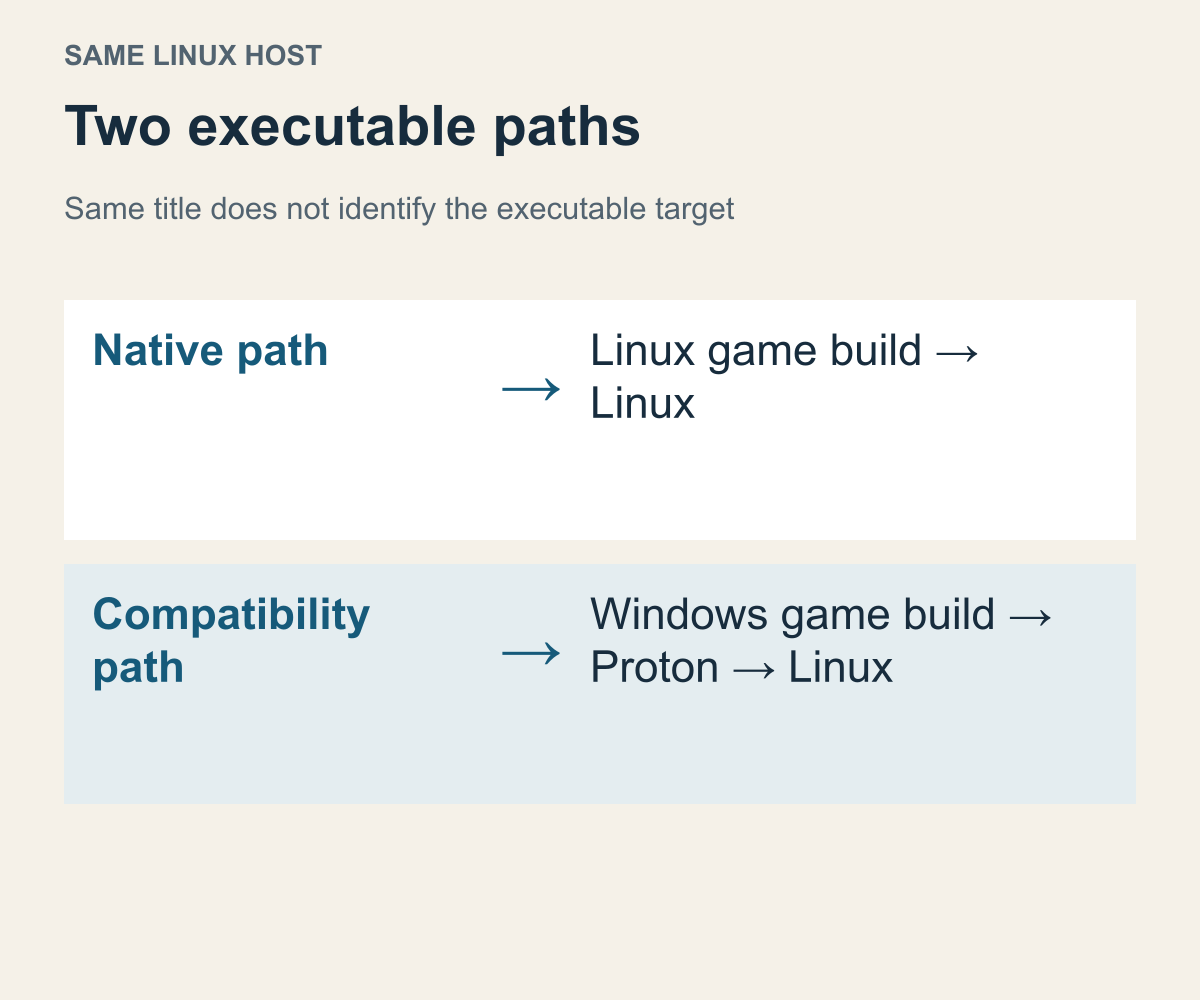
An editorial diagram based on Valve's description of Proton. It is not a Steam screenshot or evidence of a game being run.
“Native” need not be an intimidating term. Here, a native Linux version means a game build that uses an executable made for Linux. The title and opening screen may look the same even though the executable behind them is different.
Valve describes Proton as a Wine-based tool for running Windows games on Linux and recommends client-supplied Proton for most users. Valve's Proton README
This distinction changes how you describe a problem. Being unable to find a feature in a Linux build and having a Windows build stop while running through a compatibility tool are different questions. If you group them together because the game title and host operating system match, you may exchange advice about different executables. One person means the native build, another means the Windows build, and both simply say they play on Linux.
Consider a hypothetical game with both Linux and Windows builds. One person searches for a launch problem in the Linux build. Another has posted a fix for a particular error in the Windows build. Both search-result titles mention Linux. The first person may copy the second person's settings and assume they have found the relevant answer, even though those settings presume a different executable. Before deciding whether the advice helps, notice that the thing being compared has changed.
When reading a success report, first establish what was run. A report that does not distinguish native Linux from Windows plus Proton leaves an important part of this choice unanswered. A different game-update date can narrow its relevance further. You do not have to dismiss someone's experience; you need to understand which situation that experience describes.
Steam's delivery system also does not equate one game title with one set of files. Valve's depot documentation explains that an application can use several file groups, with operating-system conditions affecting which groups are installed. For this decision, it is enough to understand that the same library entry can deliver different platform-specific content. That is not an instruction to rename files or mix files from different builds. Valve's depot documentation
The same distinction helps you read operating-system labels on a store page. Information that a Windows build exists concerns a different target from information that a Linux executable exists. The former does not establish the latter, while the absence of the latter does not itself describe the outcome through Proton. When a store label and a compatibility explanation appear to conflict, check whether one describes the supplied build and the other describes a way to run it.
You can now make the original question more precise. There is nothing inherently strange about another execution route existing alongside a native build. What matters is the problem the recommendation addresses: a launch failure, a needed game version, or a requirement to match other players. Each calls for a different evaluation. Changing routes without a purpose also leaves you without a useful comparison criterion.
Linux Runtime and Proton are not interchangeable choices
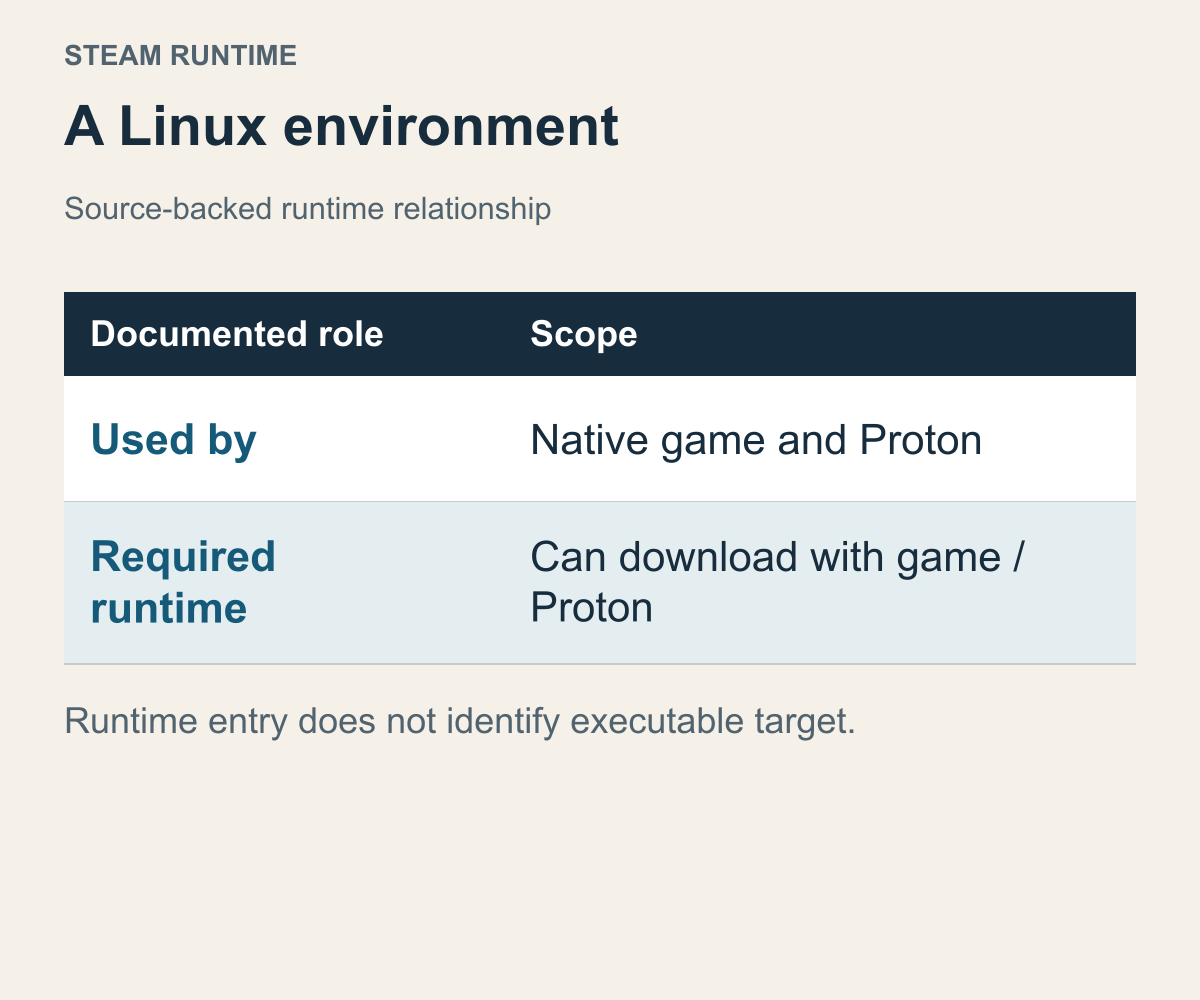
A diagram of the roles described in the official Steam Runtime documentation. The component names are not a recommendation ranking.
Steam Linux Runtime adds another name to an already confusing library. Why does a Linux build need a runtime? Does selecting a runtime mean selecting Proton? Separate the game build from the environment it uses while running. Choosing a dish and equipping the kitchen are different questions; likewise, identifying the executable's target operating system is different from providing its execution environment.
Valve describes Steam Runtime as an environment for Steam applications on Linux. Its container runtimes aim to make execution more predictable across Linux distributions, and both native Linux games and Proton use Steam Runtime. A reference to Linux Runtime therefore does not establish that you are running a Windows build. Runtime generation names are also separate from the game's own version number. Valve's Steam Runtime README
The document also explains that a required container runtime downloads automatically when you install a game or Proton version that needs it. A new runtime entry in your library does not mean you separately chose another game build. Distinguishing game content from execution environment helps explain why installing one game can bring in something with another name. If your question is which build you received, finding a runtime entry is not enough: look for build information and required-environment information separately.
You do not need to memorize the internals of every runtime generation. You need to identify what a proposed fix would change. Does it select another game build, or discuss the execution environment for the same build? Treating two items with Linux in their names as the same function can separate what you think you changed from what you intended to compare.
Imagine explanation A concerns a native Linux build's execution environment, while explanation B concerns a Windows build running through Proton. Both may mention a runtime. A successful fix described in A is not a performance result for B. Nor does success in B establish that A is unnecessary. The explanations answer different questions. Choosing documentation relevant to the build you actually want reduces the amount of unrelated advice you have to work through.
Native also does not mean “runs without any supporting environment.” Valve's Linux development documentation says developers can select a runtime for native builds and must match it to the SDK used to compile the executables. The useful lesson for a player is that a developer-defined execution configuration exists. This is not a promise of identical behavior on every Linux system. Valve's Linux development documentation
Use that distinction when choosing support material. Read documentation for the Linux build when that is its subject, and material about Proton when that is the route involved. A longer list of available components is not a reason to install more of them. Understanding the configuration supplied for your intended build helps narrow the next choice. Collecting execution tools is not the goal.
Keep the game version separate from the Proton version
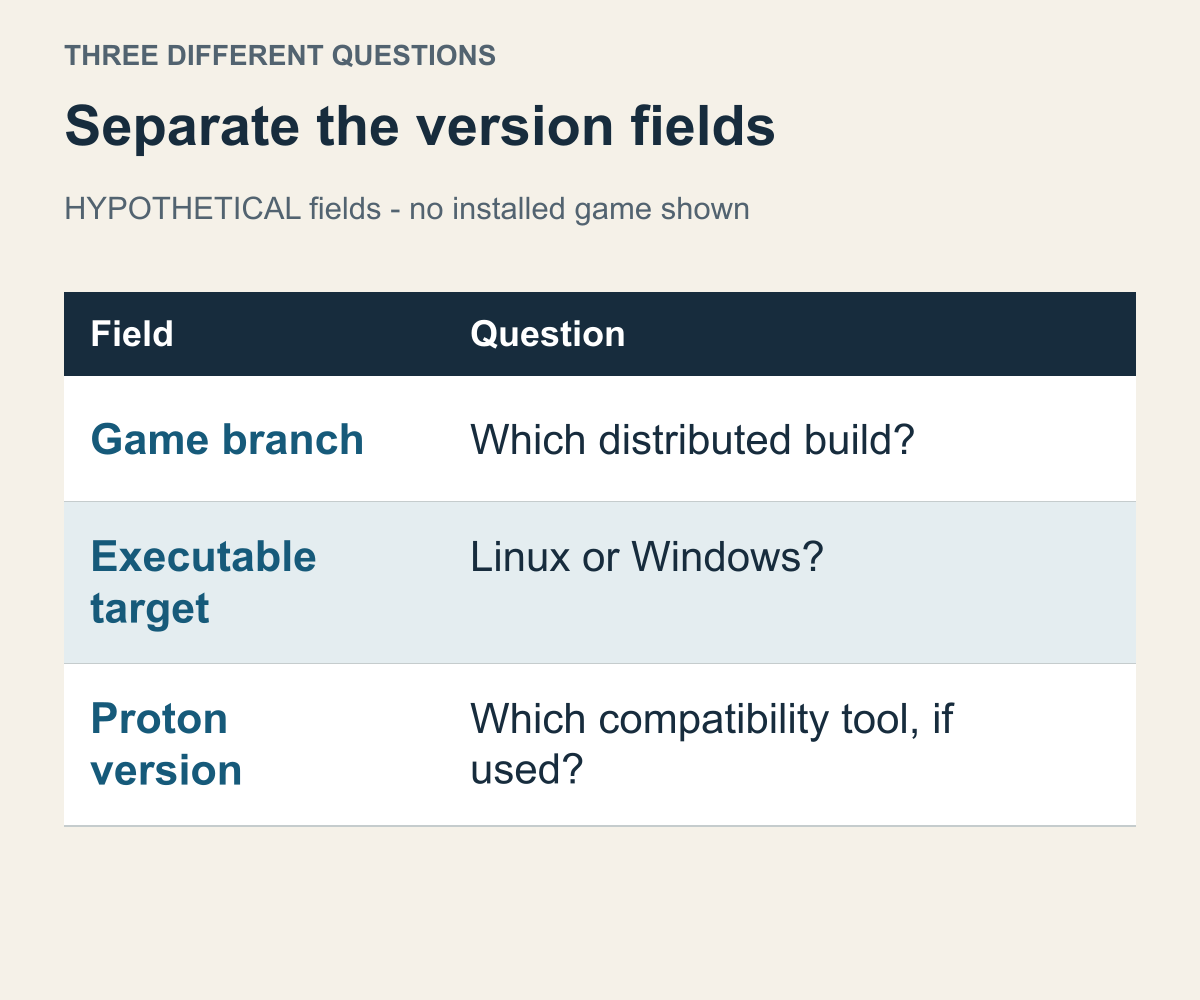
An editorial table based on Valve's branch documentation and Proton description. The fields do not show a particular game's installed state.
“I updated to the latest version” can mean several things. The game may have received an update, or the person may have selected a different Proton version. Combine the two into one statement and it becomes difficult to tell which change addressed the problem. Changing the build that contains the game's content and rules is different from changing the tool that helps run that build.
Valve describes branches as particular application builds made available publicly or privately through Steam. A developer can provide branches in addition to the default release. The documentation also says that selecting another branch starts a download that replaces the installed branch. It does not promise that every game offers a desired older build, or that changing branches will fix a problem. Valve's Branches documentation
Think in three fields: the game release or version, whether the executable targets Linux or Windows, and the Proton version if one is involved. You do not have to maintain a lengthy tracking sheet. Identifying which field a recommendation changes is often enough. Conversation goes astray when the same word, “latest,” points to different fields.
Suppose a hypothetical user switches to a testing branch to avoid a problem in the default game build, and also changes Proton. Even if the game then runs, that outcome does not isolate the decisive change. The testing branch may contain a fix, or the other execution route may matter. Summarizing the result as “latest Proton fixes it” drops a condition for someone still using the default game build. Look for changes bundled together when interpreting another person's setup.
Game patch notes and compatibility-tool changes also serve different reading purposes. Someone who wants to play new content needs to know which game build provides it. Someone investigating a particular execution error needs to know which route the error description concerns. “Use the latest” leaves both readers short of information. Separating a game-version question from a same-build execution question narrows the documentation you need.
This becomes especially relevant in multiplayer. Depending on the game, the supported combination of game versions matters before whether the compatibility-tool numbers look alike. That is not a universal rule that matching numbers guarantee a connection. The game decides which combinations it supports. Selecting a newer Proton version does not by itself establish that a multiplayer game-version difference has been resolved.
Without a reason to use an alternative branch, copying someone else's branch selection just to reproduce their settings is hard to justify. First read why that testing branch matters to their purpose, and whether it matters to yours. Introducing different game rules or content into a question about execution routes expands the comparison. Choosing Linux versus Windows builds and choosing whether to use a testing branch should remain distinguishable decisions.
For Civilization VI, check your friend's store and game version first
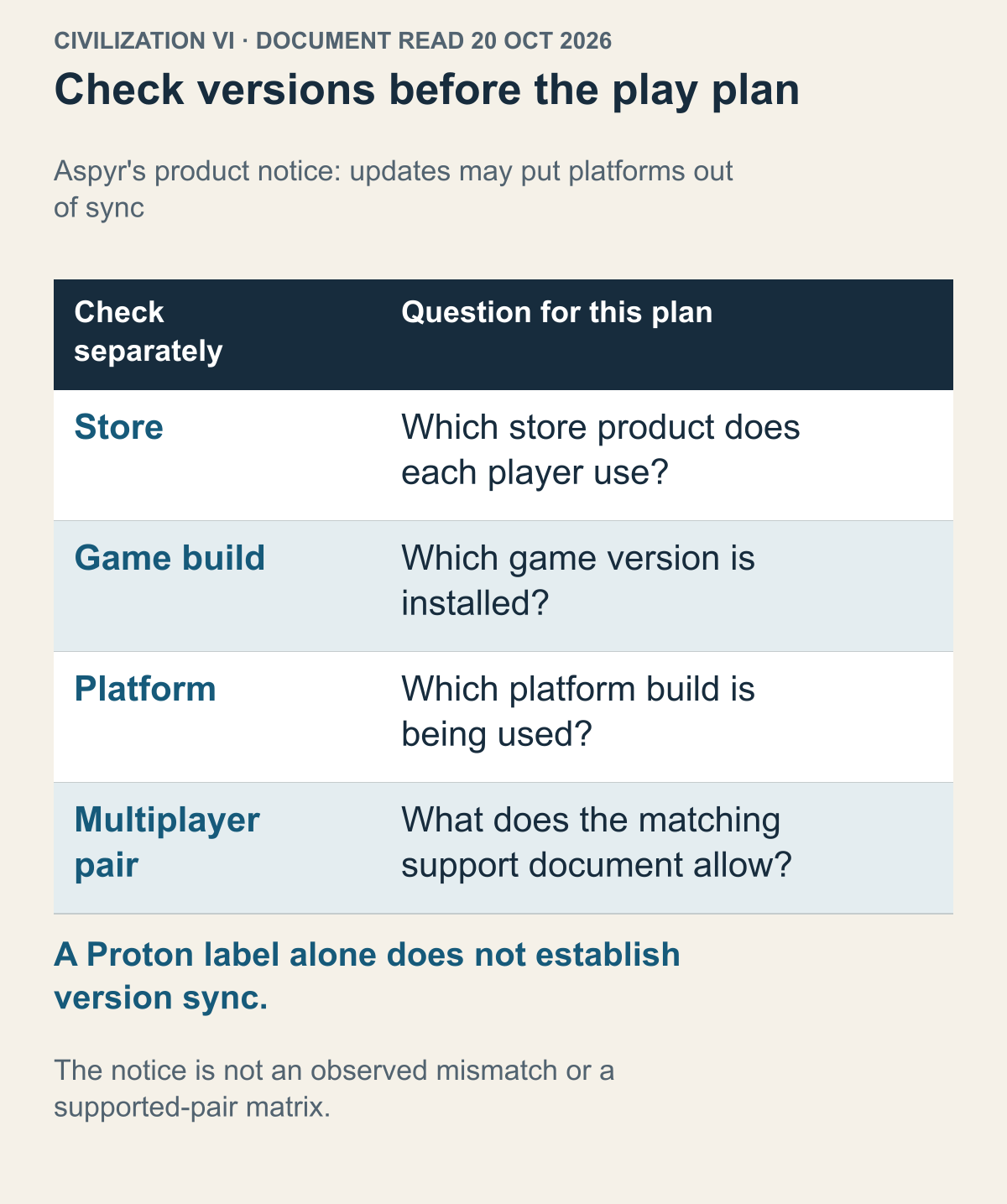
Aspyr product-page notice captured on 20 October 2026. A possible update mismatch is not an observed mismatch or a store-pair support matrix.
Aspyr's Civilization VI product page, captured on 20 October 2026, warns that Mac, PC and Linux can become out of sync during updates or patches, with multiplayer separated during that interval. Aspyr's Civilization VI product notice The adopted evidence is that dated warning of a possibility. It does not establish that versions differ on your intended play day, name every supported store pairing or show that Proton resolves a mismatch.
That distinction narrows the question from whether a Linux build exists to whether the group has a documented combination for the intended session. Opening the game alone does not finish the group's task. Record each person's store product, platform, game build and desired online mode before looking for an execution-route change. A product title shared by the group does not fill the support fields that remain unknown.
Consider two explicitly hypothetical players, one using a Linux Steam build and the other a Windows Steam build. If their displayed game versions differ, preserve the two values instead of concluding which player must change. The publisher may specify supported combinations rather than a simple equality rule. Even identical displayed numbers are not a connection test or, alone, proof that the pairing is supported. Check the announcement or ask support for that precise combination.
If a friend's product comes from another store, include that fact in the question rather than borrowing an answer about a different product. This article does not certify support or non-support for any particular cross-store pairing. A proposed Windows-through-Proton route introduces a different executable to verify; it does not by itself answer entitlement, version compatibility or the supported multiplayer pair. These are questions to resolve before changing the local setup.
Keep dates with the evidence too. Two people can both call their own installation 'latest' without showing that their builds belong to the same supported release window. The captured Aspyr notice is a reason to ask about platform-specific release timing, not evidence that a delay actually occurred. If the build or support statement is missing, an explicit unknown gives support a better starting point than a guessed compatibility verdict. The useful result is a matched requirement or a precise unresolved question.
The practical questions from this example are short: does the friend also use Steam, and is the intended game-version combination currently supported? Searching for a faster execution route before answering them leaves the condition blocking the group unresolved. It is possible to do considerable operating-system and tool preparation without establishing that the group owns a supported combination.
Do not transfer Civilization VI's rules to other games. The useful skill is finding whether a publisher makes the operating system, store, or version a condition. That reading method gives you a reason to keep the native build or investigate a documented Windows-build route further, without pretending every game has the same multiplayer rules.
Factorio shows that native builds can preserve distinct features
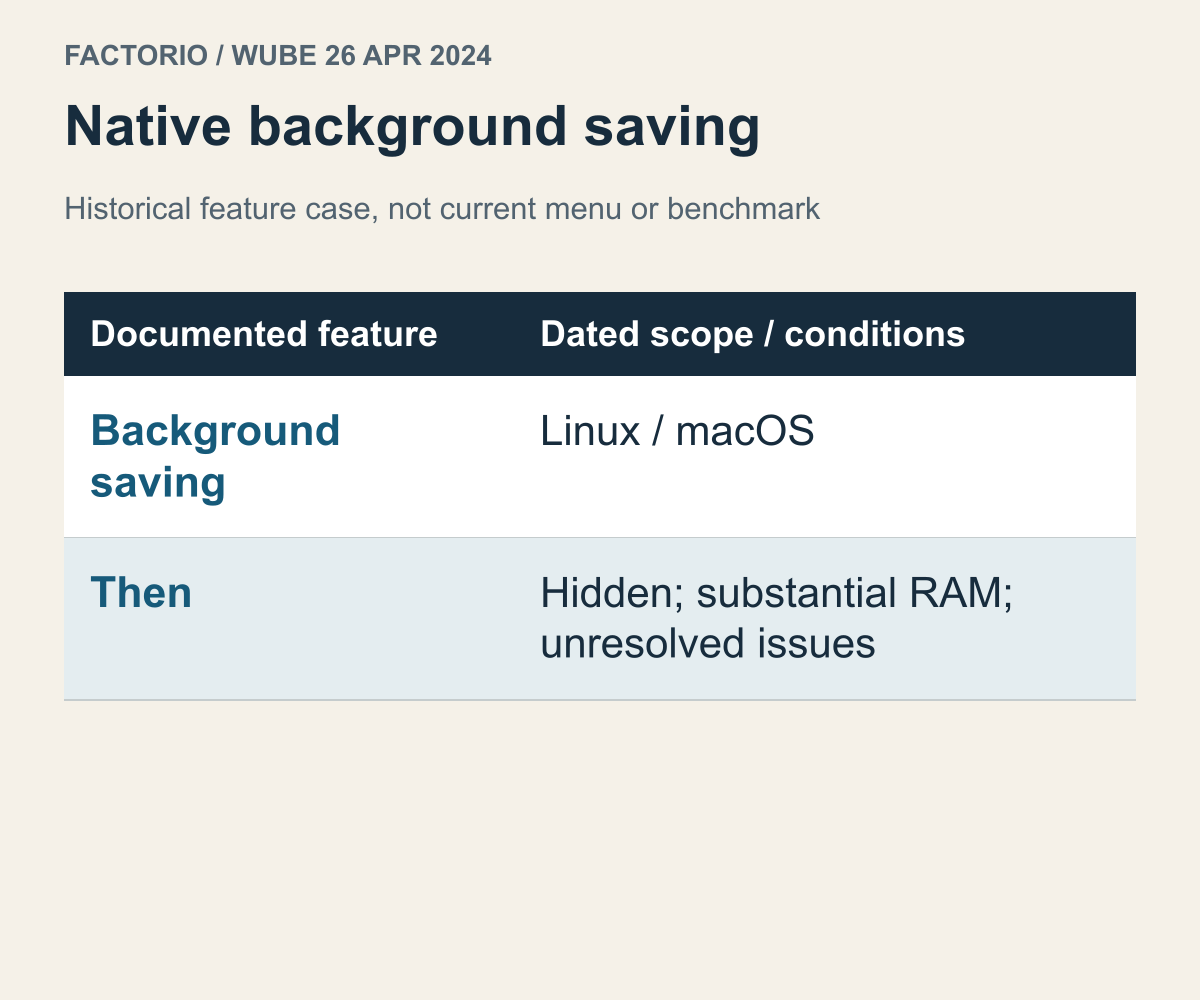
A feature example from Wube's 2024 development post. This does not show the current menu, default setting or performance.
A fair choice needs an example in the other direction too. Assuming Windows plus Proton is always the more complete route can overlook a feature supplied by the Linux build. Similar-looking screens do not establish identical features. What helps here is a specific difference explained by the developer, rather than a general claim that native must be better.
Wube's development post dated 26 April 2024 describes Factorio's asynchronous saving: saving in the background while play continues. At that time, the post says it works only on macOS and Linux, and presents it as a platform feature a Proton-only approach would not provide. The same passage qualifies the feature as hidden at the time, requiring substantial RAM, and still having unresolved problems. Wube's Friday Facts 408
The example broadens what a good experience can mean. A higher average frame rate and continuing an activity without interruption answer different needs. If the latter matters to someone, a frame-rate discussion alone cannot finish their choice. A platform-specific feature is not necessarily useful to everyone, either. Its value depends on which interruption or inconvenience the player wants to address.
In a hypothetical comparison, suppose both builds already provide the visual smoothness two people want. One person values a particular platform feature, while the other never uses it. The same feature difference can support different choices. It may be a reason for the first person to keep a build and a low priority for the second. Asking whether a difference exists and whether it matters to you are separate steps.
Hearing that a feature exists is also not an instruction to enable it unconditionally. Wube discussed its benefits alongside its limitations at the time. Keeping the feature name while dropping those conditions changes the developer's explanation. That is also why this article does not provide a hidden-menu procedure or settings recipe. A 2024 description does not certify the same menu and state in the current version. Read the current explanation for a feature you intend to use.
Knowing which features you depend on helps determine which build to keep. You do not need a lengthy comparison of features you never use. One essential difference can be enough to settle the choice. A recommendation may feel inappropriate because the other person values a different feature, rather than because either of you lacks configuration skills.
If mandatory features are split across builds, neither may qualify
Consider a different fictional game, unrelated to either real game above. This session requires both feature P, joining the same online mode as a friend, and feature Q, reading the screen's text aloud. Suppose the Linux-native build provides Q but not P, while the Windows build provides P but not Q. Even if both reach their opening screens, the requirement remains that the same person must use both features within the same play session.
This is not yet a question of which advantage deserves more points. Choosing Linux leaves the online-participation condition unmet; choosing Windows leaves the required spoken-text condition unmet. Meeting one condition does not compensate for failing the other. Adding a hypothetical faster Windows startup does not supply Q. With the two builds' features held fixed as stated, discussing the same latest Proton version does not answer the missing-feature question either. Before ranking candidates, determine whether any candidate meets this session's requirements.
Follow the intended sequence. The player uses spoken text in the native build to understand the screen, then tries to join the online room and is stopped by the absence of P. Switching to the Windows build gets them into the friend's room, but Q is still required inside it and is absent. Reaching each opening screen once does not complete one online session. Alternating between two incomplete paths does not combine their features into a single complete path. Under these assumptions, neither candidate finishes the present task.
The next decision is to reconsider how the tasks fit together. If the requirement changes so Q is needed only for separate preparation, not during online play, separating the activities becomes an option to examine. If Q remains essential inside the online mode, that separation is not a solution. Nor should a genuinely necessary feature simply be relabelled a preference. Look for a supported build that provides both, or change the activity the group intends to undertake. This does not establish that such a build actually exists. “Neither of these two candidates qualifies” is itself a useful result of completing the comparison.
A Deck rating does not identify a native Linux build
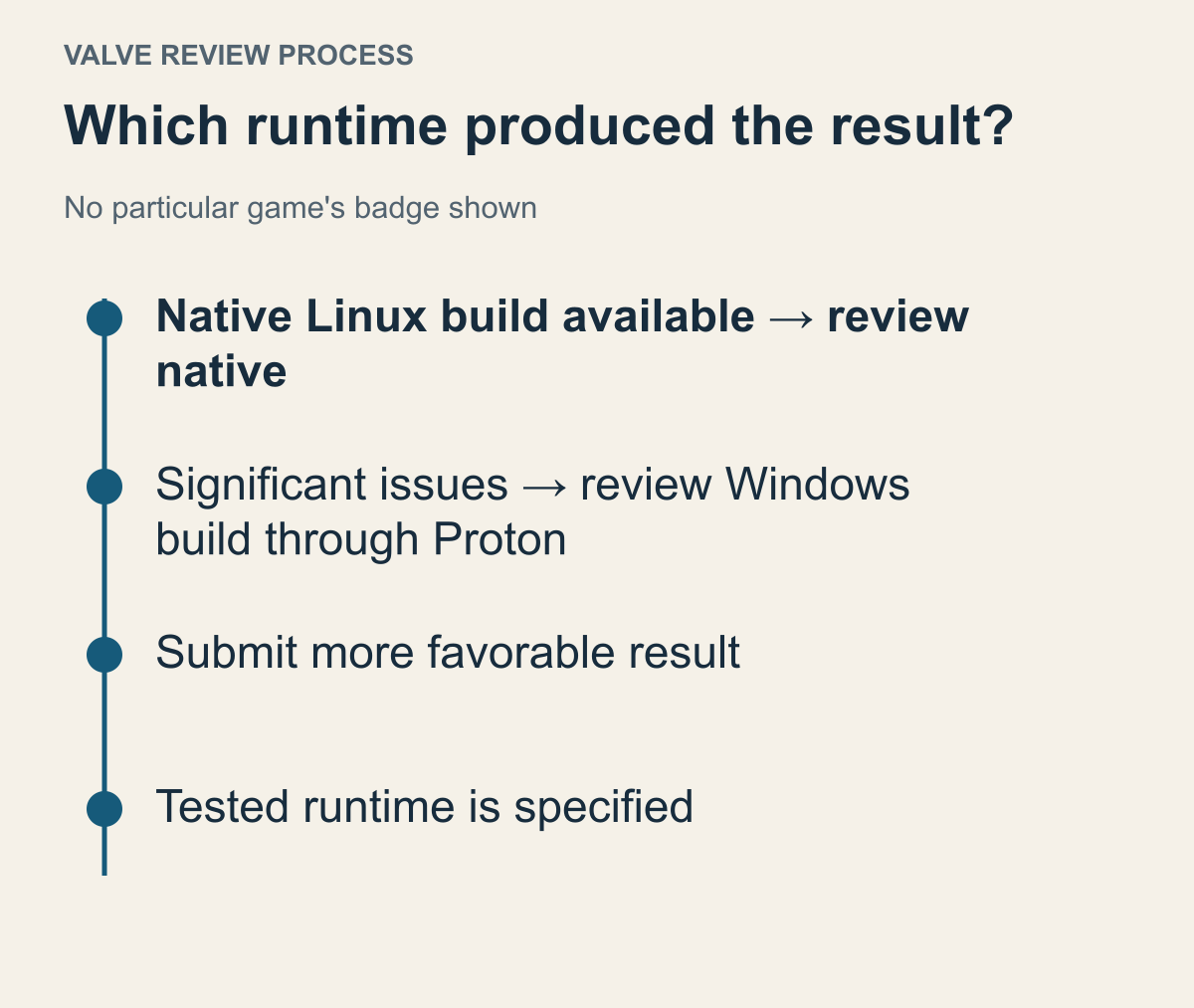
A summary of the process in Valve's compatibility-review FAQ. It does not display any particular game's current rating or recommended runtime.
Reading that a game works well on Steam Deck can tempt you to assume the Linux build works equally well. The claims are related, but they are not identical. A relevant comparison includes the execution route used on Deck. One label cannot independently settle both native-build selection and the quality of a handheld experience.
Valve's compatibility-review FAQ says it normally tests a Linux build first when one is available. If that build has significant issues, it then tests the Windows build through Proton and submits the more favorable results. The results also specify the runtime used. That process explains why a favorable Deck result for a game with a Linux build is not automatically evidence about the native build's performance. Valve's compatibility-review FAQ
The process also gives you a reason not to insist on one route purely because of its name. Read how the developer and Valve provide the experience, and understand that configuration. A Linux executable's existence does not finish every decision about the game. Equally, Proton's involvement is not evidence that the experience must be worse. A specific recommendation relevant to your game can be a useful starting point.
For a desktop Linux user, the hardware is still different. Deck documentation does not establish a result for your own monitor, input devices and hardware combination. When reading a Deck assessment, look for the explanation relevant to your question, rather than just the overall category. Drawing an execution-route conclusion from comments about text size or controller navigation connects answers to different questions.
A recognizable badge can point you toward useful material when choosing a build. It should not be turned into a direct native-versus-Proton performance ranking. Such a comparison would need to show which actual builds and configurations were compared.
Opening the launcher is not the same as supporting the whole game
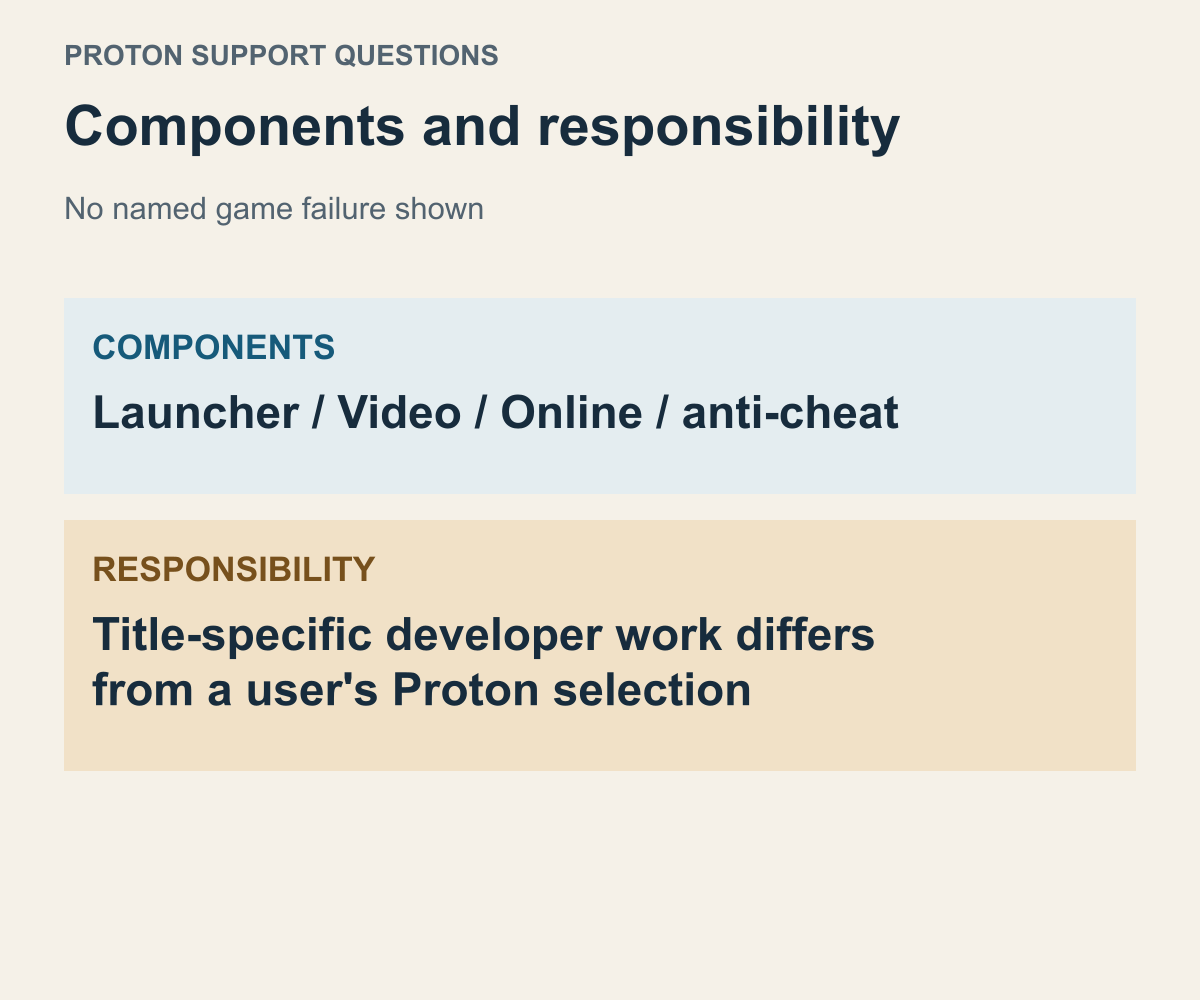
Categories of compatibility issues distinguished in Valve's documentation. This is not a report that a particular game has failed.
When someone says a game launched through Proton, ask how far it launched. Did the launcher appear, did the person enter the main game, or does the statement include the desired online mode? The remaining questions differ. Treating a separate pre-game program and the main game as one thing can collapse results from different stages into a single assessment. The distinction matters when considering the Linux build too.
Valve's Proton documentation distinguishes potential issues involving launcher technologies such as .NET and WPF, and video handling through Media Foundation. Anti-cheat is another category, and even some supported technologies require the developer to configure support for each title. A user selecting Proton and a developer enabling support in the game are different actions. Valve's Proton compatibility guidance
The useful lesson from that list is that the execution path contains different components, rather than a conclusion about what else you should install. A report that the launcher appears describes that stage. Reading it as an answer about in-game videos or online functionality ends the comparison prematurely. Conversely, a launcher issue does not establish that every part of the main game is unsupported. Identifying the stage helps you choose the relevant publisher explanation.
You can narrow a report about video problems in the same way. Does it mean the person cannot enter the main game, or concern a particular video scene? Consider whether that scene or feature is part of what you need. Someone saying they did not mind a problem may help describe its scope, but it is not equivalent to a developer confirming video support is complete. Merely assuming a scene can be skipped is a weak basis for recommending a build.
Online functionality is especially useful for recognizing work that a user's settings cannot complete. The documentation above requires developer-side action. Identify who must act: is the advice about changing your compatibility tool, or about the developer adding support to a game build? Reading the second as the first can leave you repeatedly changing tool versions while the same condition remains. This question needs the game's support announcement, not just another number selected locally.
If developer-side work remains necessary, the question about switching to native should be specific too. Does that build provide the same online mode and the features you need? The Linux label alone cannot establish that a missing feature appears there. If the developer explicitly supports your intended use in the Linux build, however, that gives you a reason to read its instructions instead of collecting more compatibility-tool options. Establish whether the thing you would change relates to the problem.
Unanswered questions can become precise support requests. For example, you found a report that the launcher opens with the Windows build through Proton, but want to know whether the desired online mode is officially supported. You can also ask whether the native Linux build provides that function. This is more focused than “Does it work on Linux?” It makes clear whether you are asking how to change your computer's configuration or asking about the game's support status.
Check which execution path a launch option belongs to
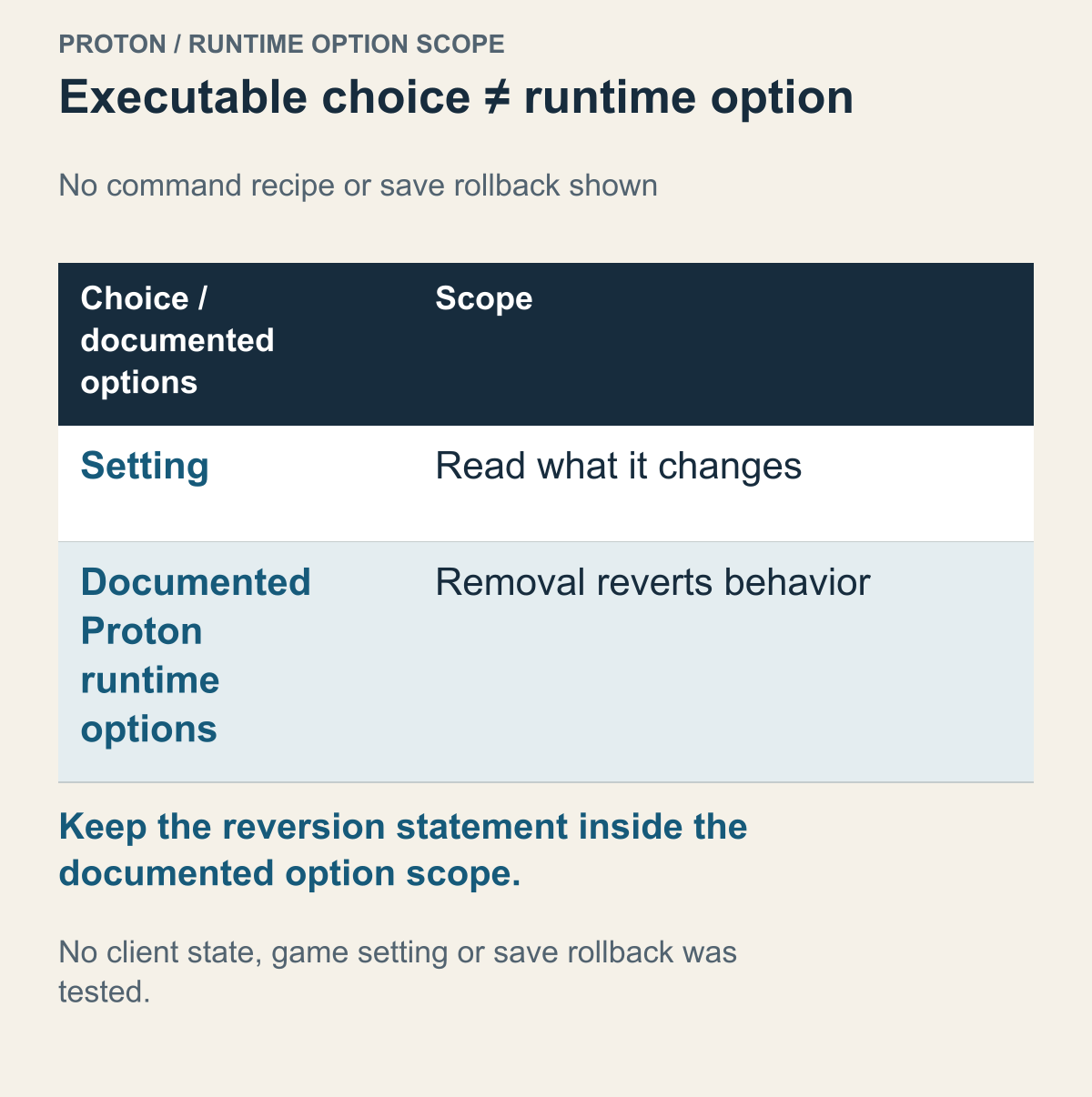
A table based on the runtime-configuration section of Proton's README. It is not a command-entry screenshot or a recommended settings collection.
A recommendation to change execution routes sometimes includes a long string of launch options. Copying one line may look like a complete fix, but you need to know which program's behavior it changes. It may contain game options or Proton runtime settings. Advice about the same Steam game does not establish that the line serves the same purpose for its native Linux and Windows builds.
The documented Proton runtime options do not permanently change the Wine prefix; removing them reverts behavior. This scope does not promise restoration of all game settings or saves. Valve's description of Proton runtime options
This separates executable selection from option selection. The reason to use a Windows build may concern its game version or features. The reason to apply a particular option while running that build through Proton may concern something else. Treating them as one mandatory bundle obscures why you chose the route. Read whether the developer recommends a particular route or someone added an option to address their own issue within it.
A useful question about another person's options is simply what the setting changes. Adjusting the compatibility route used by a Windows game belongs to a different decision from selecting a native Linux executable. You can distinguish a problem that can be discussed without changing builds from a reason to use another executable. You do not have to memorize a command to identify the advice's intended target.
Valve says environment variables can override Steam-supplied settings for known games. Someone else's line may therefore change supplied behavior, rather than merely add something to an otherwise empty configuration. A longer option string is not proof of a more complete setup. An explanation of what it changes is more useful for deciding whether it fits your purpose.
Options also need a defined problem scope. When several settings are bundled into one line without explaining the error they address, that bundle is difficult to use as evidence for choosing native or Proton. A recommendation for a build and advice about a special problem within that environment can appear together without sharing the same reason. Identifying the additional conditions keeps the choice from expanding unnecessarily.
The original question now has a conditional answer. If another build provides a version or feature you need, and relevant documentation supports that execution route, you have a reason to consider Proton. If the Linux build already does what you want and a change offers no concrete benefit, keeping it is reasonable too. Separating the build, required features and runtime settings lets you answer “Why change when a Linux version exists?” for the particular game in front of you.