
If You Cancel a Steam Subscription, How Long Can You Keep Playing?
Check who manages the subscription and separate cancellation, expiry and purchases. Compare Steam, EA Play and global FFXIV access conditions.
Article languages
On this page
You may want to stop next month’s payment but hesitate because cancelling sounds as though it could lock you out today. If you separately bought an expansion for a game you played through a subscription, you may also wonder what happens to that purchase. Separate stopping payments, reaching the end of paid time, and purchasing a game separately. Items in the same Library may have been accessible for different reasons.
Start by identifying the product and where you subscribed. Launching a game through Steam does not mean Steam always manages its billing. Then check the next renewal, the end of the current access period, and separately purchased content. This guide compares Steam’s recurring-subscription guidance with official EA Play and global FINAL FANTASY XIV conditions. The aim is to read the relevant end point for your product, not assume that cancellation works identically for every game.
Find the subscription manager, not just the game launcher
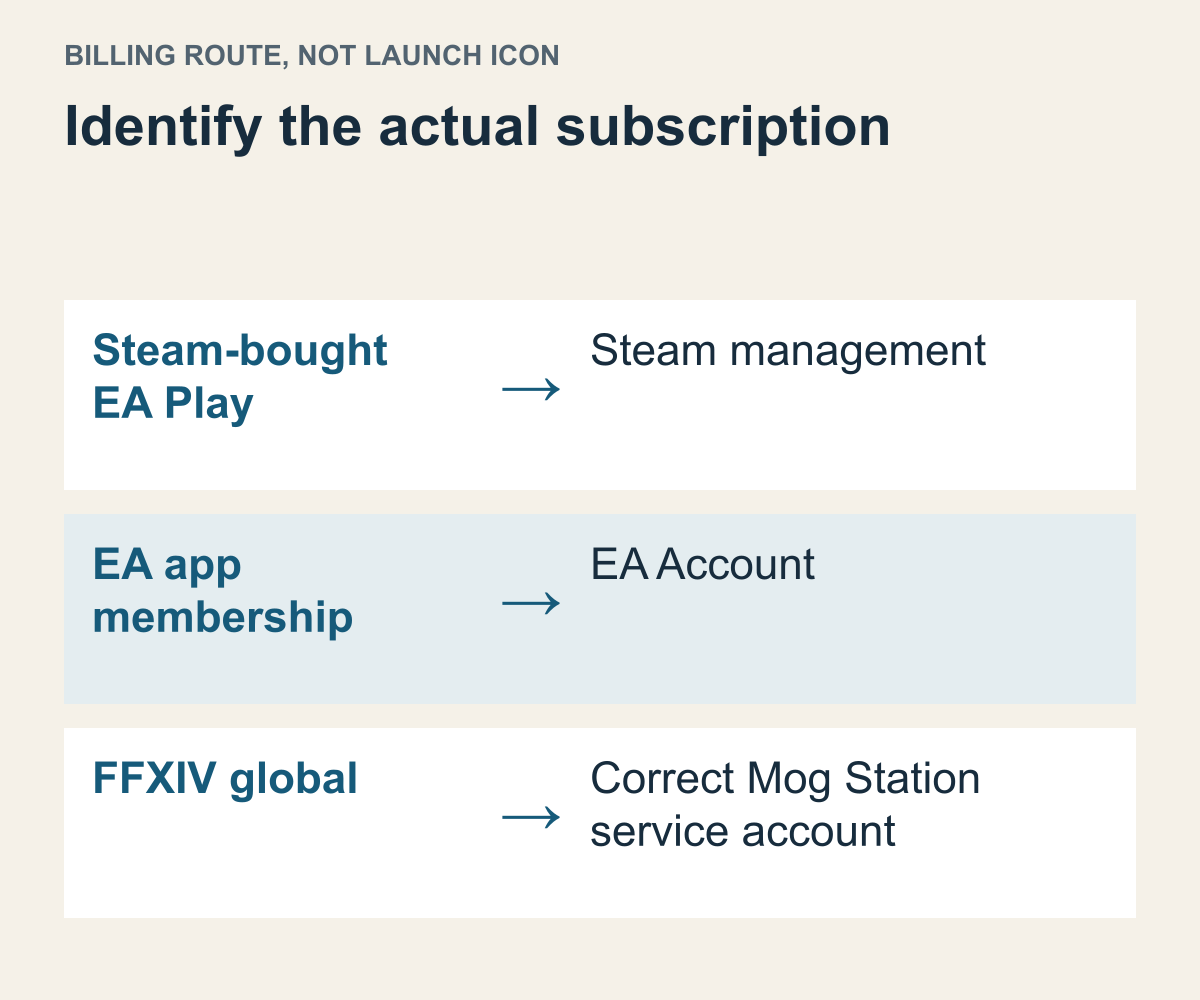
A documentation-based comparison of the launch platform and subscription-management route.
A signup receipt or subscription record is more useful initially than the game icon. Check which named product supplied the paid period and which account is identified as its billing manager. A card used for several services does not identify where to cancel. Remembering that you logged in also does not establish the signup route. The account used for the game and the place that holds recurring-payment information may differ.
Valve’s recurring-subscription FAQ describes managing subscriptions through Steam Account Details, but distinguishes plans whose billing is governed by the game’s own system. Those require checking the game account for upcoming charges. Failing to find an item immediately in Steam therefore does not establish that no subscription exists. Identify the signup record first.
EA’s PC membership-management guide likewise says management, billing, and cancellation for EA Play joined through Steam go through Steam support, and that membership information is not visible in EA Account settings. An EA app membership instead uses the EA Account subscription information. Playing through the same EA Account does not merge those two billing routes.
Suppose the fictional Minseo signs in to an EA Account and sees no membership. If the receipt confirms a Steam signup, the next place to check is Steam management, not a newly created EA Account. Conversely, with an EA app signup record, an empty Steam list does not establish that renewal stopped. The two empty views answer different questions.
Do not read the cancellation date as the expiry date
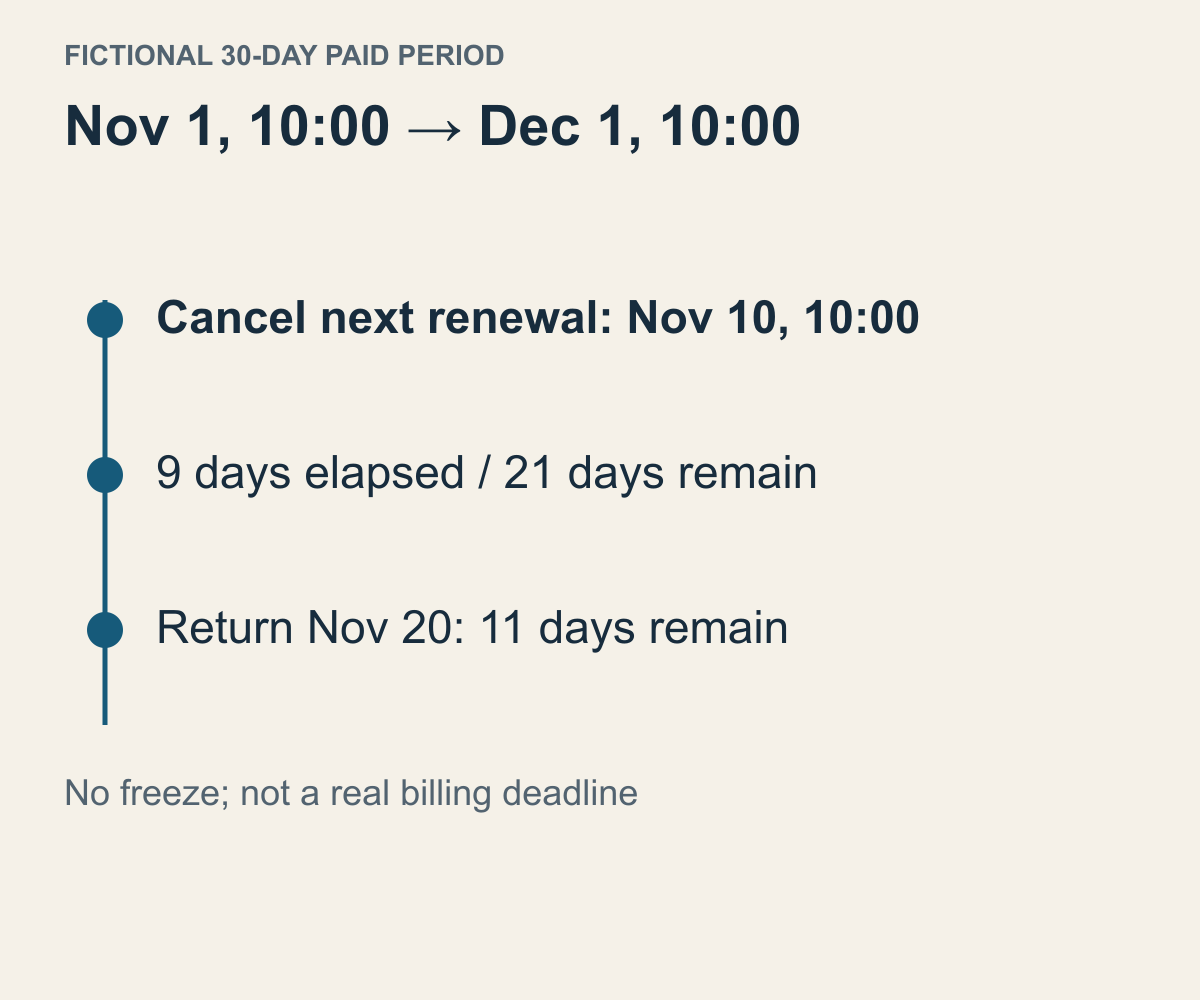
Illustrative dates and arithmetic, not a real plan’s billing time or a universal deadline.
Check both whether another payment is scheduled and when the access already paid for ends. Recording only the day you requested cancellation cannot tell you how long you may play. Valve’s guidance says a cancelled subscription stays active until the paid plan expires. That differs from freezing unused time or ending access immediately upon cancellation.
Consider an assumed schedule in which stopping recurring payments and ending access are separate. You bought exactly thirty days from November 1 at 10:00 to December 1 at 10:00, and cancelled the next renewal on November 10 at 10:00. Nine days have elapsed and twenty-one remain. Cancelling does not start a fresh thirty days or return the nine already elapsed. For a real product, use its displayed end time and conditions.
If you return on November 20 under that same assumption, eleven days remain. The twenty-one days left at cancellation were not stored for later. Steam’s FAQ also says subscriptions cannot be frozen, which helps explain the distinction. If you expected the clock to stop while you took a break, the actual end date may not match the plan. Calculate the break and remaining access separately.
If a subscription has already ended and you are looking for a cancellation button, first check whether another renewal is scheduled. “There is no current access period” and “I completed the action to stop the next payment” are not the same statement. Read labels such as expired, cancellation pending, or next charge against the product’s own explanations. Ask the billing manager about an unclear state.
Do not turn a date-only display into an assumed midnight deadline. The same caution applies when comparing an email in one time zone with an account page in another. The example deliberately uses a common time reference to explain the relationship. Planning real access to the hour requires the account’s stated reference and official guidance. Someone else’s experience on their last day does not set your end time.
A game still opening after cancellation can fit this structure: paid time may remain. Continued access alone is not a reason to subscribe again or change payment methods on the assumption that cancellation failed. Conversely, opening a cancellation page does not confirm completion. Finish this check by reading the current renewal state together with the period’s end.
In EA Play, separate catalog access from a purchased game
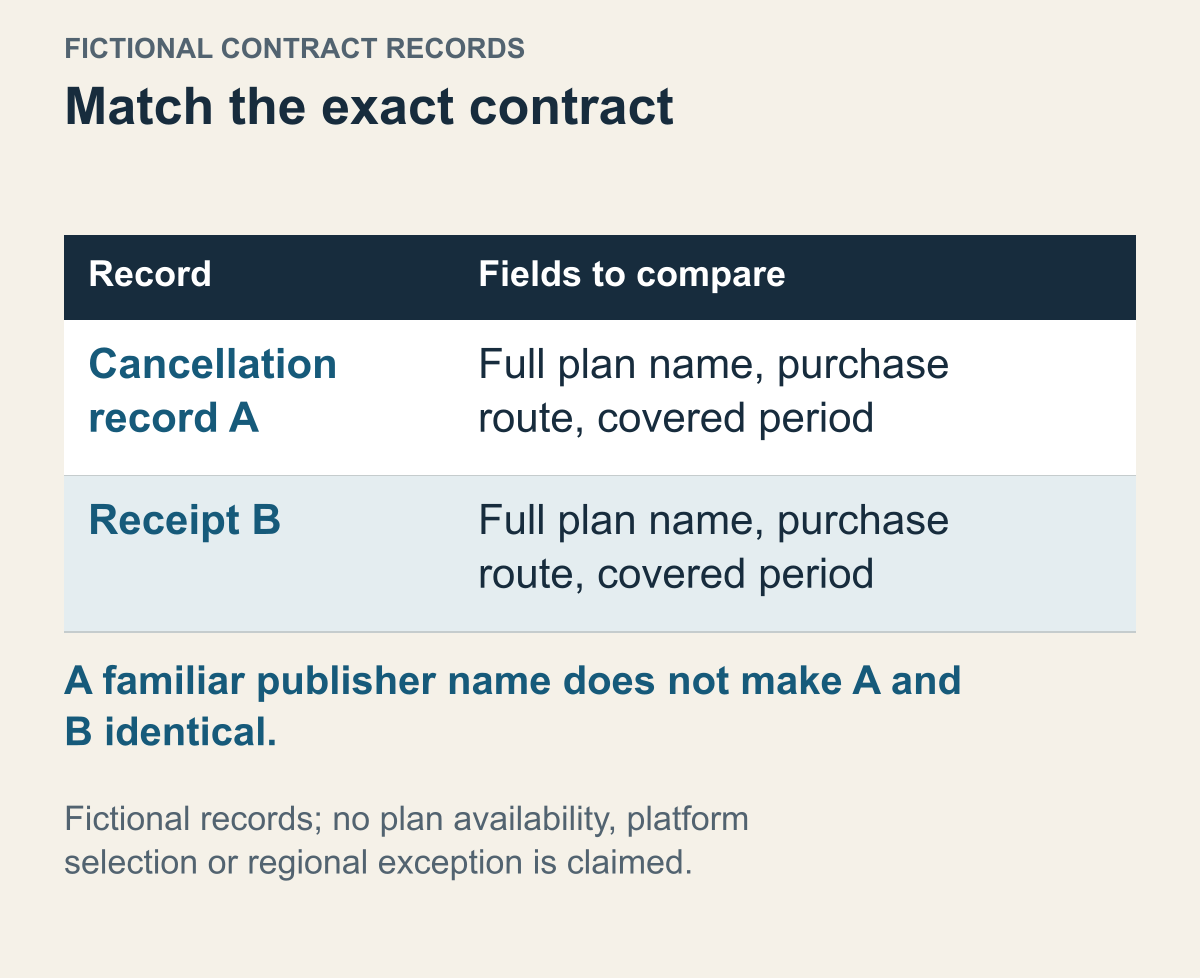
Fictional records and conditions, not an actual account, payment method or support guarantee.
EA’s cancellation guide says benefits continue through the current membership period, after which access to The Play List ends. It distinguishes that access from separately buying a game or joining again. The first question is therefore not whether the same title appears in the Library, but whether you used it through the catalog or bought the product separately.
A membership receipt may cover a period of access to several games. Spending a long time in game A during that period does not create a separate purchase of A. If you do have an order for A, on the other hand, cancelling the subscription is not a reason to assume the order was cancelled too. Separate what you bought from which membership is ending, even when the same name appears in both.
Imagine that fictional game A was played only through the catalog while B was bought separately using a member discount. EA says products bought with that discount remain after cancellation or expiry. A and B can appear together yet have different grounds for access. Assuming both must be bought again, or that buying one preserves every catalog game, combines unrelated transactions.
Check whether the order actually names a base game or additional content. Finding a purchase related to B does not guarantee that it is the base game. If you bought only an expansion and used the base through the catalog, the base-access question in a later section applies. Going beyond a familiar series name helps avoid duplicate purchases or mistaken expectations.
Keeping a separately purchased game does not require cleaning it out while cancelling the membership. Decide whether you want to stop a subscription or free installation space. One manages recurring billing; the other manages computer data. Tidying an expired-access item from a list is also not identical to its separate purchase transaction.
Keep the EA Play platform in view. “On PC” does not merge Steam and EA app membership management. If you join through another route before identifying the old membership, its state remains an unresolved separate question. Even when the goal is to play again, find the current membership and the access actually needed first.
Keep the full plan name from the signup record rather than reconstructing it from a benefit you remember. In a hypothetical comparison, a cancellation confirmation names plan A while the receipt you are investigating names plan B. A matching publisher or familiar game title cannot make those records identical. Match product, signup route and billing period before deciding whether another cancellation is needed.
Two subscriptions can also overlap on a calendar without being duplicate records of one contract. Imagine that one was obtained through Steam and another through a publisher channel. A shared email address or payment card would not, under that assumption, merge them. Give each contract its own management route and renewal state. Compare what you intend to retain before opening a new subscription merely because one view looks empty.
Global FFXIV separates product registration from service time
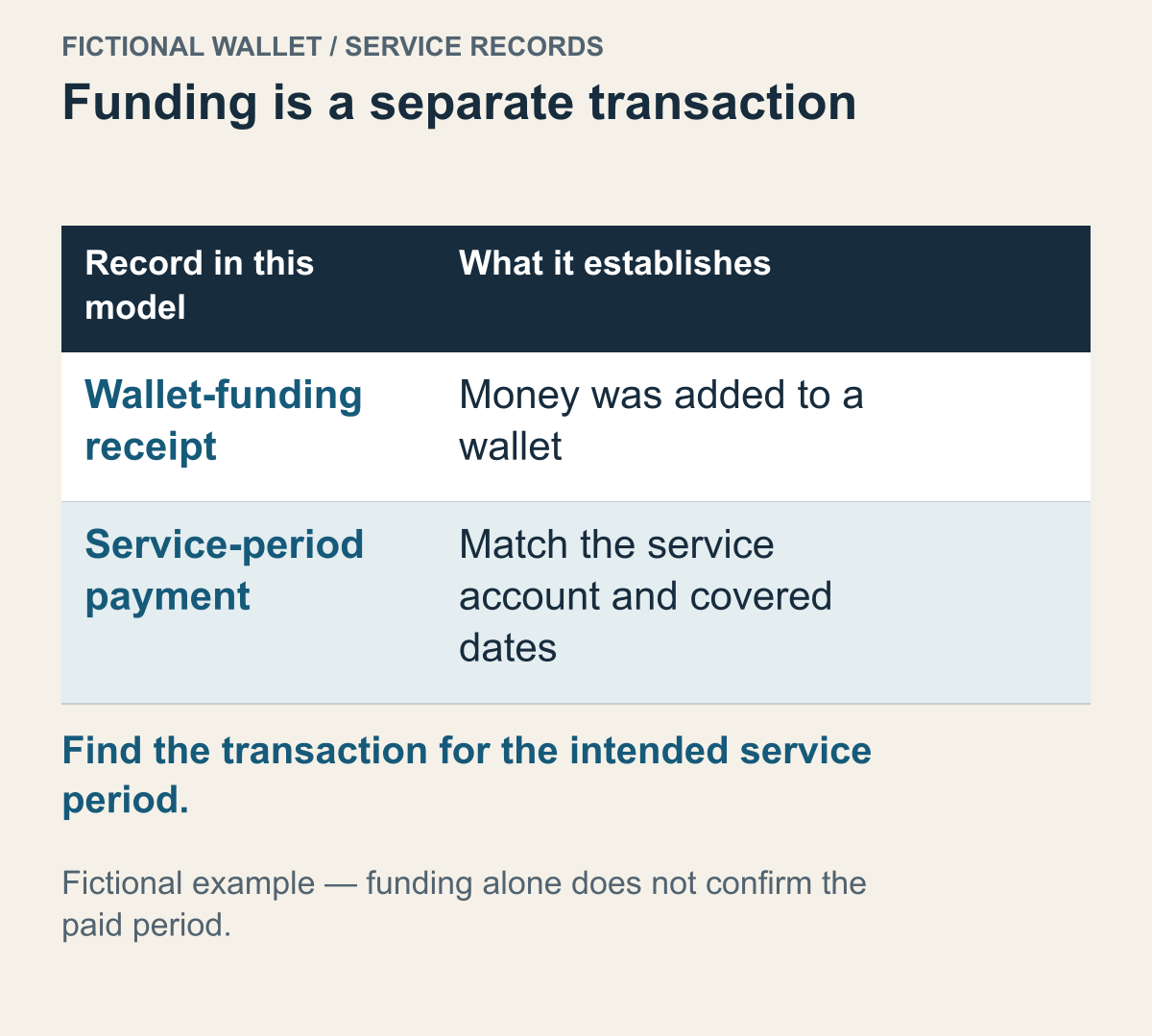
Fictional records and conditions, not an actual account, payment method or support guarantee.
Global FINAL FANTASY XIV is an example where finding the game in Steam is not the last check. Square Enix’s service-account guidance distinguishes product registration on the service account from remaining subscription time. Check both the correct platform’s registration and time available to play. Which condition is missing changes the next question.
Owning a registered product and having service time left for server access are not the same claim. Buying the base game previously does not remove the need to check service time. Paying for time does not, in reverse, resolve registration for another platform. Even “PC” contains different Windows and Steam edition conditions. Compare those details separately in base-game and DLC platform requirements.
To stop the subscription, follow the official cancellation guidance for identifying the Square Enix account used and the target service account in Mog Station. If one login contains several service accounts, identify which one’s recurring payments you intend to stop. A correct outer login does not establish a correct inner target.
Suppose fictional service account A holds the current character and paid time, while B was used for an older experiment. Finding no subscription in B’s settings does not check A’s renewal state. If A is the billing target, read A’s service state. This is an identification task, not a reason to create another account or move characters.
The document says Cancel Subscription appears for an active recurring subscription, and paid time remains usable. Not finding the button does not immediately mean cancellation is impossible. First ask whether this is the correct service account and whether it has a recurring subscription. Selecting another account or a different termination function does not complete that check.
Separate adding money to a wallet from paying for the service. Imagine a wallet-funding receipt but no transaction for the intended service account's next period: the funding receipt alone does not supply the missing service payment. If there is a separate service transaction, match its account and covered dates. Consult the payment-method FAQ for applicable methods, while using the actual service record to establish what period was obtained.
Distinguish prepaid time from another recurring charge
Fictional records and conditions, not an actual account, payment method or support guarantee.
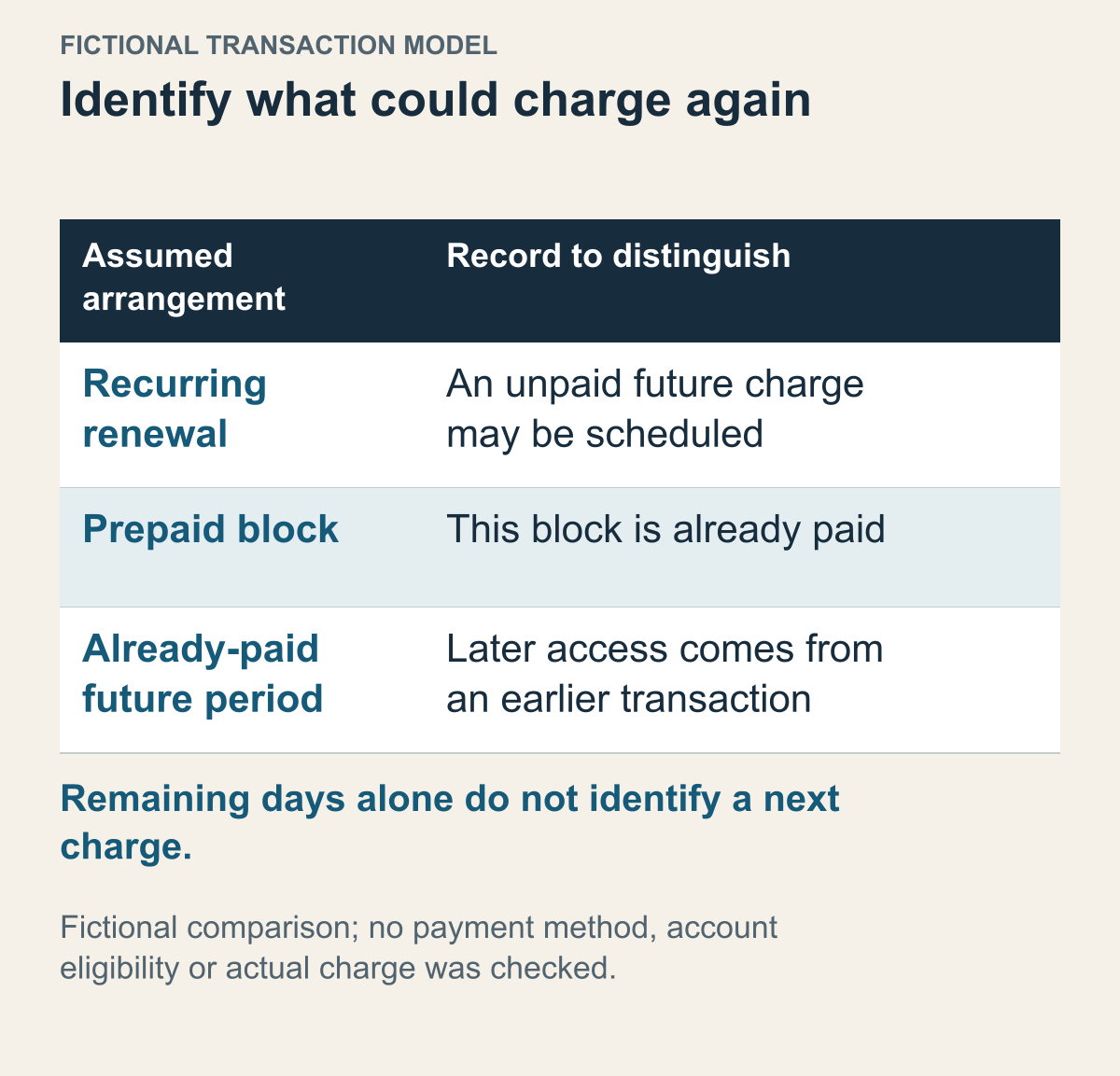
The global FFXIV agreement's fee provisions distinguish automatically recurring subscriptions from Game Time Cards. Use that distinction to identify the transaction you actually obtained. The payment-method FAQ is the place to check which methods apply to the intended platform and service; a general description of a payment type does not establish your account's eligibility. Read the receipt's product and covered period before looking for a future charge to cancel.
Imagine two people each have thirty days remaining. One has a plan that will bill again; the other has only prepaid time without automatic renewal. Both can play today, but the state to inspect before stopping another payment differs. The first needs to check that the next renewal stops. Under the example’s conditions, the second has no automatic charge at all. They still need the end date, but a period with an end does not prove that an unpressed cancellation button must exist.
The same agreement distinguishes recurring and one-time fees for options. You need the transaction type, not merely a feature name or amount. A past payment alone does not establish another identical charge; for a recurring item, one old transaction does not establish that future renewal was handled. Identify the specific product, such as the Retainer Service and Companion plan discussed next, then read its fee arrangement. This does not mean every option offers both arrangements.
Check the billing interval and the period paid at once. The document’s ninety-day-cycle example charges the full ninety days at the cycle’s start. Treating that as three monthly payments of thirty days changes what the paid period and next transaction mean. Someone taking a longer break can distinguish stopping future recurrence from asking about the current payment. Relating the days to the cycle and transaction that created them separates those two requests.
For a fictional prepaid schedule, assume one purchased block covers November 1–December 1 and a second already purchased block begins immediately afterward. Future access can then come from the second transaction without requiring a new automatic payment at the boundary. A different plan could instead obtain that later period through a future renewal. The calendar alone would look similar, but only the second assumption contains an unpaid future charge. Use transaction records to tell those two plans apart.
Name the optional subscription separately, even within one game
Different global-service options can provide similar-looking features while remaining separate billing items.
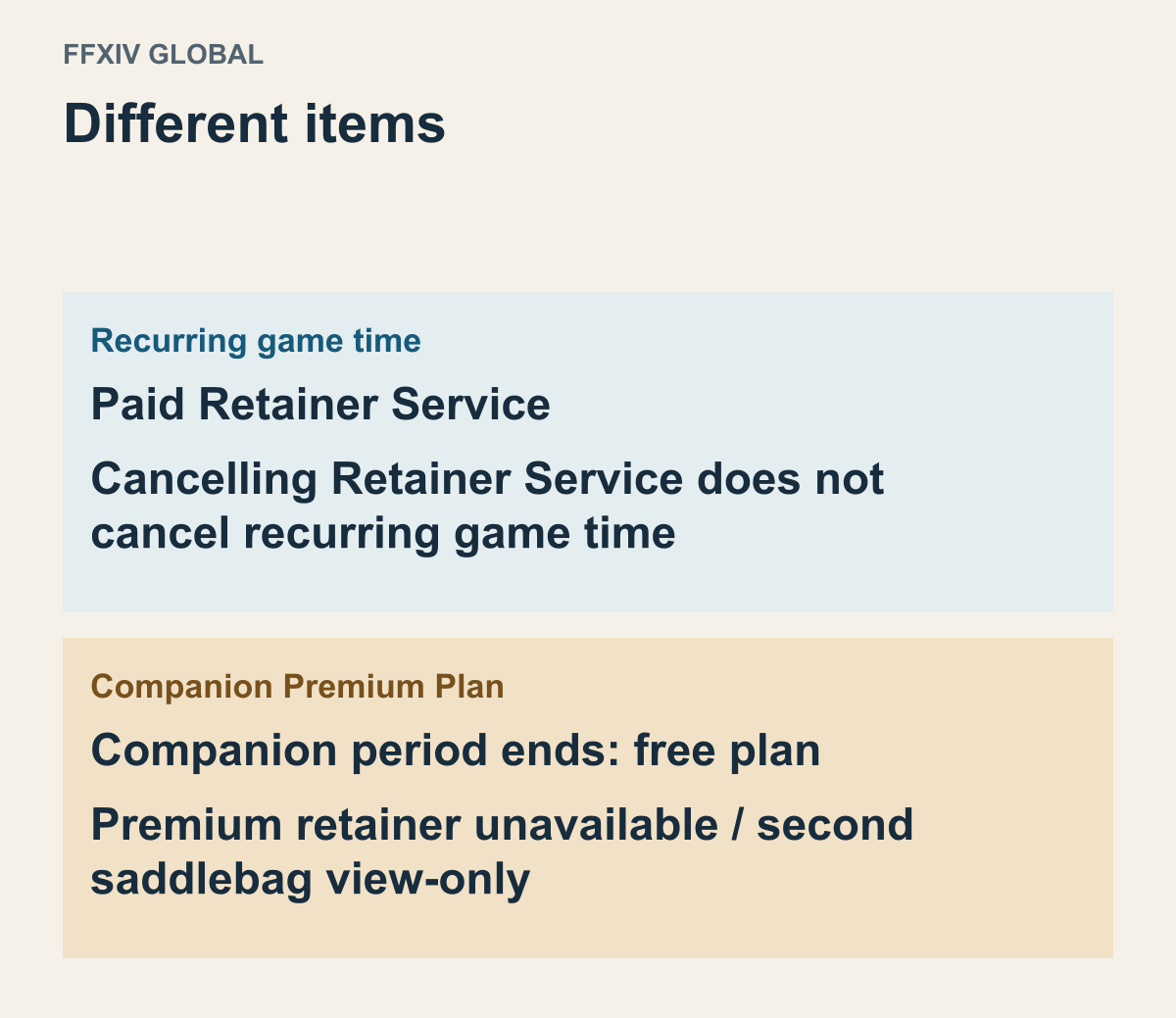
One game does not necessarily mean one recurring payment. The global FFXIV ongoing-option cancellation guidance treats recurring game time and the paid Retainer Service separately. It specifically says cancelling that service does not cancel recurring game time. Reducing one optional feature and stopping the game’s recurring fee have different targets.
Retainers are a supporting feature in this game, but a gameplay strategy is not the point here. The question is which service is on the bill. If you reduced only an additional retainer fee, that result does not establish that the next game-time period was cancelled too. Conversely, if you want to keep playing while dropping an option, do not substitute ending the game’s main subscription just because its name looks similar.
Companion’s Premium Plan makes the distinction more involved. Square Enix’s Companion Premium cancellation FAQ says the plan returns to free when its period ends and the extra retainer included with Premium can no longer be summoned. Do not assume that means the same billing target as the separate Retainer Service. Identify which product provided the feature you were using.
Suppose a player remembers using one additional retainer. Observing the feature does not immediately identify the optional subscription to cancel. Was it supplied by a separate Retainer Service membership, or included in Companion Premium? Find the actual signup item rather than work backward from a feature name to an assumed single contract.
The Companion guidance also distinguishes being able to view items in the second chocobo saddlebag from being able to access them. Seeing the items is not the same result as using them normally. Their continued visibility does not prove every Premium feature remains. Check what stays, what becomes restricted, and what ends for the specific product.
Before ending an option, you can consider which items and features you intend to use and what supplies them. A documented access restriction is not an instruction here to move or delete items. If preparation is needed, plan it using the feature’s official usage guidance. This article does not establish item-loss or recovery outcomes. Continuing the game and continuing an optional feature are different choices.
A purchased expansion does not replace access to a subscription base game
The distinction links base-game access with DLC use in EA’s PC troubleshooting guidance.
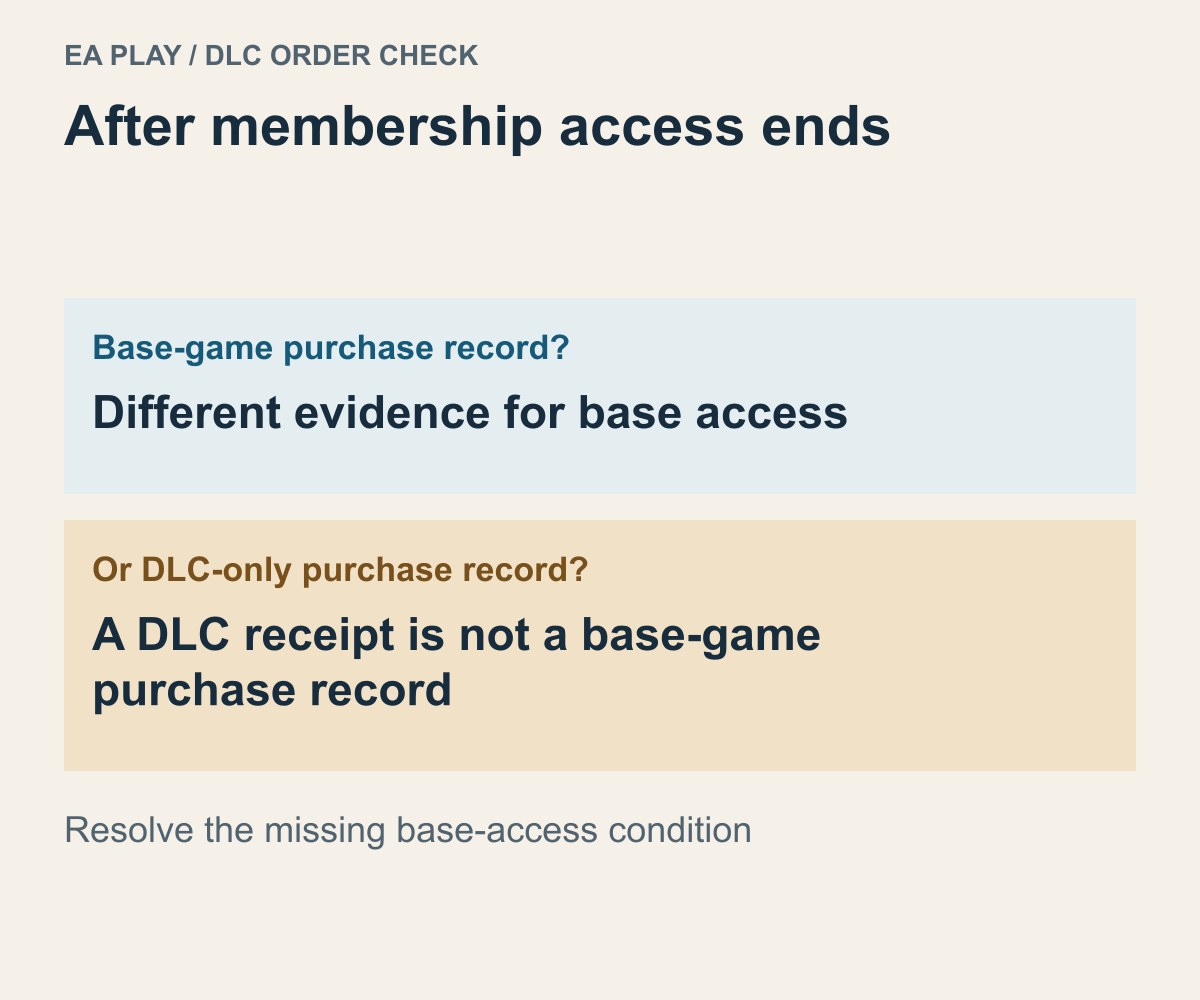
An expansion receipt can make it feel as though the game will remain playable after subscription expiry. But the expansion purchase and the basis for accessing the base game are separate checks. EA’s EA Play troubleshooting guide says that if the base is accessed only through EA Play and not separately owned, its related DLC cannot be used after membership ends.
Compare two fictional cases: one person separately bought both base game A and its extra content; another bought only the extra content and used A through the catalog. Both have DLC receipts, but their basis for base access after expiry differs. The question is not only whether DLC was purchased, but how the base was accessed.
EA describes purchasing the base separately or joining again while that base remains in the catalog. The “remains” condition matters. Do not plan on any game from the past returning merely because you rejoin. Check whether the base is currently available in the relevant platform’s catalog first.
Membership expiry, trial hours, and catalog removal are different endings
Distinct access-ending conditions, not a schedule for any real game.
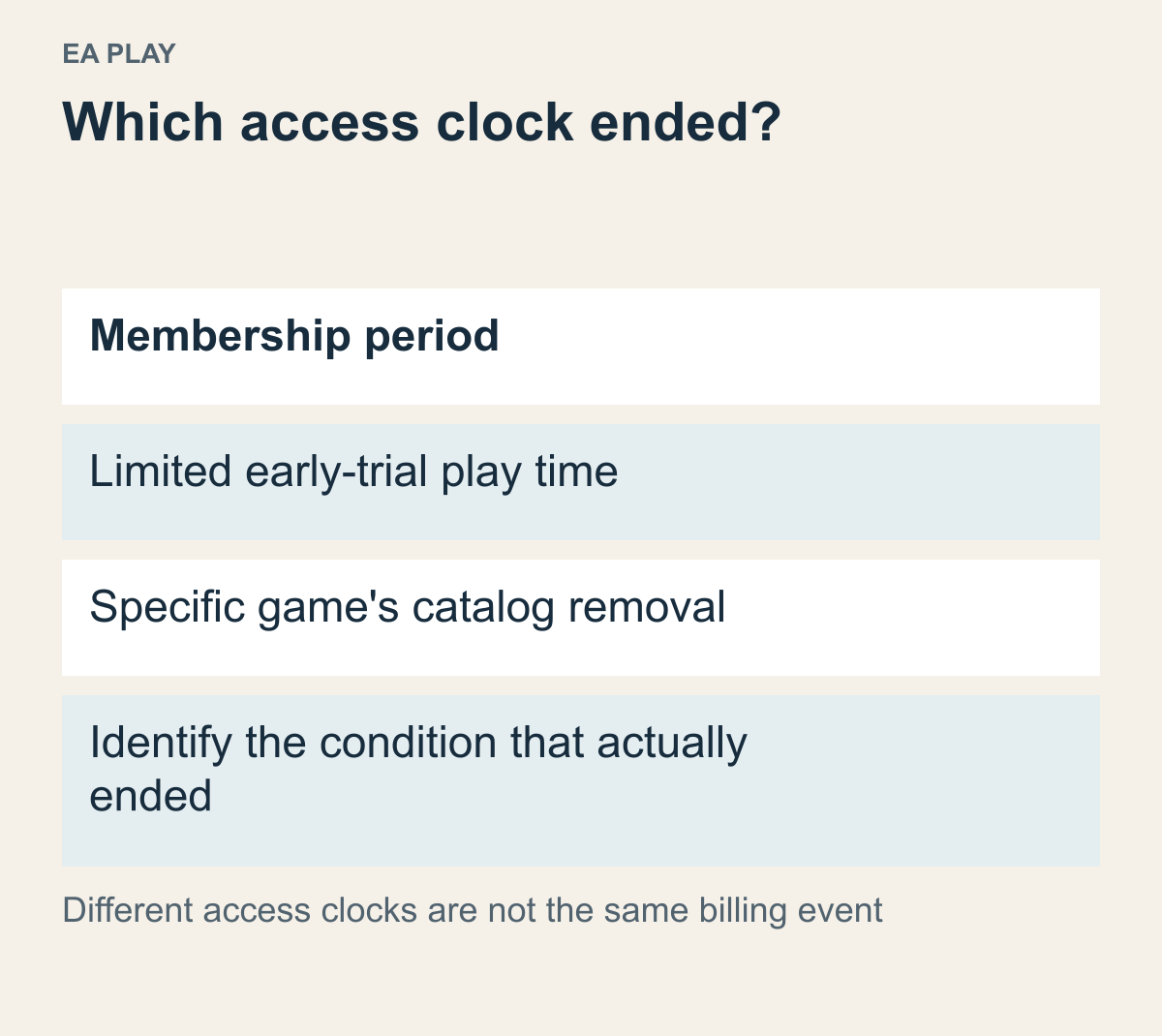
Your cancellation is not the only possible reason access ends. With membership time remaining, another condition may apply to a particular game. EA’s troubleshooting guidance discusses limited trials separately from Play List additions and removals. Copying one membership expiry date to every game’s access end can be wrong.
A trial measured in play time uses a different unit from the membership calendar. Suppose a month remains on the membership while a particular trial supplies only a limited amount of play time. Remaining membership days cannot be converted into extra trial hours. First identify whether the offer is catalog access to the full game or a timed trial. If remembering the title does not distinguish them, return to the product description.
EA explains that early-trial time can continue running when the game has not been fully closed and remains in the background. Using up those hours is a different question from cancelling the membership. A blocked trial with membership time left does not establish that the subscription payment failed. Check the trial’s usage conditions and the membership’s current state separately.
A game leaving the catalog is also distinct from the whole membership ending. EA says the selection can vary by platform and region and games may be removed. It directs readers to the game’s information for an individual removal schedule. Having previously added or installed it does not establish continuing catalog access afterward.
Assume a fictional schedule in which the membership lasts into next month but game A leaves earlier. To resume A at the weekend, check both dates. One describes the overall membership; the other describes provision of that game. A ending does not establish that every other catalog game ended too. Nor does remaining membership time erase A’s specific condition.
Keep stopping payments separate from removing progress or an account
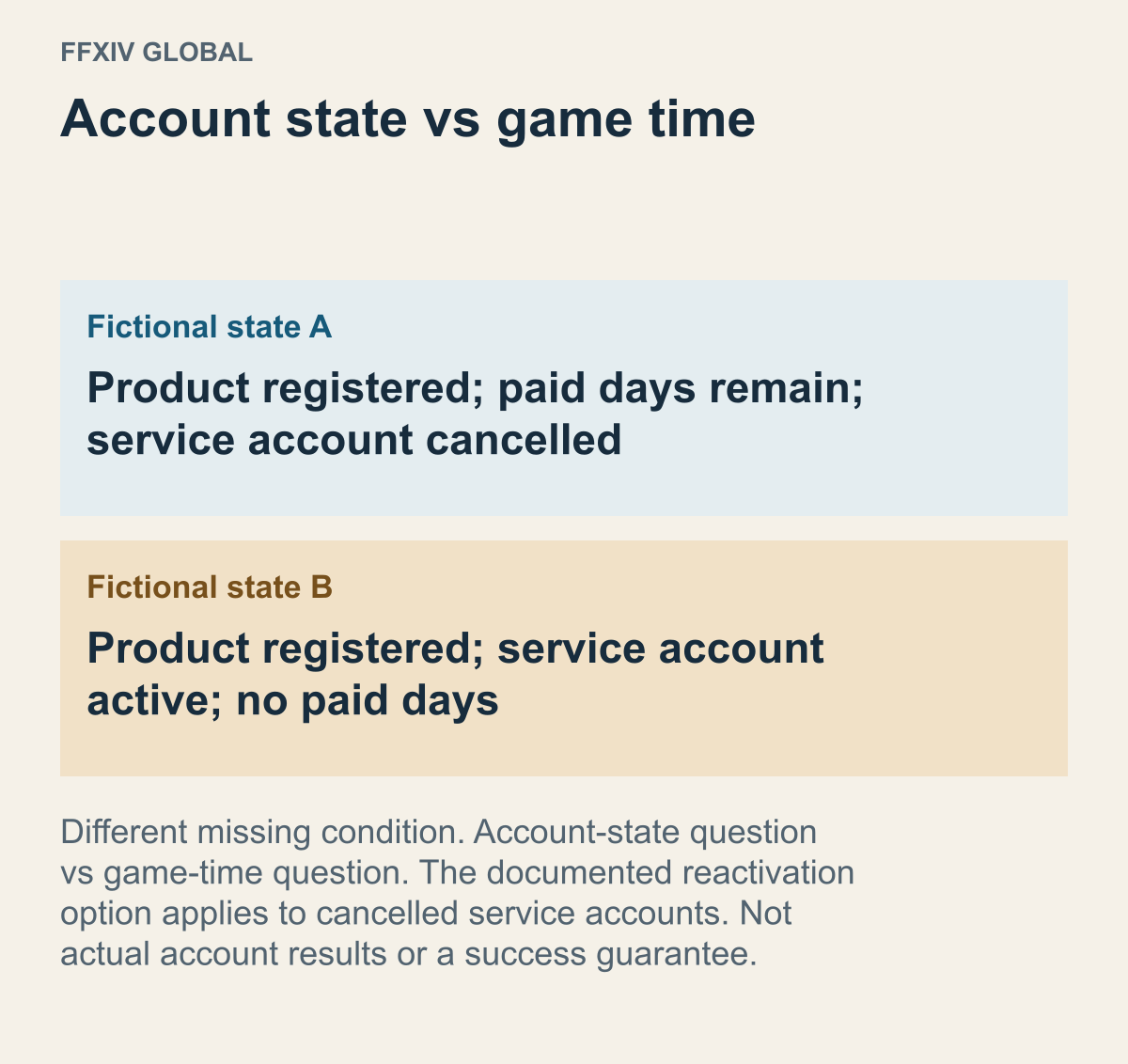
Hypothetical cases separating conditions in an official error explanation, not observed account-recovery results.
If you are taking a break, consider what you want to keep. Turning off renewal differs from requesting account deletion or removing installed files. Wanting to stop unwanted charges does not automatically require clearing out every game account and piece of data. Equally, files remaining in a list do not establish that payments stopped.
EA’s cancellation guidance says progress can be kept if you do not delete the saves yourself, allowing continuation after rejoining or buying separately. Check the save and synchronization locations for your product when preserving progress matters. Read what data an uninstall confirmation actually targets. Clearing a list item and preserving needed progress deserve separate decisions. For family-sharing conditions, see Steam Families access guidance.
Do not expand EA’s statement into a save guarantee for every Steam subscription game. Valve’s FAQ also says access to old game history after reactivation depends on the game. If the membership is active again but the old progress does not return, the publisher’s game account and linking remain questions. Another subscription payment is not a documented promise of automatic progress recovery.
Global FFXIV support separately addresses No valid service account is available to play FINAL FANTASY XIV. Do not reduce that message to insufficient subscription payment as a single cause. The guidance distinguishes registration, game time, and accidentally cancelling the service account while intending to stop a subscription. Someone returning to progress needs a different question depending on the missing condition.
Imagine that the product is registered and paid days remain, but the service account is cancelled. Buying more time alone does not establish that the different, closed-account condition was resolved. In the opposite case—an active account with expired time—reactivating an account and obtaining time are not the same task. This distinction helps avoid buying time you already have or investigating account status when the missing condition is time.
The document says Reactivate Service Account appears only for cancelled service accounts. Not seeing it does not let you infer that your account needs reactivation. Establish the actual state, then follow the relevant official guidance or support. This is not a procedure for moving a subscription to a new account. Keep the target separate from reversing a subscription cancellation or paying for more time.
For another fictional example, progress is on game account A, but a new subscription is started on B. A successful payment on B does not transfer A’s progress under the example’s conditions. If the goal is the old progress, first access A and identify the target. Matching the game account remains separate from whether a subscription is valid.
Compare a post-cancellation payment alert with its date and transaction
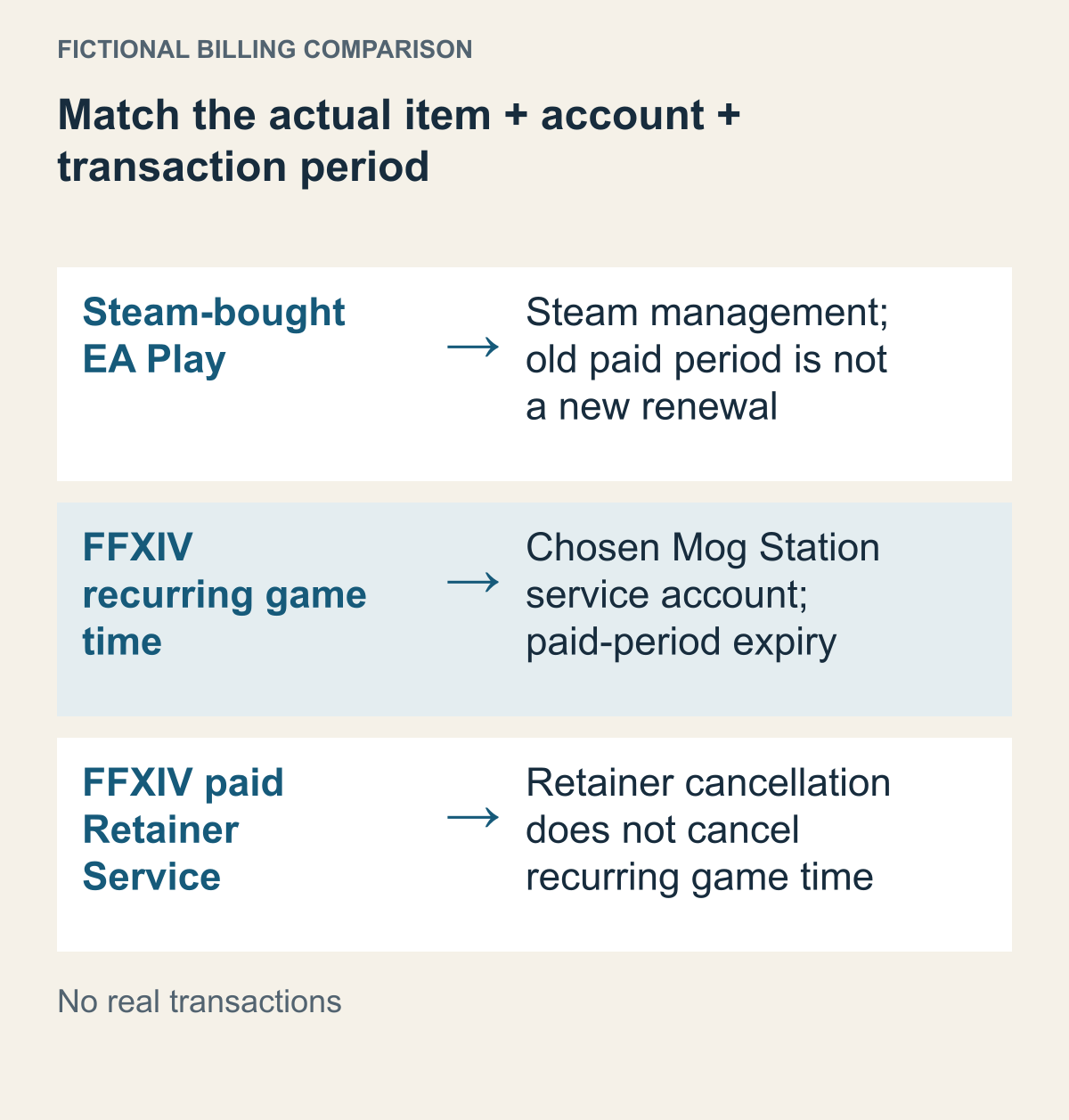
Similar cancellation wording can concern different products and paid periods.
If a payment alert arrives after you thought cancellation was complete, identify the product and period first. The day you read the alert does not establish that a new renewal occurred after cancellation. Compare the transaction time, covered period, and completed cancellation state in the current records. Check that the alert is not for another service with a similar amount or a period already paid for.
Valve’s FAQ says Account Details shows past and known upcoming charges, and that an email is sent upon completion of each transaction. Do not merge the time you read an email with the time its transaction completed. If you open a message late for a period paid before cancellation, that late reading does not make it a post-cancellation renewal. Match the product’s transaction and covered period first.
With several accounts on the same service, identify which one the charge belongs to. In a fictional case where A’s renewal stopped but B’s period was billed, A’s failed cancellation is not the only possible description. If the goal was to stop all your charges, B’s signup still needs a separate check. A completion page for one account concerns that account’s specific product.
Separate cancellation from a refund request, too. Stopping future renewal does not automatically return money for an already used or paid period. Steam’s recurring-subscription FAQ says it does not provide partial refunds for unused time. For help with a particular transaction, consult the applicable product policy and official support. This guide does not determine every region’s rights or exceptions. If the question is the destination of an approved refund, narrow it to card and Wallet refund routes.
A useful inquiry connects the product, billing route, target account, cancellation result, and disputed charge. Do not post full card details or passwords publicly. Steam-bought EA Play billing goes to Steam; global FFXIV service-account and time questions go to the relevant Square Enix support. Instead of only saying “I cancelled and it doesn’t work,” specify whether renewal, remaining time, or a separate purchase differs from what you expected.
Before writing to support, choose the unresolved event rather than copying the same cancellation question into every request. In a fictional account record, suppose only a next renewal is shown and no completed charge matches the period you are questioning. Ask which renewal state needs checking; do not describe an unidentified payment as a completed transaction. In a different record, a completed charge is visible. Put its covered period beside the recorded cancellation result and explain which relationship you cannot account for. These are two inquiry routes, not two promised remedies. If your records contain both, describe them separately instead of making one “I cancelled” sentence stand for both events. Organizing the evidence this way does not decide eligibility or reverse a payment. It identifies the missing answer without asking support to guess which event you mean.
Based on public documents actually read on October 19, 2026. No personal subscription was viewed, cancelled, paid for, or restarted, and no game was run. Dates, people, accounts, and games A and B are hypothetical; this is not a record of current signed-in screens or individual refund outcomes.