


You've picked a game, then the purchase options make you pause. Next to the standard edition sit Deluxe, Ultimate and Gold versions. The most expensive one looks like it ought to include everything, and buying the base game starts to feel like a decision you might regret.
An edition name doesn't tell you what you actually get. When choosing between them, I'd start with the extras I expect to use. Asking which version is the most complete can turn into an endless comparison if you begin treating every missing bonus as something you need.
This guide explains how to sort those purchase options using Valve's product documentation read on October 5, 2026. It isn't a record of buying a particular edition or testing whether its extra content is enjoyable.
Read the contents before the edition name
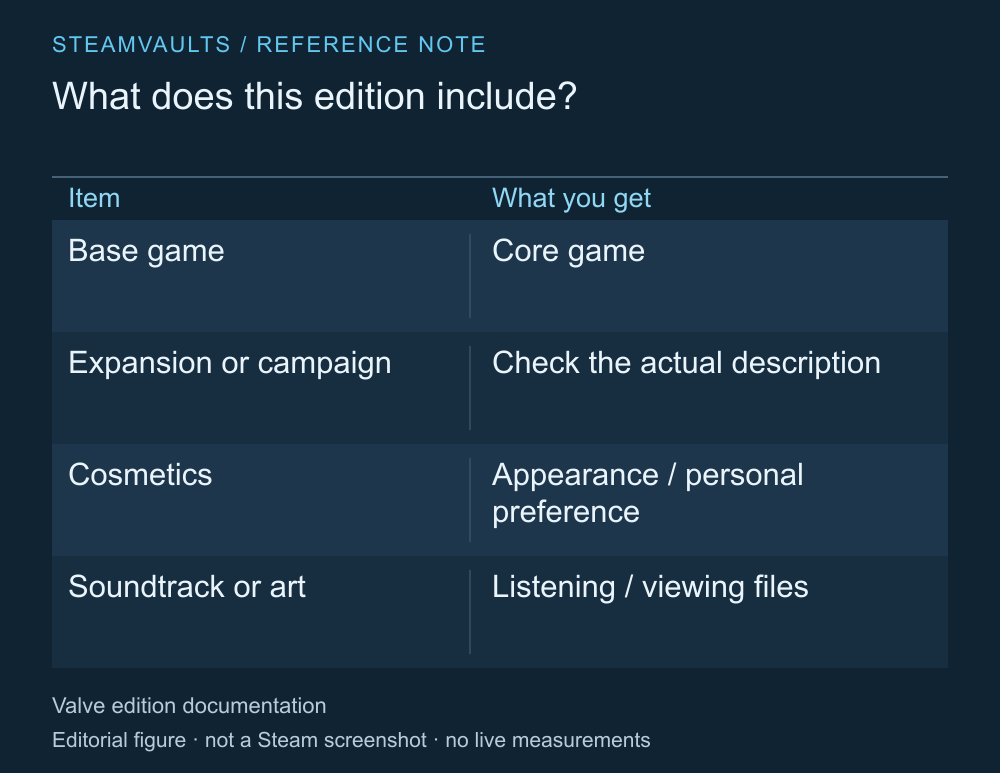
A comparison note based on the product types in the official documentation. This is not an actual store screen.
Valve's developer guide explains how to package a base game with extra content in a premium edition. Those extras might offer more gameplay, or they might be music, digital artwork or in-game items. The word Deluxe doesn't promise any particular mix. Valve's guide to edition contents
As you read the description, separate the base game from playable additions, cosmetics and files you can listen to or look through. A package advertising five bonuses isn't easy to compare with one containing a new campaign by counting the items. If you want another region or story, five outfits won't meet that need.
Cosmetics can still be worthwhile for someone who enjoys dressing up their character. A price tag can't settle a difference in taste. What helps is distinguishing the things you like from the quantity of extras the store is emphasizing.
If the exact items aren't listed, you don't yet have enough information to compare. Look for the included-content list and individual product descriptions beneath the edition artwork.
A soundtrack is different from an expansion
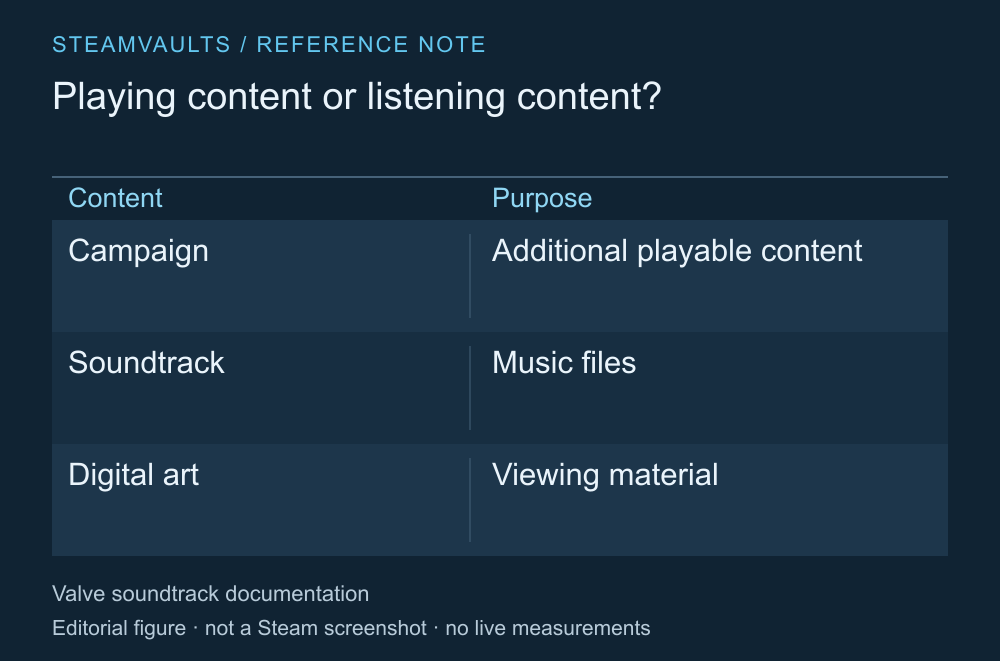
Extra gameplay and files for listening or viewing serve different purchase goals.
Valve documents soundtracks as a separate application type. A soundtrack can provide music files and related material; its name alone doesn't mean it adds a new part of the game to play. Steamworks soundtrack documentation
If you understand that distinction and want the music, that's a sound reason to buy it. The mistake is skimming the extras and counting every item as more playtime. Judge a digital artbook by whether you want its contents, too, rather than assuming it's a file you need to finish the base game.
Check whether the individual description tells you how the content is delivered and whether you use it outside the game. When a vague label such as “bonus content” leaves its purpose unclear, try writing one sentence about when you'd use that file. An item you can't place can stay separate from the price comparison for now.
Check whether you can upgrade later
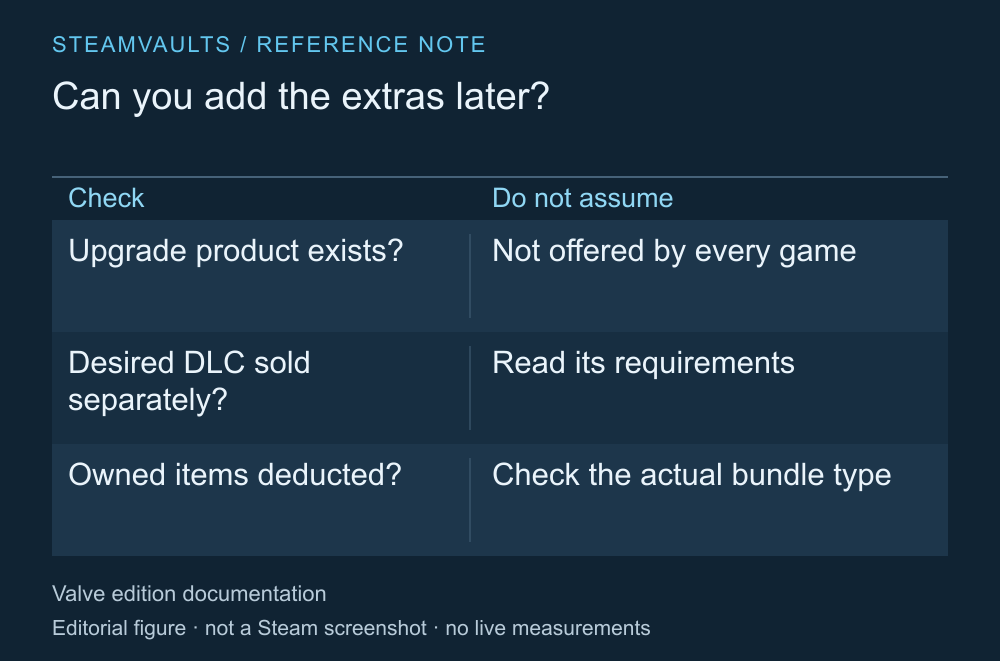
An upgrade path is something to check, not a feature every game necessarily offers.
Trying the base game before deciding on an upgrade is a reasonable plan. First check that an upgrade is actually sold. Valve recommends that developers provide an upgrade path, but that doesn't mean every game offers one in the same form or for the same price difference. Edition and upgrade configuration
Sign in to the store with the account that owns the base game. Look for a separate upgrade, individual sales of the DLC you want, or a bundle that excludes owned items. I'd base the purchase on the routes listed there rather than a route I hope will appear later.
Also check whether the extra product includes the base game or requires you to own it separately. Owning the game doesn't establish that the purchase button you're looking at sells only its extras. The account-specific calculation is covered in Steam bundles when you already own a game.
Compare the extra cost for what you want
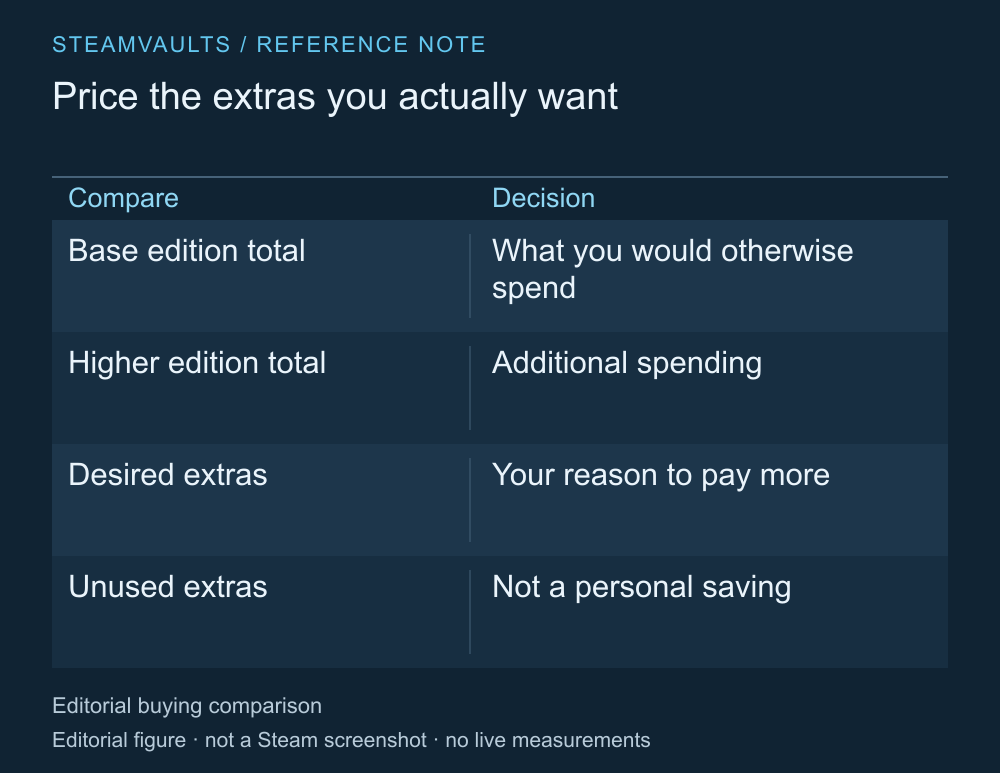
A decision aid without prices. Current regional selling prices were not checked.
Compare the final price of the base game and the higher edition on the actual purchase screen, then identify what you want in return for the extra money. A large discount doesn't make an edition useful to you if most of its contents will go unused. If it contains an extra you definitely want and compares favorably with buying that content separately, you have a reason to choose it.
Don't read the current contents as a promise to include everything released in the future. A list of today's items and a commitment to provide later content are separate things. Even if a season pass or future DLC is named, read the scope and conditions of that offer. An assumption that Ultimate means you'll never need to pay again can't replace the product description.
An approaching sale deadline doesn't make an unverified item a benefit. I'd choose the edition with extras I know I want instead of paying more because it contains lots of unfamiliar bonuses. The purpose of buying a game is to enjoy it, rather than complete a contents list.
Once you've compared the options, you should be able to say which extra you're paying more to use. If the explanation stops at the edition's name, return to its contents list.